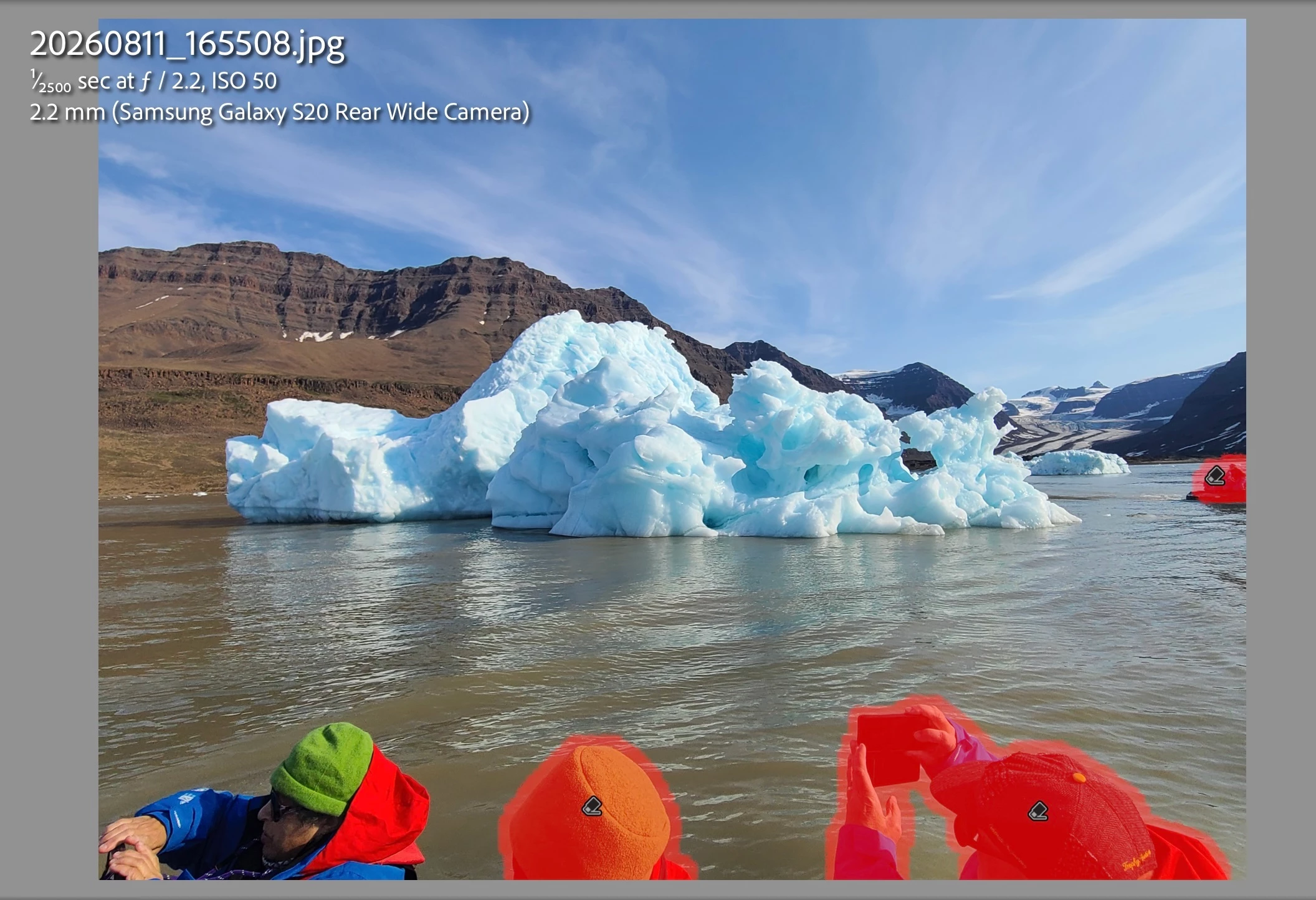
In the attached photo, most of the people were found. But, one very obvious person in the lower left is completely ignored. Any idea what’s going wrong here?
Lightroom Classic 15.0.1
Macbook Pro running Tahoe 26.5.2
P.S. I should note that it’s not that critical on this photo since I can just change the aspect ratio and crop all of the people out. However, I would like to know if I’m doing something wrong so that I can get it right for other photos.
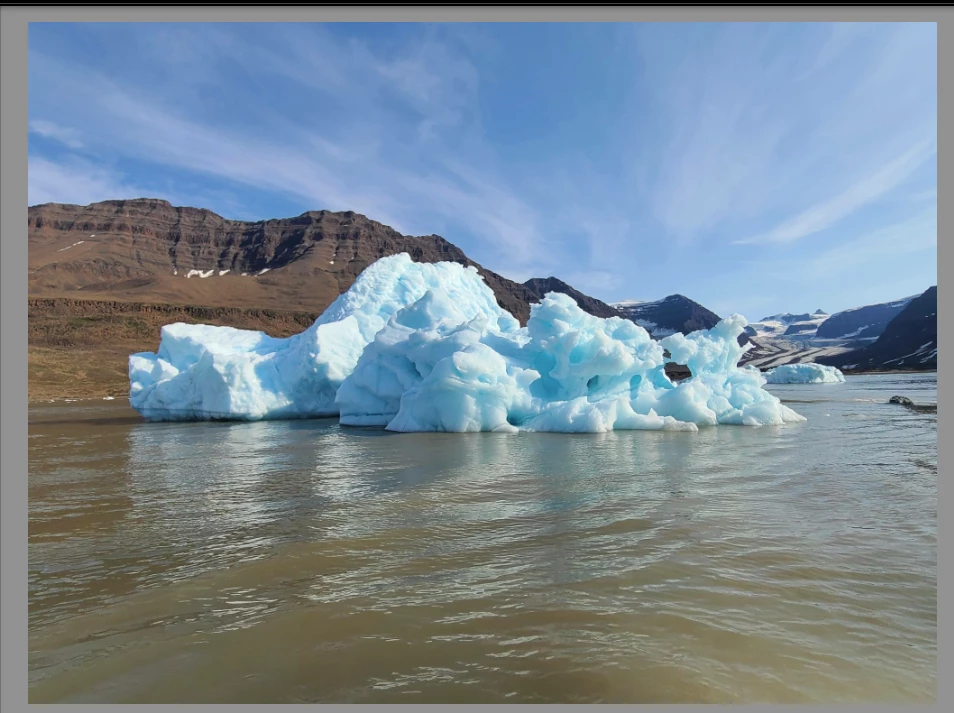
P.P.S. Here’s the original photo exported in lower quality in case it helps to research the issue.
Correct answer Anshul_Saini
Hi @Scott Sobel,
Thank you for reporting this and for sharing the original photo. You're not doing anything wrong. The Distraction Removal > People feature in Lightroom Classic is designed to identify and remove background or "extra" people from your photos, but like all AI-powered detection, it may not detect every person in every scenario.
There are certain situations where detection can be more challenging for the AI model, including:
Partially visible or cropped people (such as someone at the edge of the frame)
People who are significantly occluded by other objects
Figures that are out of focus or blend with the background
In your case, the person in the lower left may fall into one of these more difficult detection scenarios, especially if the frame edge partially cuts them off or differs significantly in scale/positioning from the other detected figures.
As a workaround, if the People detection doesn't find someone, you can use the Remove tool (with Generative Remove mode) to manually brush over that person and remove them. This gives you full control over what gets removed, regardless of whether the AI auto-detected it.
We're continuously working to improve detection accuracy with future updates. Thank you for taking the time to share this. Feedback like yours helps us identify areas where the model can be improved.
It depends on the image. Lightroom does not have a ‘remove all people’ tool. What it does have is a ‘people distractions’ tool. That means that people who ‘photobombed’ your image are removed, but people who seem to belong to the scene are not.
See also this answer why people are sometimes not recognized:
Thank you. That’s an interesting distinction between attempting to determine people who belong in the scene. I’m mostly a wildlife photographer, sometimes scenery, and only rarely happy people photos. So, I’m just used to thinking of any human in the photo as a distraction. :P Still, yes, there are exceptions to that.
Thank you for reporting this and for sharing the original photo. You're not doing anything wrong. The Distraction Removal > People feature in Lightroom Classic is designed to identify and remove background or "extra" people from your photos, but like all AI-powered detection, it may not detect every person in every scenario.
There are certain situations where detection can be more challenging for the AI model, including:
Partially visible or cropped people (such as someone at the edge of the frame)
People who are significantly occluded by other objects
Figures that are out of focus or blend with the background
In your case, the person in the lower left may fall into one of these more difficult detection scenarios, especially if the frame edge partially cuts them off or differs significantly in scale/positioning from the other detected figures.
As a workaround, if the People detection doesn't find someone, you can use the Remove tool (with Generative Remove mode) to manually brush over that person and remove them. This gives you full control over what gets removed, regardless of whether the AI auto-detected it.
We're continuously working to improve detection accuracy with future updates. Thank you for taking the time to share this. Feedback like yours helps us identify areas where the model can be improved.
Thank you for that level of detail. Yes. It seems that sitting sideways was the issue here. I really appreciate knowing what happened even though I just went with tighter cropping in the end.
Been using Lightroom for awhile now. How come when you go to remove people , and there are MANY, obvious people, Lightroom either finds 1 or none at all?




 AdChoices