


Question
DJI Air 3S FC9113 Lens Profile Not Available in Lightroom Classic
Hi everyone,
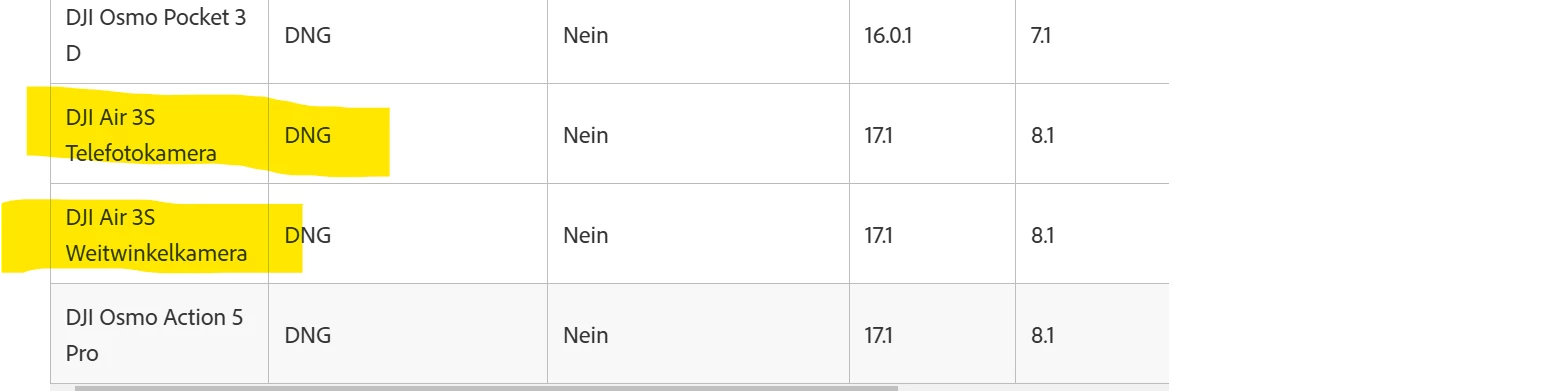
I’m experiencing an issue where the lens profile for my DJI Air 3S Wide Camera (Model: FC9113) does not appear in Lightroom Classic, even though the DNG files are supported in Camera Raw 17.1.
My Setup:
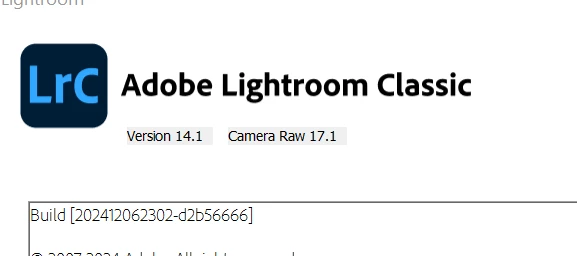
- Lightroom Classic Version: 14.1 (with Camera Raw 17.1)
- Drone Model: DJI Air 3S
- Cameras:
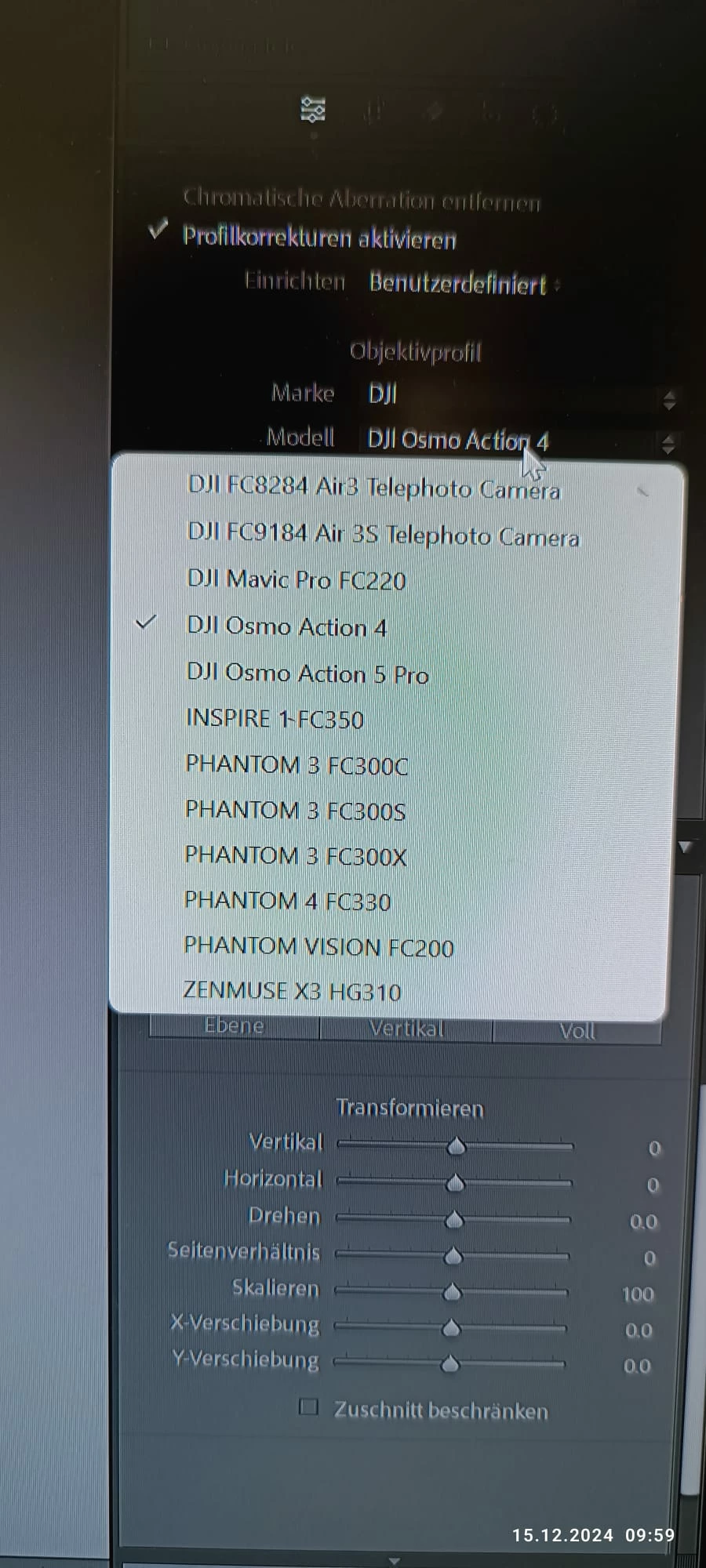
- DJI Air 3S Telephoto Camera (FC9184)
- DJI Air 3S Wide-Angle Camera (FC9113)
The Problem:
Missing Lens Profile:
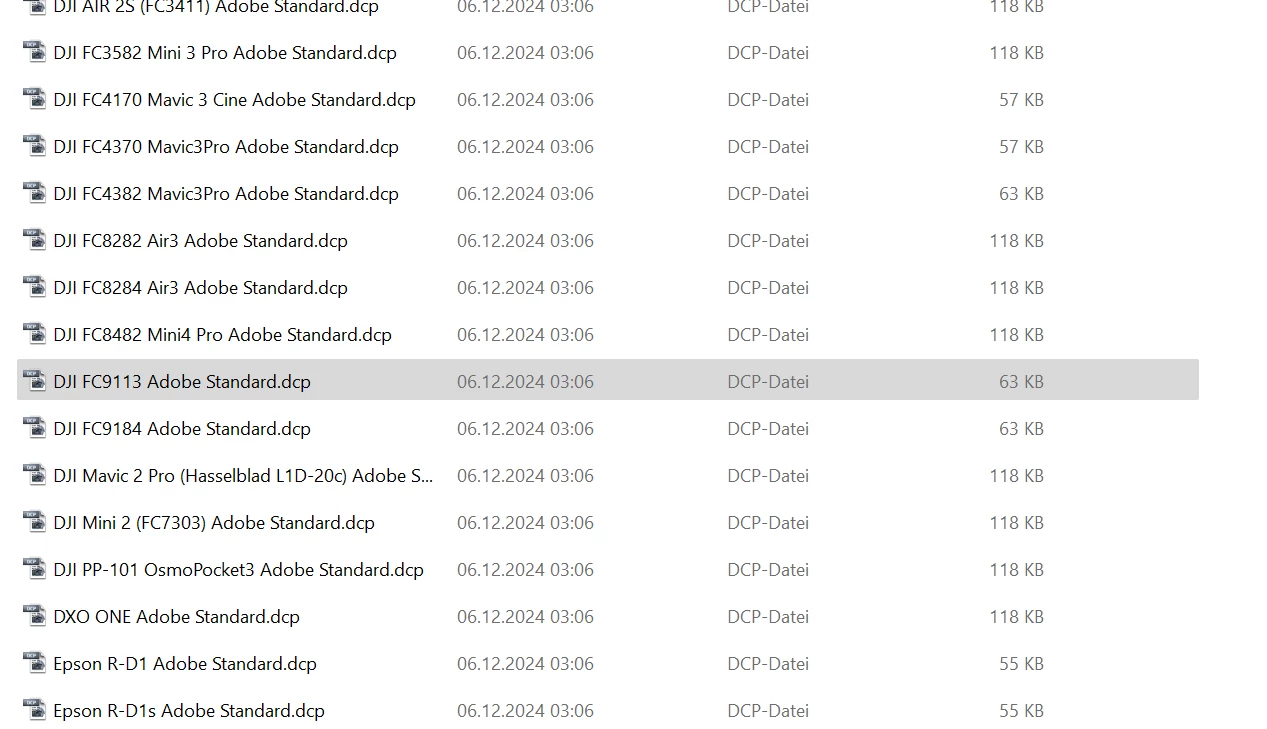
- The FC9113 lens profile exists in the correct directory:makefileCode kopierenC:\ProgramData\Adobe\CameraRaw\LensProfiles
- I can see the profile file named DJI FC9113 Adobe Standard.dcp in the folder, but it does not appear in the lens profile list in Lightroom Classic.
- The FC9113 lens profile exists in the correct directory:
Other Observations:
- The DJI Air 3S Telephoto Camera profile (FC9184) shows up correctly.
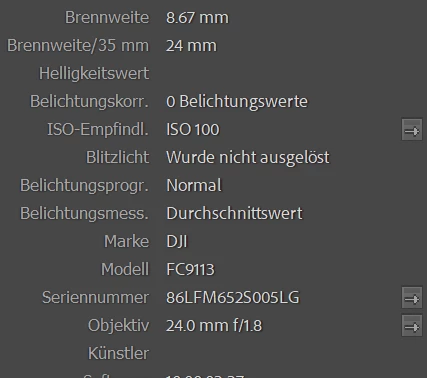
- The files are DNG format, and I have verified the metadata (Lens and Model are recognized as FC9113).
Steps I Have Tried:
- Reinstalled Lightroom Classic and Camera Raw.
- Confirmed both are up-to-date (LrC 14.1 / ACR 17.1).
- Reset Lightroom preferences.
- Verified the lens profiles exist in the correct folder.
Additional Screenshots Attached:
- Lightroom Classic Version Confirmation
- Lens Profile List (missing FC9113)
- Lens Profile Folder on Windows
- Metadata of the DNG file showing Model: FC9113
Does anyone know why Lightroom Classic isn’t showing the FC9113 lens profile, even though it is present in the correct folder? Could this be a bug or an issue with the profile configuration?
Thanks for any insights or solutions!
 AdChoices