DNG Converter not seeing any RAW files
Imported a bundle of files today .RW2
As normal started up DNG conveter.... but when I point it to the folder it does not see any files to import .... just empty folder (even though 30 plus rw2 file there.)
OK ... so I pointed it to previous RW2 files which it has happily converted before - same ting it sees nothing, just empty folders
I then deleted DNG converter, downloaded latest version 11.3.0.197 same thing ?
Rebooted PC ....same thing
Deleted again, this time installed as Administrator - same thing.
I'm stumped .... can anybody tell me how to fix this.
As an example ... pic attached shows DNG converter open .. and I have pressed 'select folder' you can see that in the top window (import folder view) DNG converter sees no files ... yet in the lower window a standard file explorer view you can see the RW2 files are present.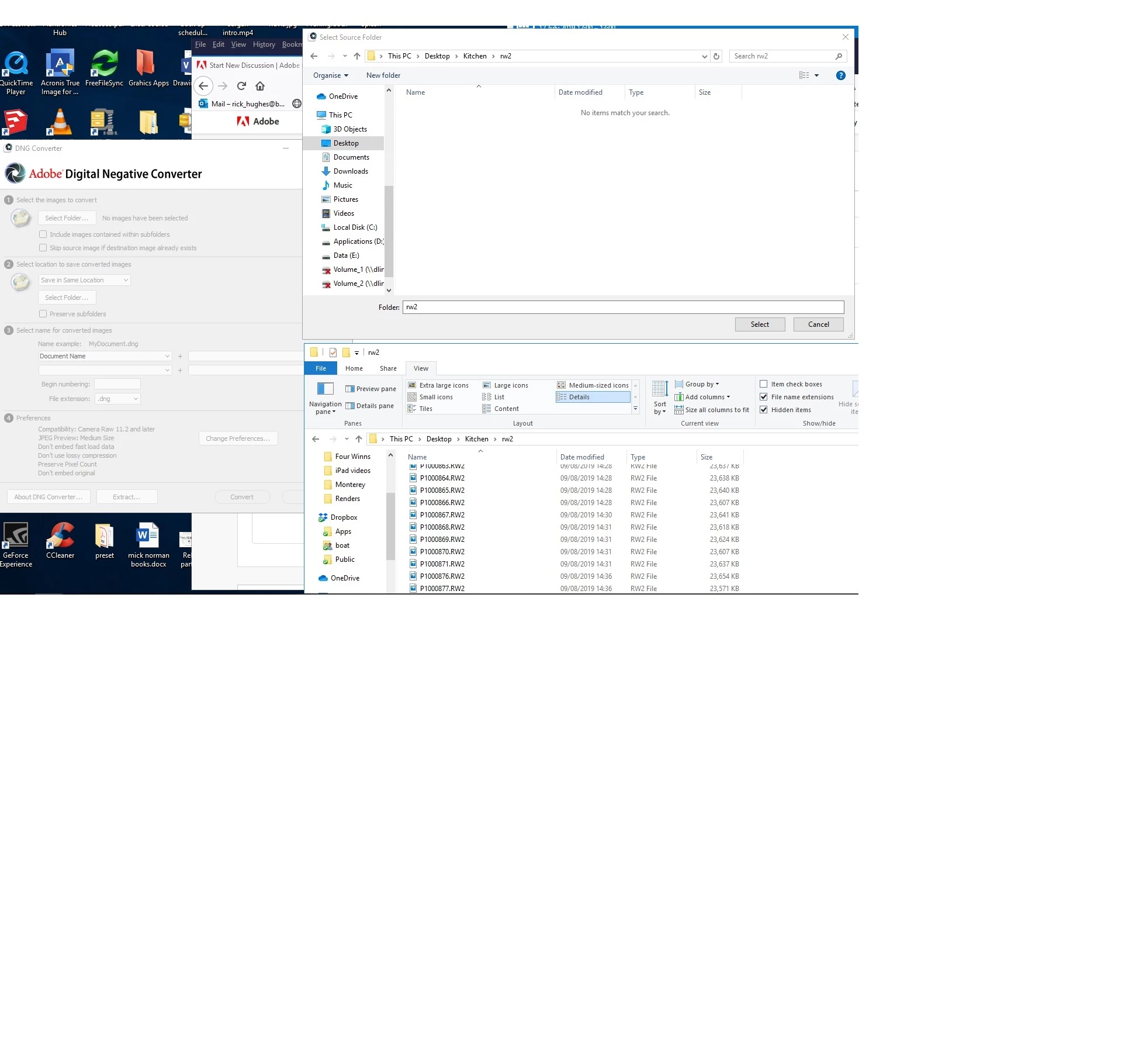
 AdChoices