Participant
August 4, 2024
Answered

DNG Files Look Corrupted in Lightroom Classic

  • August 4, 2024
  • 3 replies
  • 797 views

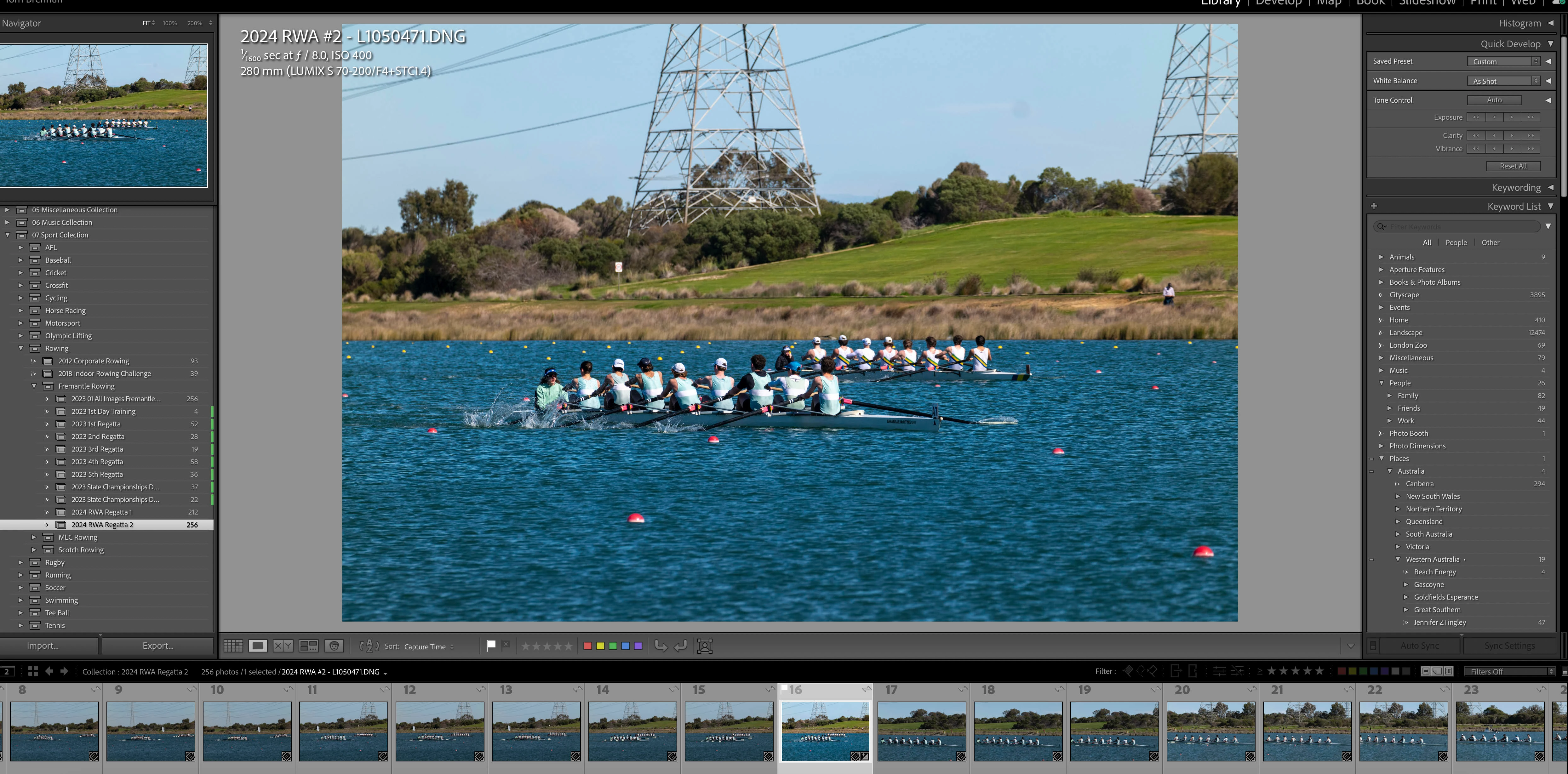
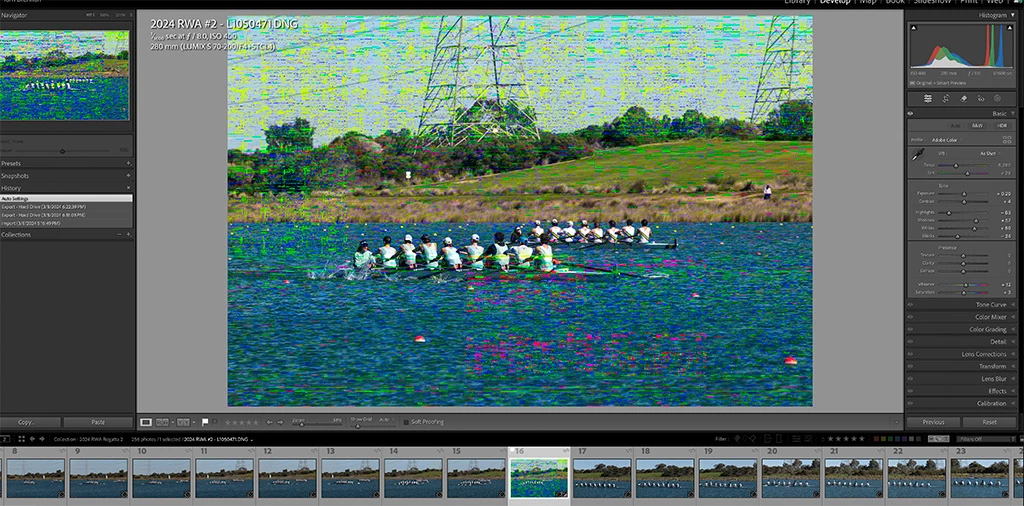
I have recently had a problems with DNG and Fujifilm raw files imported into Lightroom from different SD cards, from different cameras.  In the Library module the images look normal, bit once opened in the Develop module the files look corrupted.  

I thought it was just with recent files uploaded, but if I go back and open other images that were successfully edited some time ago the same thing happens.

I can open the files in Apple Photos and successfully edit them, so I suspect it is something to do with Adobe Lightroom rather than the raw files themselves.  If I open the files in Adobe Camera Raw I get the same corrupted view.

Running Lightroom Classic v 13.4 on a MacBook Pro (Last Intel version), files held separately on a hard drive.

Any idea what might be happening here.


[moved from bugs to discussions according to the community rules - Mod.]

This topic has been closed for replies.
Correct answer Ian Lyons

If your Mac is using an AMD GPU, then you're probably experiencing the outworking of the bug described in https://community.adobe.com/t5/lightroom-classic-bugs/p-gpu-develop-edit-view-amp-export-artifacts-after-14-4-1-update-amd-only-affects-cr-lrc-amp-lrd/idi-p/14563606


3 replies

Ian Lyons
Community Expert
Ian LyonsCommunity ExpertCorrect answer
Community Expert
August 4, 2024

If your Mac is using an AMD GPU, then you're probably experiencing the outworking of the bug described in https://community.adobe.com/t5/lightroom-classic-bugs/p-gpu-develop-edit-view-amp-export-artifacts-after-14-4-1-update-amd-only-affects-cr-lrc-amp-lrd/idi-p/14563606


TBREAuthor
Participant
August 7, 2024

Thanks it certainly seems to be consistent with other user's experience (the same corrupted appearance).  I will try disabling the GPU when processing images and see what happens.   Unfortunately the issue seems to be a bit fickle, if I restart my computer somethimes its clears up, other times it persists.   

GoldingD
Legend
August 4, 2024

In your first screenshot, the one in the Develop Module, a bit hard to read on my monitor, but looking at the Histogram Panel, it appears to state Original Image + Smart Preview.

From an Adobe site, what I think I am seeing:

that from: https://helpx.adobe.com/lightroom-classic/help/lightroom-smart-previews.html


Looking at the Navigator Panel, it appears you are in the default, not at say 1:1 or tighter.


As such, I think you are looking at a Smart Preview.


Perhaps the Smart Preview is corrupt. What happens if you go to 1:1?


Mind you, I do not use Smart Previews, and my knowledge of when you see a Smart Preview may be wrong. Other members will correct me, I am sure.


ahh, a Smart Preview in Develop Module, yes they are used, see: https://www.lightroomqueen.com/lightroom-performance-previews-caches/


Perhaps you should discard the Smart Preview, see what happens, and if that helps, then recreate the Smart Preview


TBREAuthor
Participant
August 7, 2024

I must admit this is a bit odd.  One of the first things I thought it might be is a corrupted 1:1 preview (I usually run these on import rather than standard previews.  So I discarded the 1:1 previews leaving (I thought) just a standard preview.  I have (to my knowledge) only used Smart Previews once before travelling so its unclear why it shows as having a Smart Preview.  Unfortunately I deleted the photos from Lightroom and my hard disk and re-imported them again from the SD card.  So I can't check. 

Going from "Fit to Screen" to "100%" didn't get rid of the problem.  I also found that exporting JPEGs embedded the corruption into the JPEGs.

dj_paige
Legend
August 4, 2024

Could be your GPU is the problem in Lightroom Classic. Try turning off the GPU (In LrC, Preferences->Performance->Use Graphics Processort should be set to OFF)


Also, what is your GPU (exact make and model)?


TBREAuthor
Participant
August 7, 2024

GPU is AMD Radeon Pro 5500M 8 GB.  I see from other responses there may be a problems with this GPU after the last OS update.