
Does not detect sky, people or objects.
Hello Everyone,
I'd like to know if you've also had the problem shown in the attached image below:
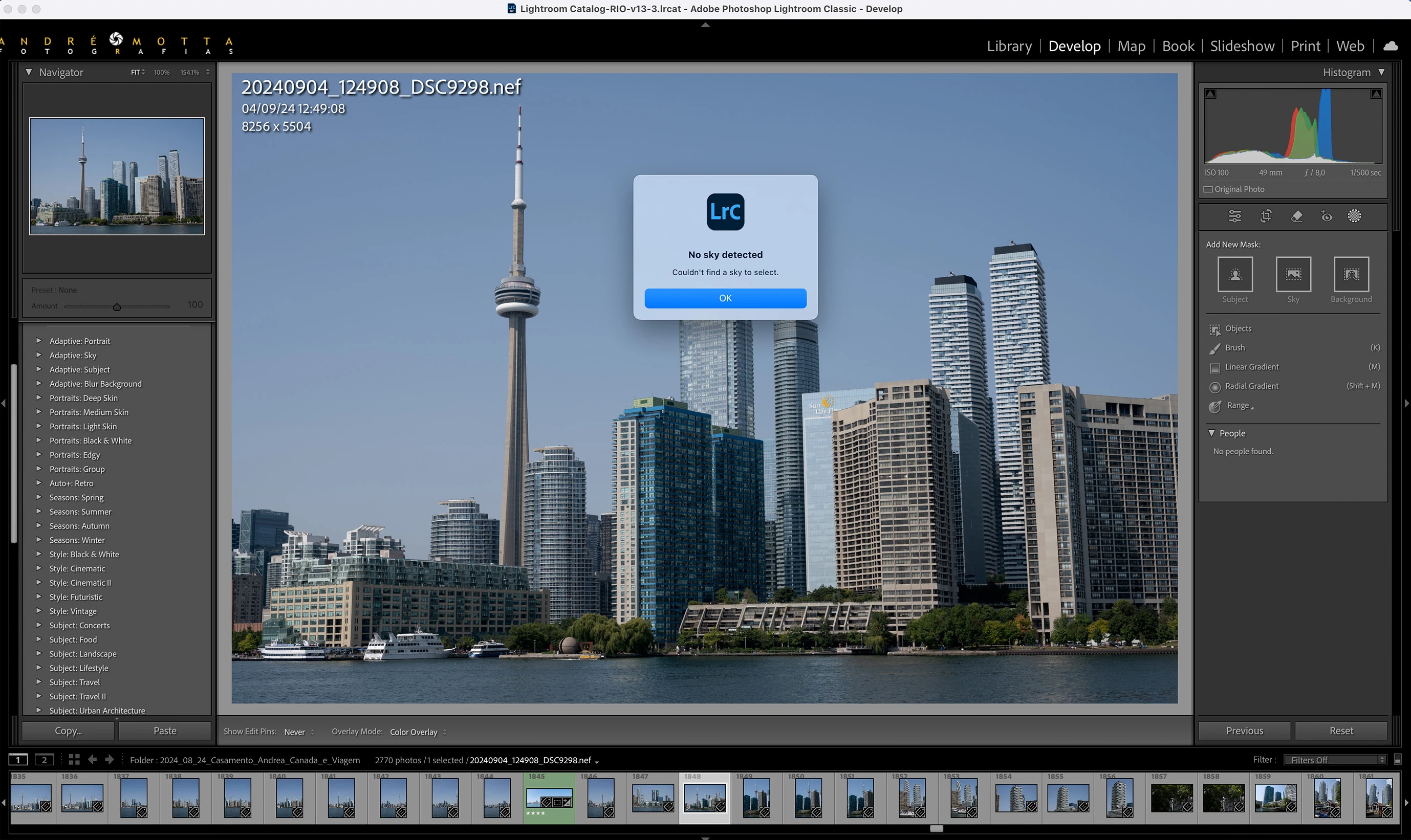
Lightroom doesn't detect skies, objects or people.
In other words, the Mask AI functions are not working properly.
I would like to point out that the use of GPU is disabled, because if I enable it, I get the problem of noise and pixelation of the image, a problem already described by me and others at https://community.adobe.com/t5/lightroom-classic-bugs/p-gpu-develop-edit-view-amp-export-artifacts-after-14-4-1-update-amd-only-affects-cr-lrc-amp-lrd/idi-p/14563606.
However, even with the GPU enabled, I can NOT detect the sky, objects or people.
I'm using a 2019 MacBook Pro with 16GB and an I9 processor.
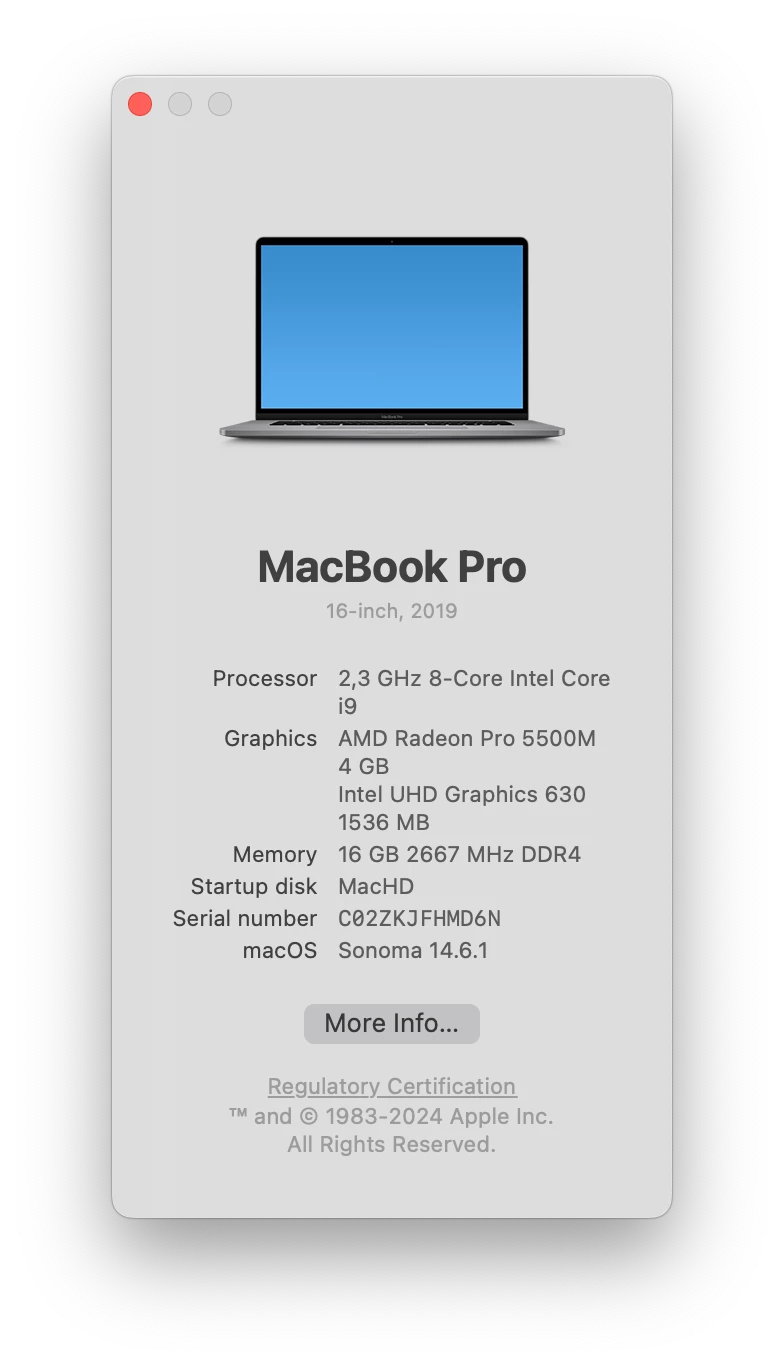
The Graphics Processor is AMD Radeon Pro 5500M 4 GB; Intel UHD Graphics 630 1536 MB
Until last month I was using a 2014 MacBook Pro with 16GB and an I7 processor and this problem did not happen. It's regrettable...
And with this older machine, despite the low performance, things worked better.
Here's my System Info, for the appreciation of the experts:
Lightroom Classic version: 13.5.1 [ 202408271704-d15d09cd ]
License: Creative Cloud
Language setting: en-BR
Operating system: Mac OS 14
Version: 14.6.1 [23G93]
Application architecture: x64
Logical processor count: 16
Processor speed: 2,3GHz
SqLite Version: 3.36.0
Power Source: Plugged In, 100%
Built-in memory: 16.384,0 MB
Dedicated GPU memory used by Lightroom: 893,0MB / 4.080,0MB (21%)
Real memory available to Lightroom: 16.384,0 MB
Real memory used by Lightroom: 3.247,2 MB (19,8%)
Virtual memory used by Lightroom: 51.940,8 MB
Memory cache size: 587,1MB
Internal Camera Raw version: 16.5 [ 1954 ]
Maximum thread count used by Camera Raw: 5
Camera Raw SIMD optimization: SSE2,AVX,AVX2
Camera Raw virtual memory: 1828MB / 8191MB (22%)
Camera Raw real memory: 2072MB / 16384MB (12%)
Cache1:
Final1- RAM:352,0MB, VRAM:0,0MB, 20240903_173658_DSC9157.nef
NT- RAM:352,0MB, VRAM:0,0MB, Combined:352,0MB
Cache2:
m:587,1MB, n:352,1MB
U-main: 245,0MB
Standard Preview Size: 1024 pixels
Displays: 1) 4096x2560
Graphics Processor Info:
Metal: AMD Radeon Pro 5500M
Init State: GPU for Image Processing supported by default
User Preference: GPU for Display Enabled
Enable HDR in Library: OFF
Application folder: /Applications/Adobe Lightroom Classic
Library Path: /Users/andre/Pictures/Lightroom/Lightroom Catalog-RIO-v13-3.lrcat
Settings Folder: /Users/andre/Library/Application Support/Adobe/Lightroom
Installed Plugins:
1) AdobeStock
2) Aperture/iPhoto Importer Plug-in
3) Flickr
4) HDR Efex Pro 2
5) JPEGmini
6) Nik 6 HDR Efex
7) Nikon Tether Plugin
😎 ON1 NoNoise AI 2022
9) ON1 Photo RAW 2021
10) ON1 Photo RAW 2024
11) ON1 Resize 2021
12) Plugin Parameters
Config.lua flags:


 AdChoices