
Answered
double saving/ delete untraceable photos all at once without having to mark them individually?
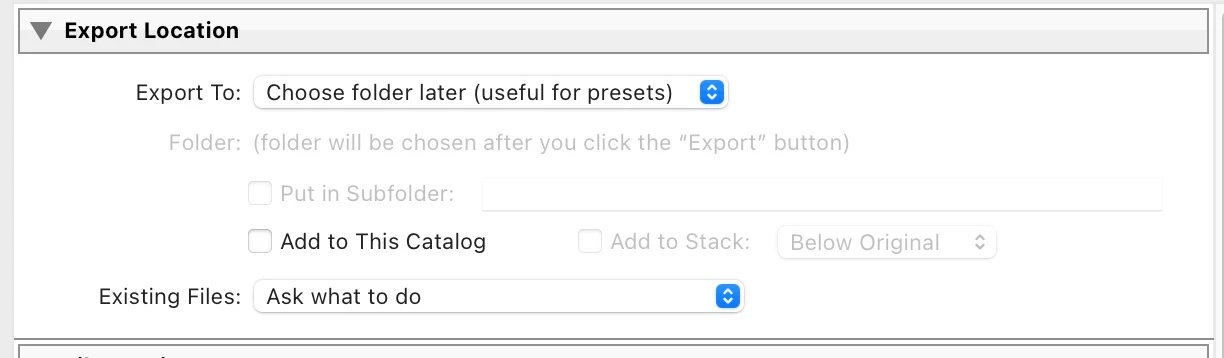
Hello! I have the following problem: When I export a photo, the photo is not only saved to a folder, but the exported photo is also uploaded to Lightroom. This means that if I export 3 versions, I also have the three extra photos in Lightroom, which is annoying. If I don't like the exported photos and delete them, Lightroom can understandably no longer find them, but they still appear in Lightroom and I have to delete each one. how can I deactivate this double saving? and how can I delete untraceable photos all at once without having to mark them individually?
Any ideas?


 AdChoices