
Participating Frequently
March 29, 2022
Answered

Draw Face Region Icon Missing

  • March 29, 2022
  • 1 reply
  • 503 views

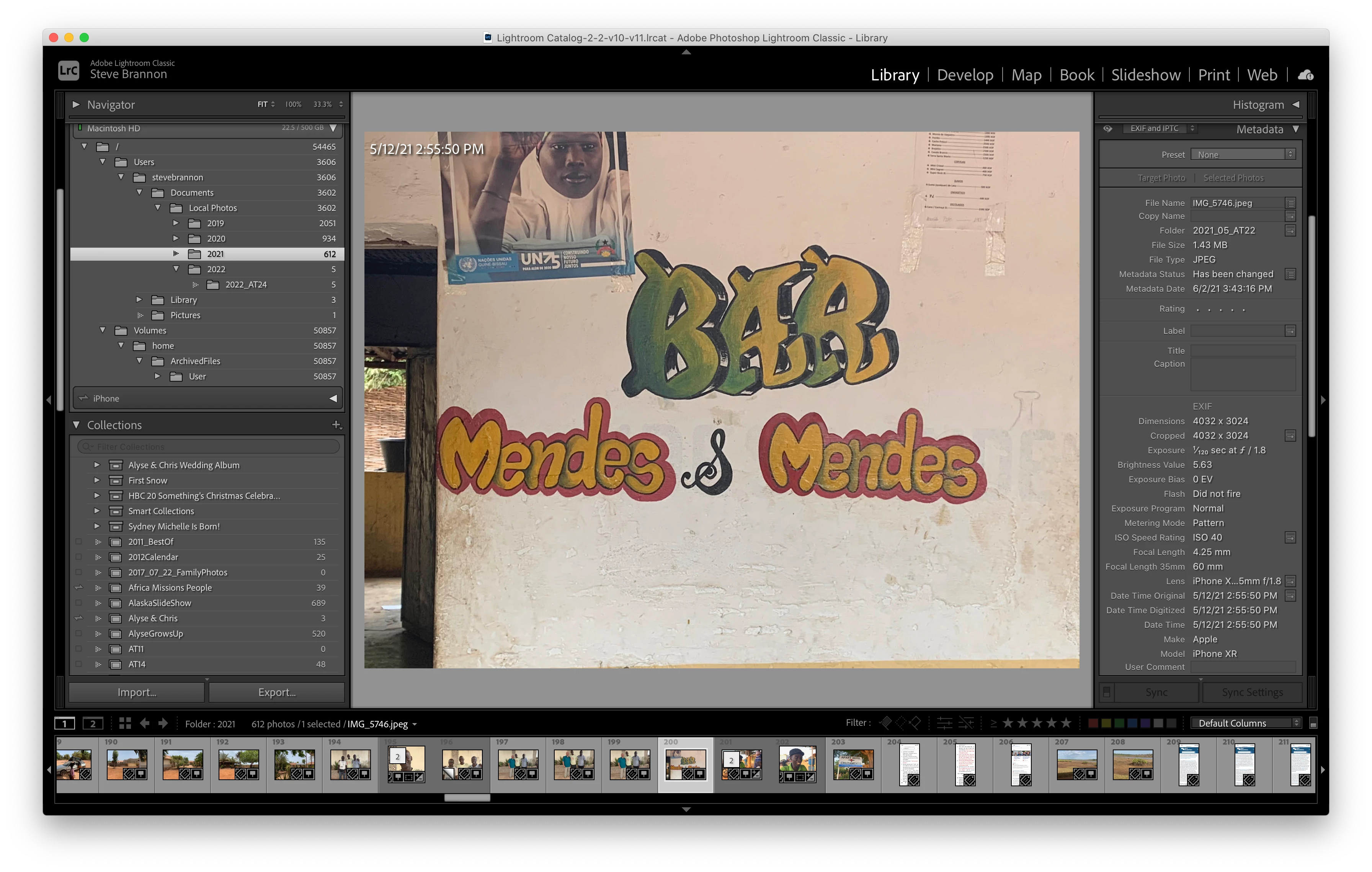
I've used the Draw Face Region feature a number of times in the past. I would go to Loupe view, click the People icon at the bottom of the screen, and draw in the region for the face. Now, I can't find the People icon at the bottom of the screen. Why?


I'll attach a screen shot. I don't see the People icon OR the down-arrow referred to in seveal posts to turn the icon on. How can I get the People icon back in Lightroom Classic?


Steve
 

This topic has been closed for replies.
Correct answer Theresa J

Type Command-T to bring up the Toolbar at the bottom of the center content area.

1 reply

Theresa J
Community Expert
Theresa JCommunity ExpertCorrect answer
Community Expert
March 29, 2022

Type Command-T to bring up the Toolbar at the bottom of the center content area.

Participating Frequently
March 29, 2022

Ugh... It's the simple things. 😉


THANK YOU!


Steve