
Drive not connected appears in folder section of Lightroom Classic after saving a photo in PS
I just added a second OWC RAID to my 24” iMac Apple M1. OS is Sequoia 15.0.1. The original RAID was named Thunderbolt. I named the new RAID Thunderbolt24. After all of the files were copied from Thunderbolt to Thunderbolt24, I renamed the original Thunderbolt to Thunderbolt18, and the new RAID to Thunderbolt. 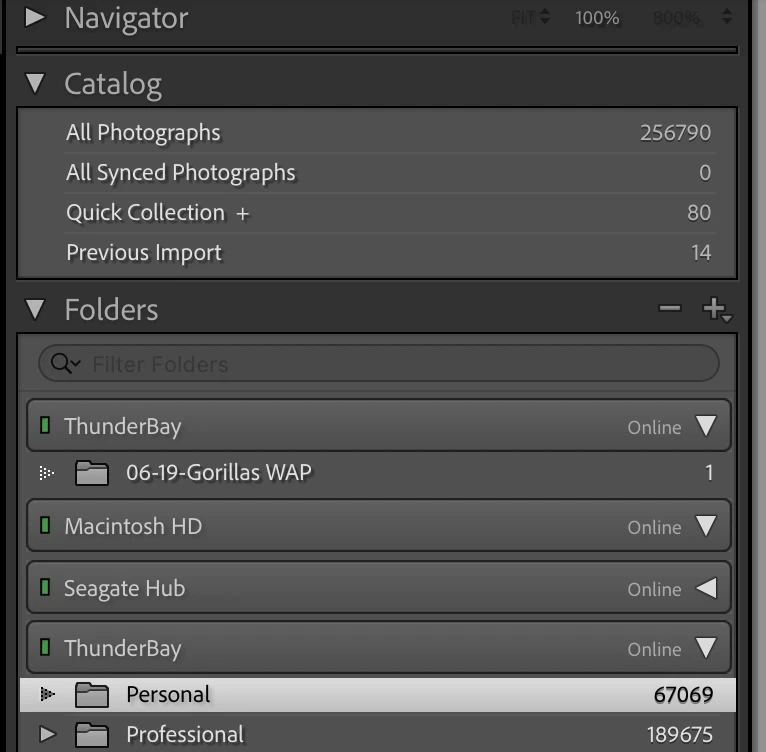
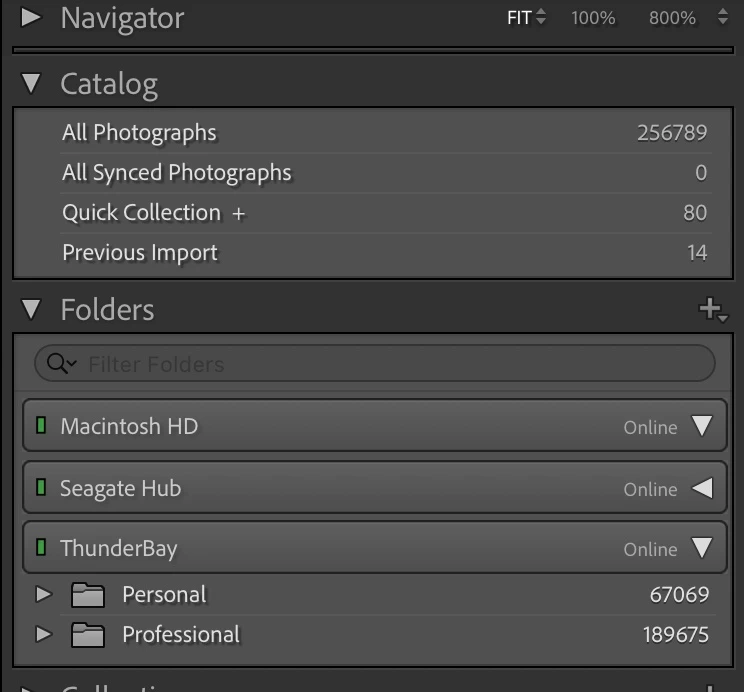 When I select a photo on the Thunderbolt RAID in Lightroom to edit in Adobe Photoshop, do my edit, and then Save, when I go back to Lightroom, it says no file selected and the screen is blank. I looked at the Folders list in Lightroom and there are two Thunderbolt drives listed; both named the same… Thunderbolt. The photo that I edited in now on a second Thunderbolt RAID with the edited photo, even though the original RAID is not connected to my Mac anymore. When I delete the file/folder under the Thunderbolt that appeared, that RAID disappears. It shouldn’t be listed anyway. There must be something in the settings that I am overlooking. Any ideas how to resolve this issue? Please ask questions if you don’t understand, as it was a bit difficult to explain.


 AdChoices