
jengreer
Participating Frequently
April 22, 2025
Question

Droplet giving errors

  • April 22, 2025
  • 2 replies
  • 848 views

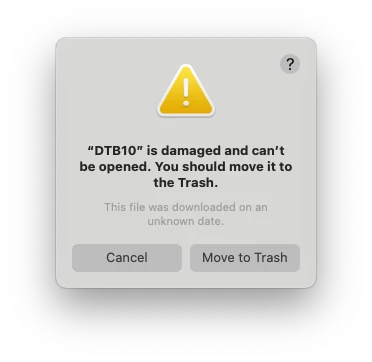
I have created a droplet in PS based on a bunch of actions I like to run on my images. I've added it to LRC, I can see it in User Presets, but when I go to use it, I am getting an error. This used to run well on my older laptop. Help please!
2 replies

Community Expert
April 23, 2025

I have not used this feature for some time, but definitely not invoked from the develop presets panel: the sequence as I recall it was to run an Export batch, in the settings of which the droplet is selected as Postprocessing operation. So that whole setup might usefully be saved as an export preset.


LrC then exports each image in turn, tells PS to open that and run whatever named PS action was encoded into the droplet; then carries out whatever further saving (of the result of the action) is programmed into the droplet options, then LrC moves on to the next image and the postprocessing sequence repeats for that.


This all might I suppose now fail to work if e.g.: the exporting destination / its user permissions now not valid; the droplet referenced by the export preset is no longer available to LrC; the way the droplet invokes PS is now not working - perhaps because the version or program executable location has changed meanwhile; the PS action originally referenced by the droplet is no longer found by PS; the re-save destination / its user permissions not valid.

jengreer
jengreerAuthor
Participating Frequently
April 24, 2025

This is exactly how it works! Again, it's working on my laptop, I just can't get it to work on my MacMini. I used the original droplet, as well as created a new doplet. Neither are working as it did on my laptop. This is what I need help with!


Would this be a MacMini issue? I can't imagine why it would be, but that is the only different factor. ANy other thoughts on how I could set up my production to work like this? (batch export in LRC, run actions in PS).


Any help is GREATLY appreated! I'm bleading time trying to batch this stuff....

Community Expert
April 28, 2025

AFAIK an export preset invokes a particular Droplet by name, and the droplet invokes a particular Action by name. Using a saving location (folder path) encoded into the export preset, with further saving info encoded into the Droplet (typically, overriding any saving location encoded into the Action).


All of those components need to be equally available in this second computer, as they were in the first. So I would begin by checking whether you are able to run the relevant Action inside PS, in this other computer, or not. If you can, then work back through the chain of other requirements systematically.

MassC
Legend
April 22, 2025

Hey @jengreer


Welcome to the Lightroom Classic community! I wanted to confirm — are you trying to use an action created for Photoshop in Lightroom Classic as a preset? If so, then yes, the error you're seeing is expected. Lightroom Classic and Photoshop use different systems for applying edits: Lightroom uses presets, which are sets of predefined adjustment settings, while Photoshop uses actions, which are sequences of recorded steps or commands. These aren't interchangeable across the two programs.


Let me know if that clears things up or if I misunderstood — happy to help further!

^CM

jengreer
jengreerAuthor
Participating Frequently
April 23, 2025

Hi and thank you!


I used to have this set up on my laptop and it worked beautifully. I have a bunch of actions I use in phtooshop, which I would create as a droplet and add to the User Presets in LRC. It worked beautifully. I could batch a bunch of images in LRC and they would run the actions in photoshop and pull them back into LCR so I could keep them in the catalag. I've just never run into this error before and wondering if there is a step I missed. The last time I set this up for over 8 years ago... so I might be missing something.


Does this make sense? Can you help me figure this out so I can get it to work correctly?