
[duplicate - closed] - Free space on local drive from files on the cloud (Mobile Downloads.lrdata)
Duplicate - closed - see:
Hello everyone,
I have way too much space being used by lightroom in my drive. Letting cache stuff an so on the side, I want to focus first on my folder "Mobile Downloads.lrdata", wich I understand are my files I added in my LR app on my phone and synced to the cloud... but downloaded in my PC.
Is there some way to have those files ONLY on the cloud and not eating space on my drive? I mean get rid of the 60GB on my Mobile Downloads.lrdata folder on the drive, and have those files only up in my Adobe cloud.
I have Lightroom Classic and Lightroom installed.
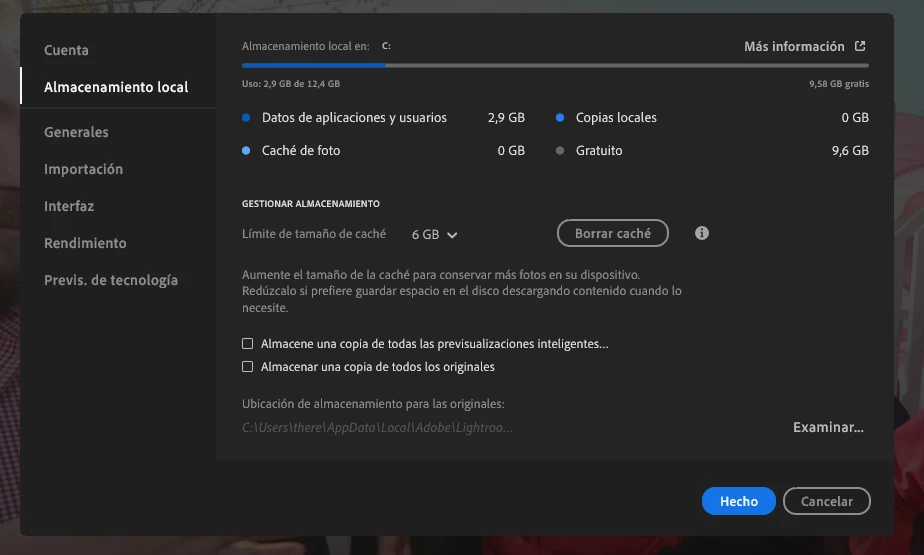
These are my settings on Lightroom:
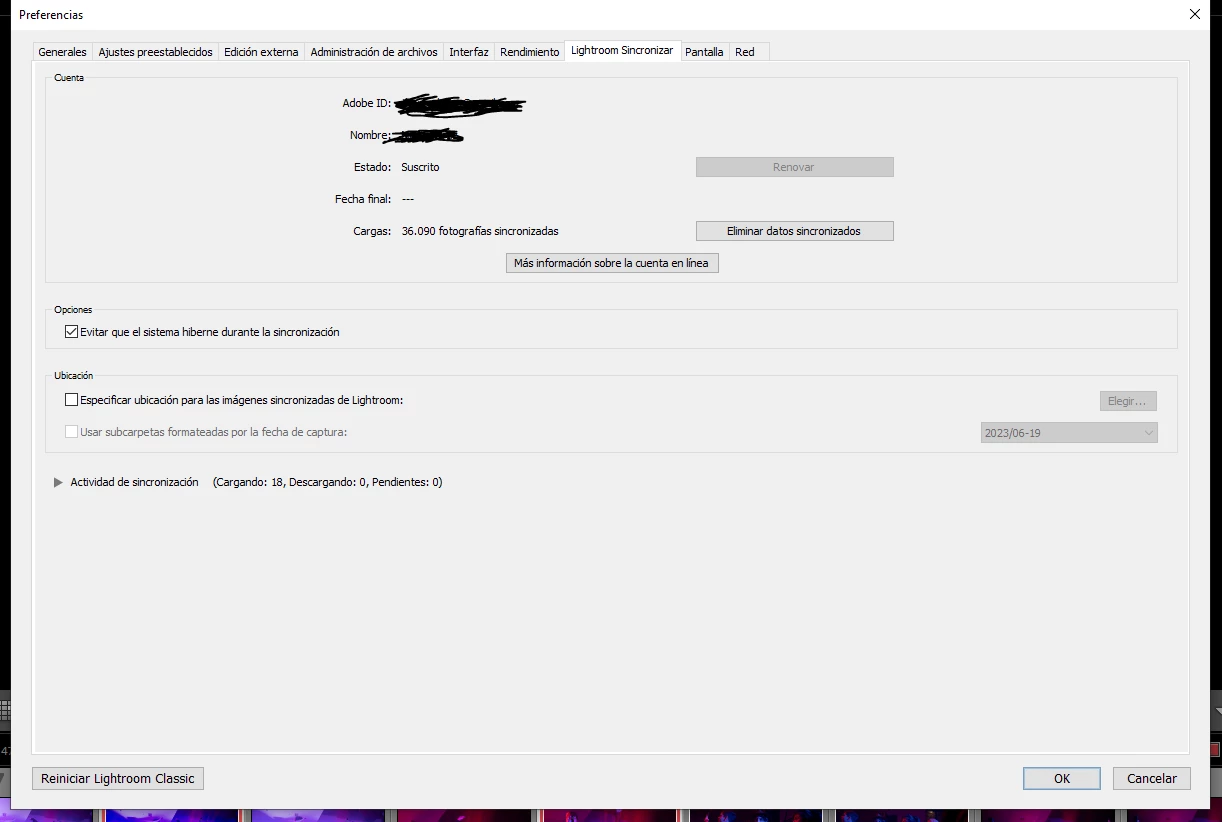
And these on Lightroom Classic:
Pls help. I have this problem since always. I searched a lot on other posts but can't find any concrete solutions, sorry if this is repeated.
 AdChoices