
Participant
April 11, 2024
Question

Duplicate collections after moving catalogue from one computer to another

  • April 11, 2024
  • 2 replies
  • 92 views

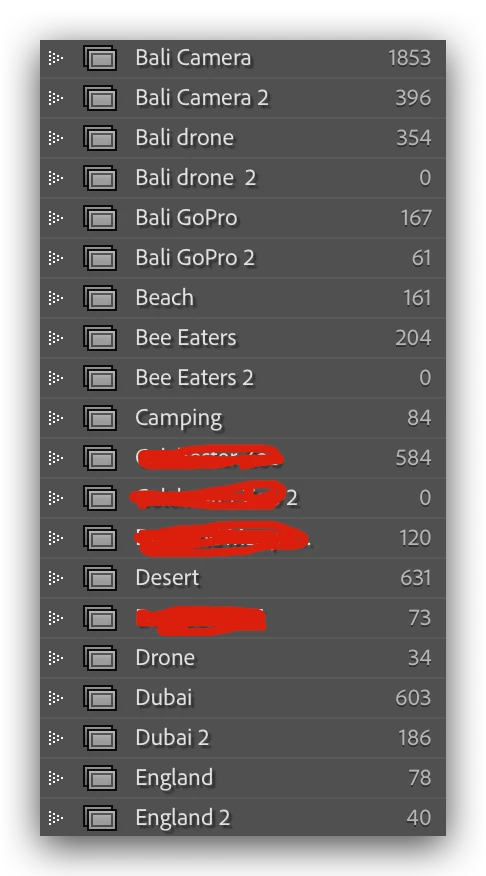
Hi, I just got a new computer and so I exported my catalog on my previous computer onto a hard drive and then opened it on my new computer. I now look, and there are a lot of Duplicate folders, many with 0 things in. Does anyone know what happened here and if there's anything I should have done when exporting catalogs? 
 

This topic has been closed for replies.

2 replies

dj_paige
Legend
April 11, 2024

Those are collections, not folders.


Did you check to see if the 396 photos in Bali Camera 2 collection are included in the 1853 in Bali Camera collection?


No need to export the catalog from your old computer, just make a COPY of the catalog file using your operating system and move it to your new computer. Then open that on the new computer. Does that change anything?


JohanElzenga
Community Expert
Community Expert
April 11, 2024

There is no reason to export a catalog. Just copy your current catalog to the new computer. See 

https://www.lightroomqueen.com/how-move-lightroom-to-new-computer/


-- Johan W. Elzenga