Answered
Duplicated Camera Matching Profiles appear in the profile browser
After the upgrade to LR Classic 11 (Windows 10), the profile browser in the develop module shows duplicated camera matching profiles: 2 faithful, 2 neutral, etc... The duplicates are slightly different, one being a bit warmer.
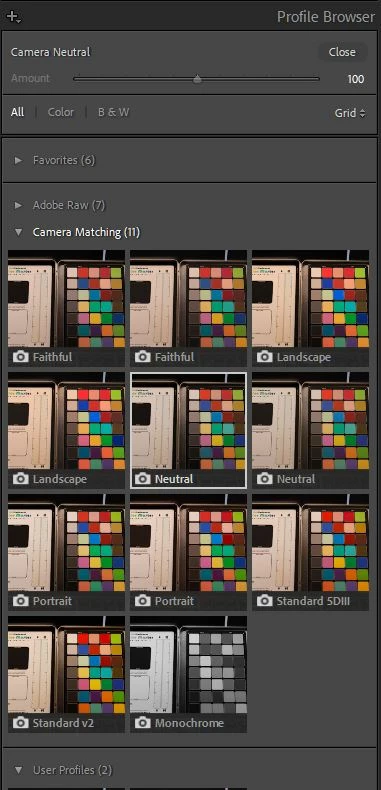
I must say that as a Canon R5 user I wasn't happy with the built-in profiles, purchased the color fidelity profiles... The latter are now disabled in the profile manager, but I guess I must have done something wrong when trying to get decent colors our of my CR3 files...
Any idea on how to get rid of the duplicates ? Preferably keeping the right ones...
Thanks!
 AdChoices