
Participant
October 23, 2023
Question

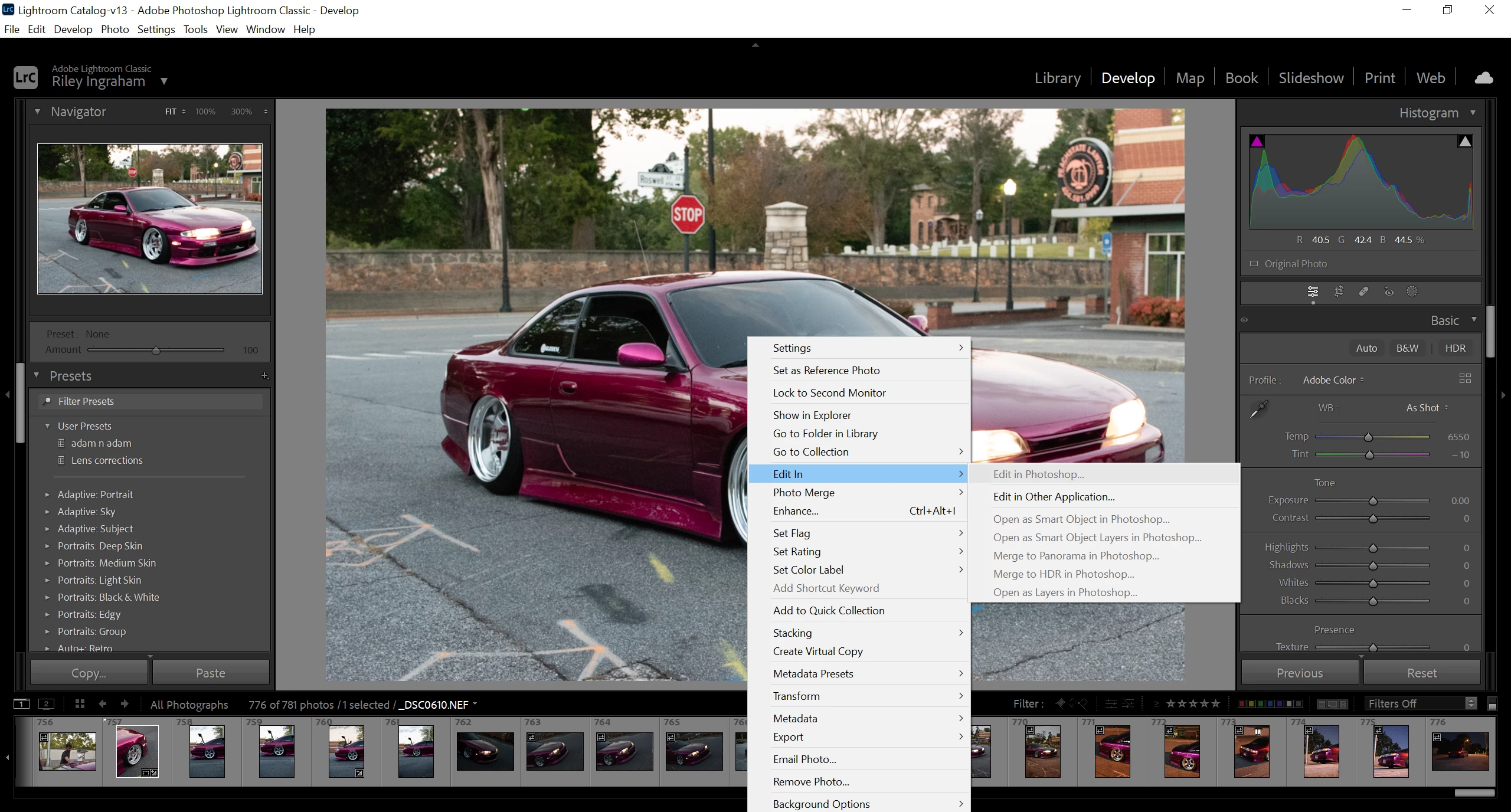
"Edit in Photoshop" + other "Edit In" options not working.

  • October 23, 2023
  • 3 replies
  • 237 views

As the title says, every "Edit In" option is grayed out for me except for "Edit in Other Application..." but when I click that Lightroom says there isn't any other available application. I'm not sure why. Tried doing research and repeating some steps that I have found and nothing seems to be working. Not sure what I'm doing wrong.

-------------------------------------------

Windows 10 up to date

Photoshop and LrC up to date
This topic has been closed for replies.

3 replies

JohanElzenga
Community Expert
Community Expert
October 23, 2023

This is usually solved by uninstalling Lightroom Classic and Photoshop, and then reinstalling Photoshop first and Lightroom Classic second. Keep the preferences when asked during uninstalling.


-- Johan W. Elzenga
DClark064
Inspiring
October 23, 2023

Have you set up "External Editing" in Preferences?


riley14Author
Participant
October 23, 2023

UPDATE:

Slow brain eventually figured out that I can use Photoshop as the "other third party editing software" under the "Edit in Other Application..." tab. Still would like to know why I can't access LrC to Ps regularlly though.