
Participant
June 12, 2022
Question

Edited images in LR are not showing up, but can find on External HD

  • June 12, 2022
  • 4 replies
  • 107 views

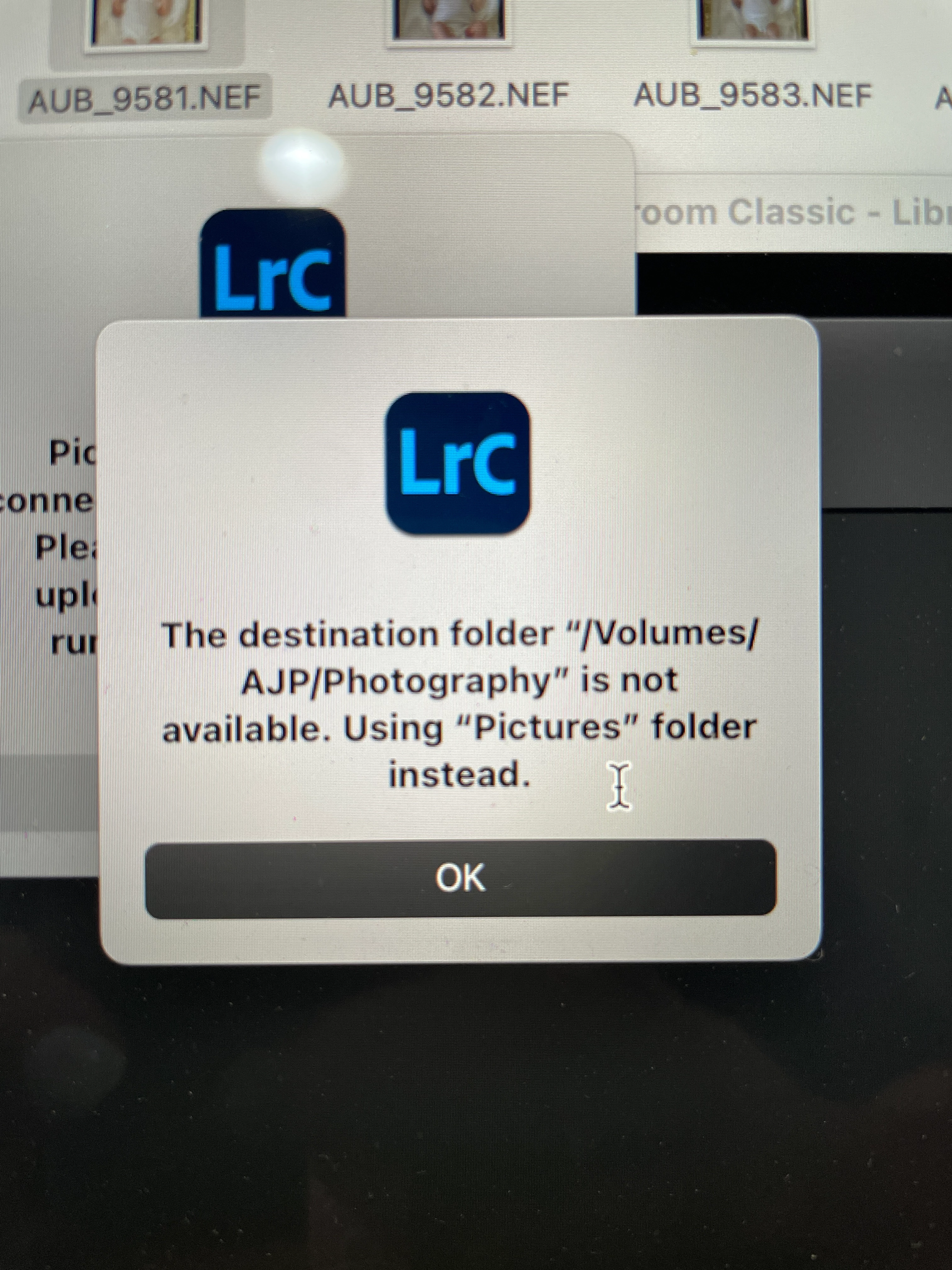
Hi everyone! I am hoping someone much smarter than me can help. I use LR Classic and I went to pull up an image and it was not showing. I quickly noticed a lot of images were not showing up. My process is to upload my images to LR but save on an external hard drive to not take up space on my computer. I can find all the Raw files and access them on the external hard drive. I tried to drag an image back into LR to edit it and I got this error message. I am not sure what is happening, but I am praying I haven't lost all of my edited images. Anyone have any ideas about this issue?? 


Thank you!
 

This topic has been closed for replies.

4 replies

GoldingD
Legend
June 12, 2022

Looks like a Apple MAC access rights issue caused by Apple going full security bonkers on recent MACOS updates, LrC now needs full access. This might be for M1 MACs only.


https://community.adobe.com/t5/lightroom-classic-discussions/quick-tips-how-to-give-full-disk-access-to-lightroom-classic-on-macos/td-p/12913413


JohanElzenga
Community Expert
Community Expert
June 12, 2022

What do you mean with "I tried to drag an image back into LR to edit it and I got this error message."? Explain exactly what you tried to do.


-- Johan W. Elzenga
dj_paige
Legend
June 12, 2022

WHERE? Where are the photos supposed to be when you try to "pull up" the photos, that you don't see them? Please be very specific and/or show us a screen capture (use the "Insert Photos" icon, do not attach files) (And aslo, a @F. McLion said, explain "pull up")

F. McLion
Community Expert
Community Expert
June 12, 2022

First thing: DO NOT RE-IMPORT - Don't drag them in, this will end in duplicates.

Do you see exclamation marks on the photos and/or even more important question marks on the folders in the folder panel?


Please describe what you do with much more details:

... pull up an image?

... lot of images not showing? They were already imported? Do you see a placeholder or ..?

... Is the ext drive showing on-line (green)?

...

--- Got your issue resolved? Please label the response as 'Correct Answer' to help your fellow community members find a solution to similar problems. ---