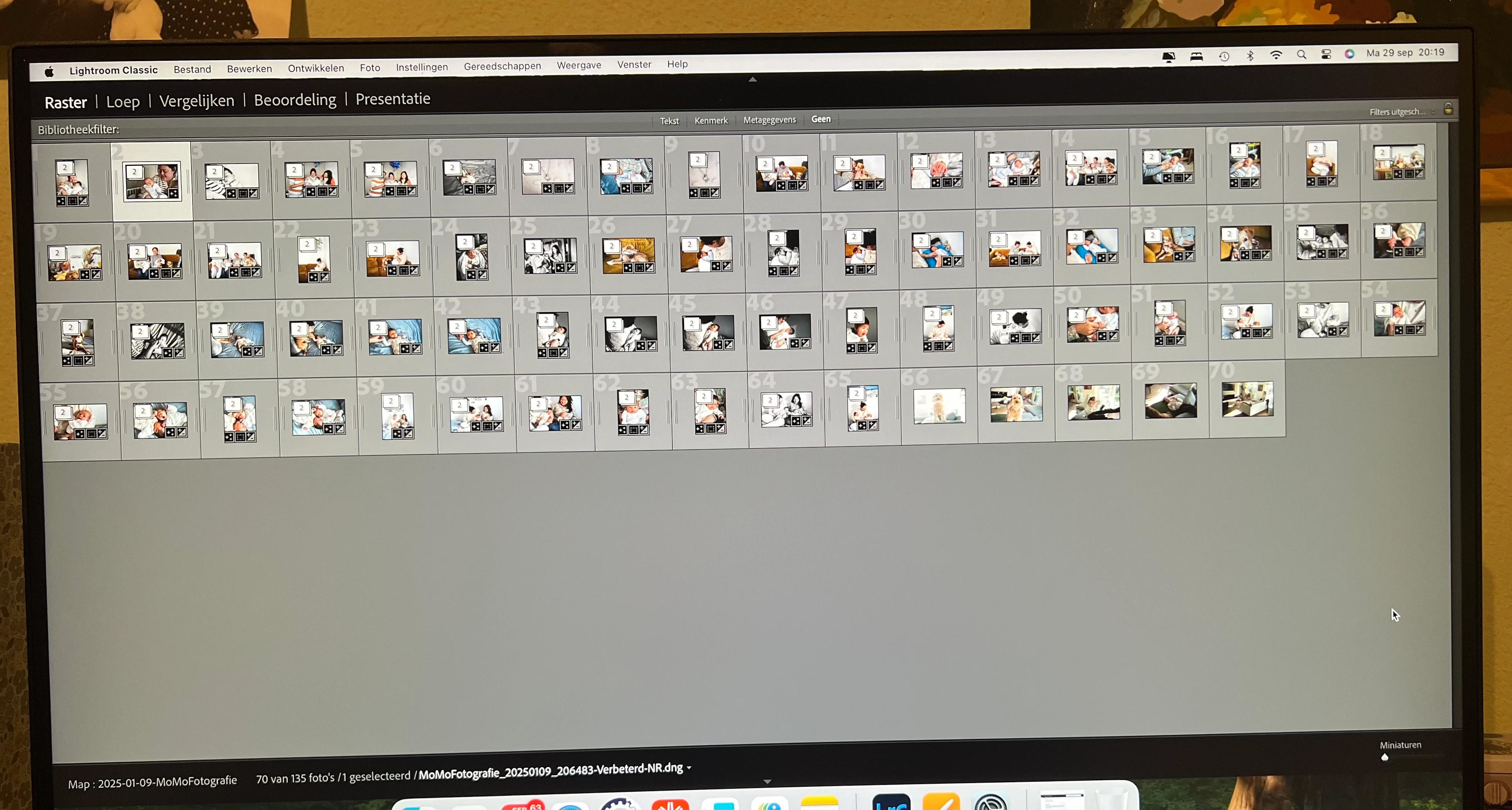
This is what I see
Unfortunately, you’re seeing the Secondary Display, not the normal main application window. We can tell because the top bar lists views on the left, not modules on the right.
When this happens, the application window is actually there, but it’s hidden behind the Secondary Display window. Lightroom Classic has long had a weird way of popping up the Secondary Display on the wrong display, or forgetting where it’s supposed to be. This has happened for many years, and although they have worked on it, the problem has never been completely fixed. To make matters worse, because of the way the Adobe designed the windows, it is impossible to put the Secondary Display window behind the application window. So the Secondary Display window must be hidden before you can see the application window.
First, hide the Secondary Display: Choose the command Window > Secondary Display > Show to deselect it, or press its keyboard shortcut Command+F11.
Next, if you have more than one display connected and you intended for the Secondary Display window to go to the other display, choose the command Lightroom Classic > Preferences, click the Display tab, and select the other display. This will prevent the Secondary Display window from appearing over the main application window…at least for now, but chances are it will forget again and you’ll have to go through this again.



 AdChoices