Participant
April 15, 2018
Question

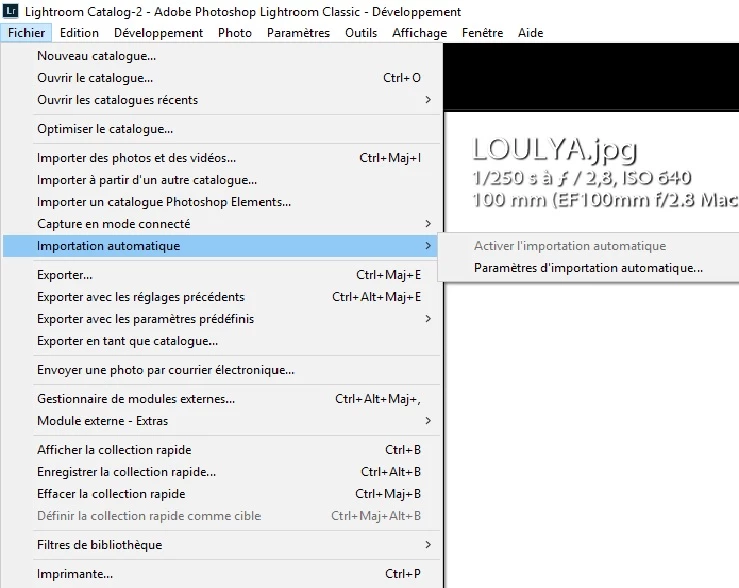
Enable auto import is greyed

  • April 15, 2018
  • 1 reply
  • 5579 views

I'm using LR 5.3 and CC and the "enable auto import" checkbox is greyed out. Any suggestions on how to fix?
    This topic has been closed for replies.

    1 reply

    Michael J. Hoffman
    Community Expert
    Community Expert
    April 15, 2018

    Hi le pesquero,

    You must first set up auto-import before it can be enabled. This includes setting up the watched folder where the automatically imported images come from, the destination folder where they will be stored after import, file renaming, etc.

    In your language version, this is the next item down from the one you’ve highlighted, titled “Paramèters d’Importation Automatique.”

    You can learn more about auto-import here (this is for LR Classic CC but the process is the same for LR 5):

    Auto-import photos into Lightroom Classic CC

    Mike

    Participant
    April 15, 2018

    thank you I was able thanks to your advice to activate the mode to activate automatically but when I release the photos do not appear direct under my computer I am obliged to import them and to add them to the catalogs of lightroom?