Participating Frequently
December 4, 2018
Answered

Enter text in the book module

  • December 4, 2018
  • 1 reply
  • 360 views

Hello, in the book module, I can't enter text outside of a zone by photo, and an area per page (areas as we can not move as you want unlike the photos). If I have not found, please tell me how to do.

Otherwise it is an essential improvement in order to make a book as with the blurb Bookwright software.
    This topic has been closed for replies.
    Correct answer Rob_Cullen

    In Lightroom Classic Version 7.5 Adobe introduced options to add both Photo and Text cells to a Book page. These cells can be moved and resized.  New: Freeform Page Layouts and More in Book in Lightroom Classic 7.5! - YouTube

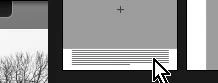
    In versions 7.4 and prior, the only options for text are to select page templates that have text cells. These page templates show text cells as striped lines.

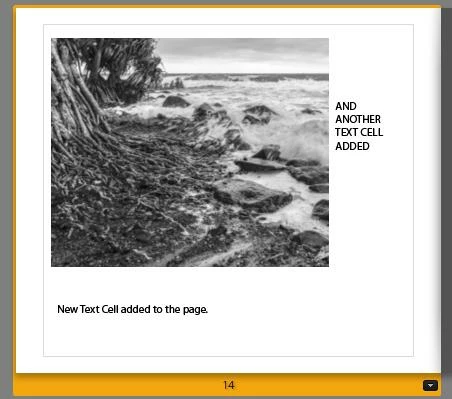
    My 'freehand' addition of multiple text cells (aka "Photo Description") on a 'Single Image' page (in v8.0)

    1 reply

    Rob_Cullen
    Community Expert
    Rob_CullenCommunity ExpertCorrect answer
    Community Expert
    December 4, 2018

    In Lightroom Classic Version 7.5 Adobe introduced options to add both Photo and Text cells to a Book page. These cells can be moved and resized.  New: Freeform Page Layouts and More in Book in Lightroom Classic 7.5! - YouTube

    In versions 7.4 and prior, the only options for text are to select page templates that have text cells. These page templates show text cells as striped lines.

    My 'freehand' addition of multiple text cells (aka "Photo Description") on a 'Single Image' page (in v8.0)

    Regards. My System: Windows-11, Lightroom-Classic 15.3, Photoshop 27.5, ACR 18.3, Lightroom 9.3, Lr-iOS 10.4.0, Bridge 16.0.3 .
    alainpiafAuthor
    Participating Frequently
    December 5, 2018

    Thanks very much.  It's perfect

    Alain