

Epson P-800 Roll Paper Missing Border
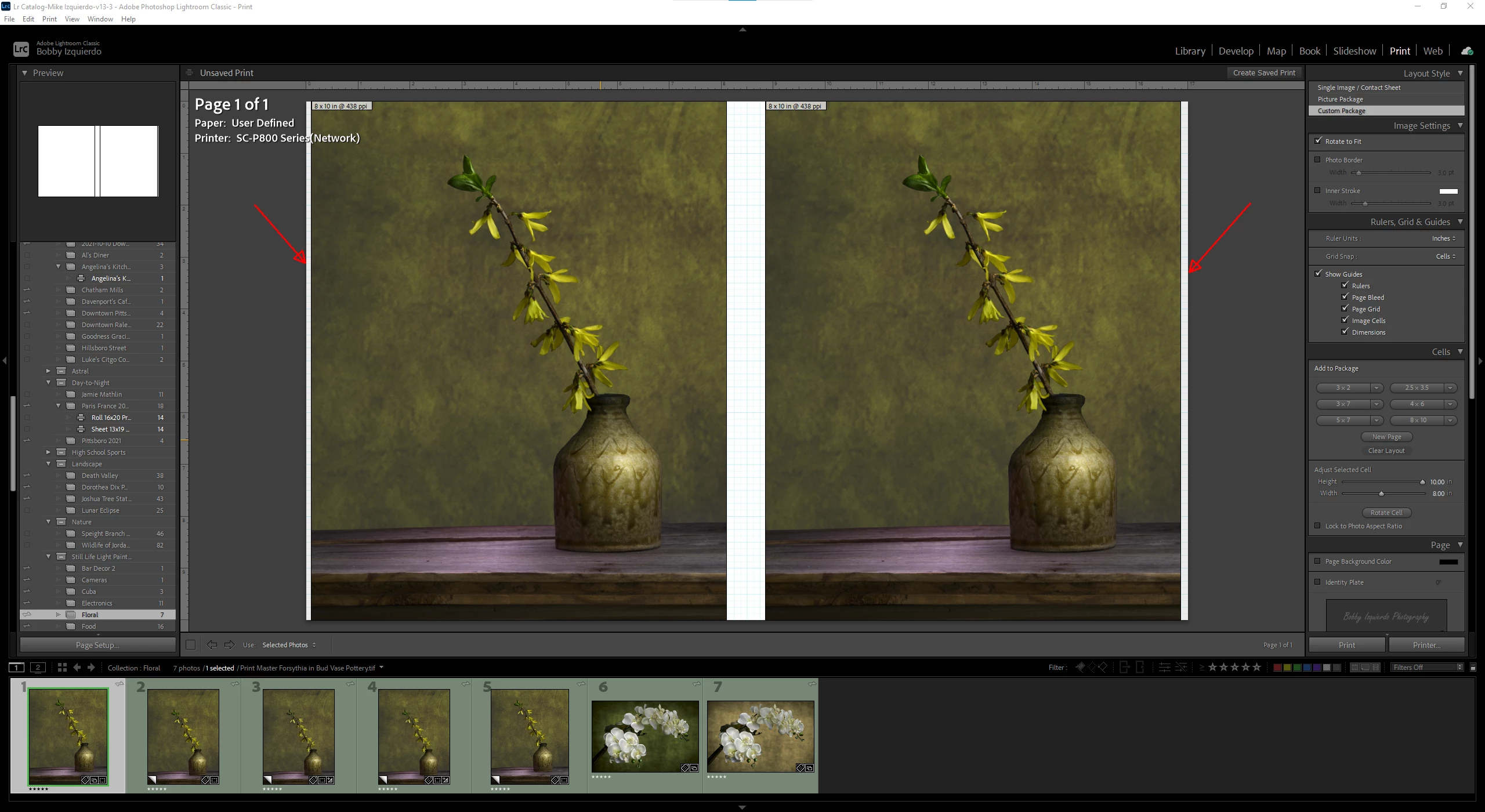
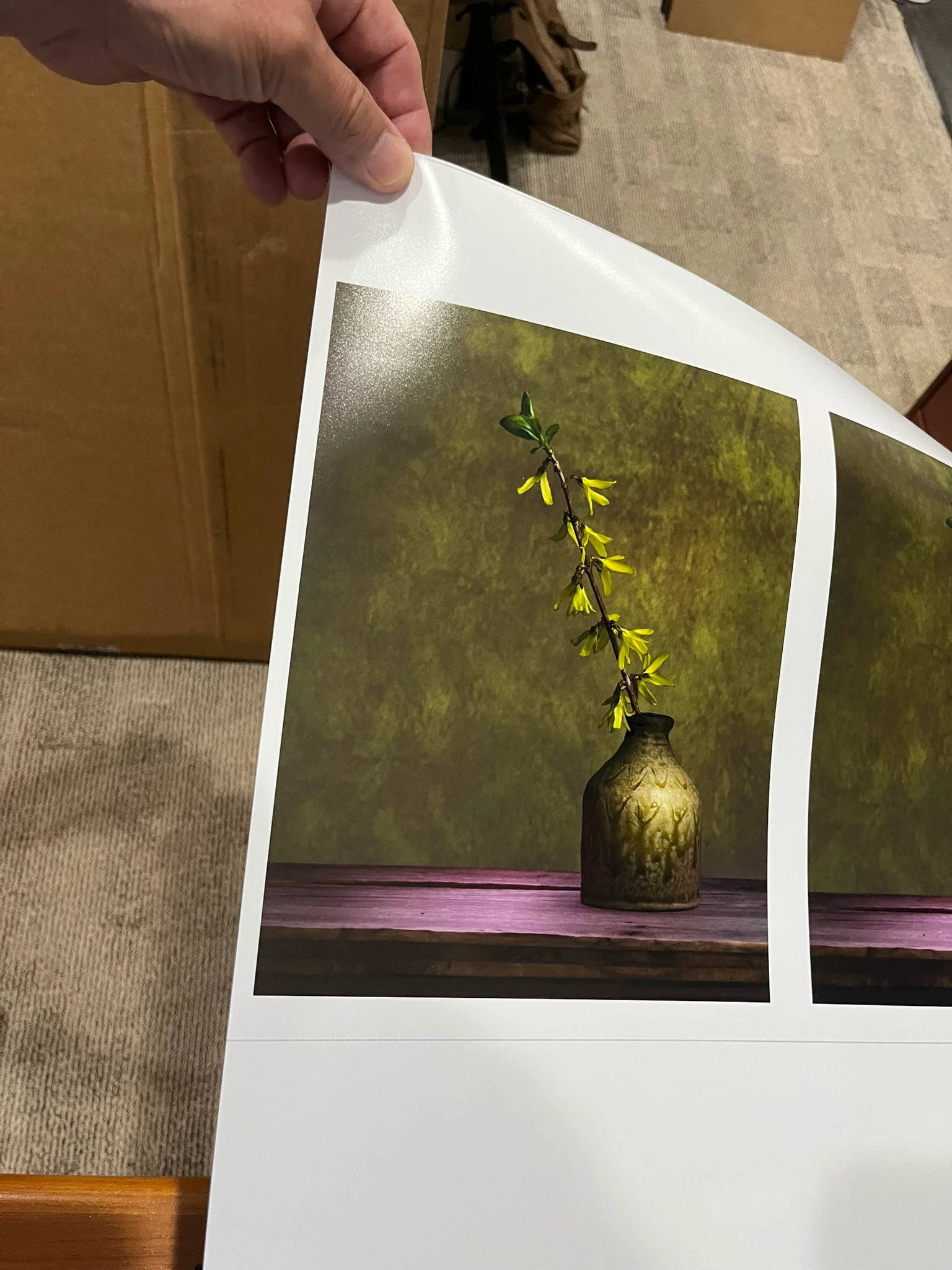
I printed two 8x10 cells side-by-side on a roll of paper. I set the Paper Width to 17 inches and the Paper Length to 10 inches. I wanted to save paper, so I figured making the length 10 inches would leave enough excess at the top and the bottom to make a 1/8-inch border, which it did.
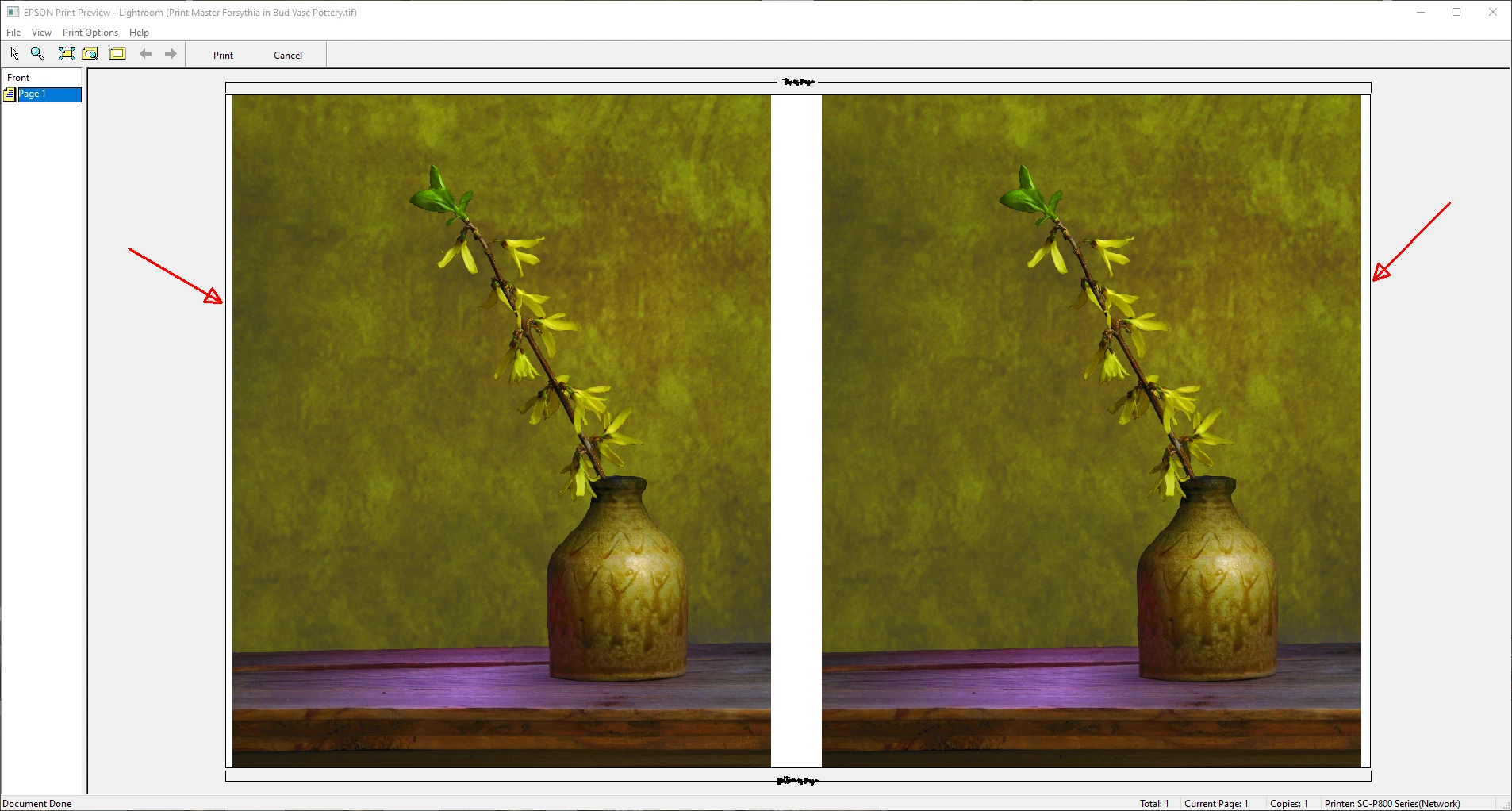
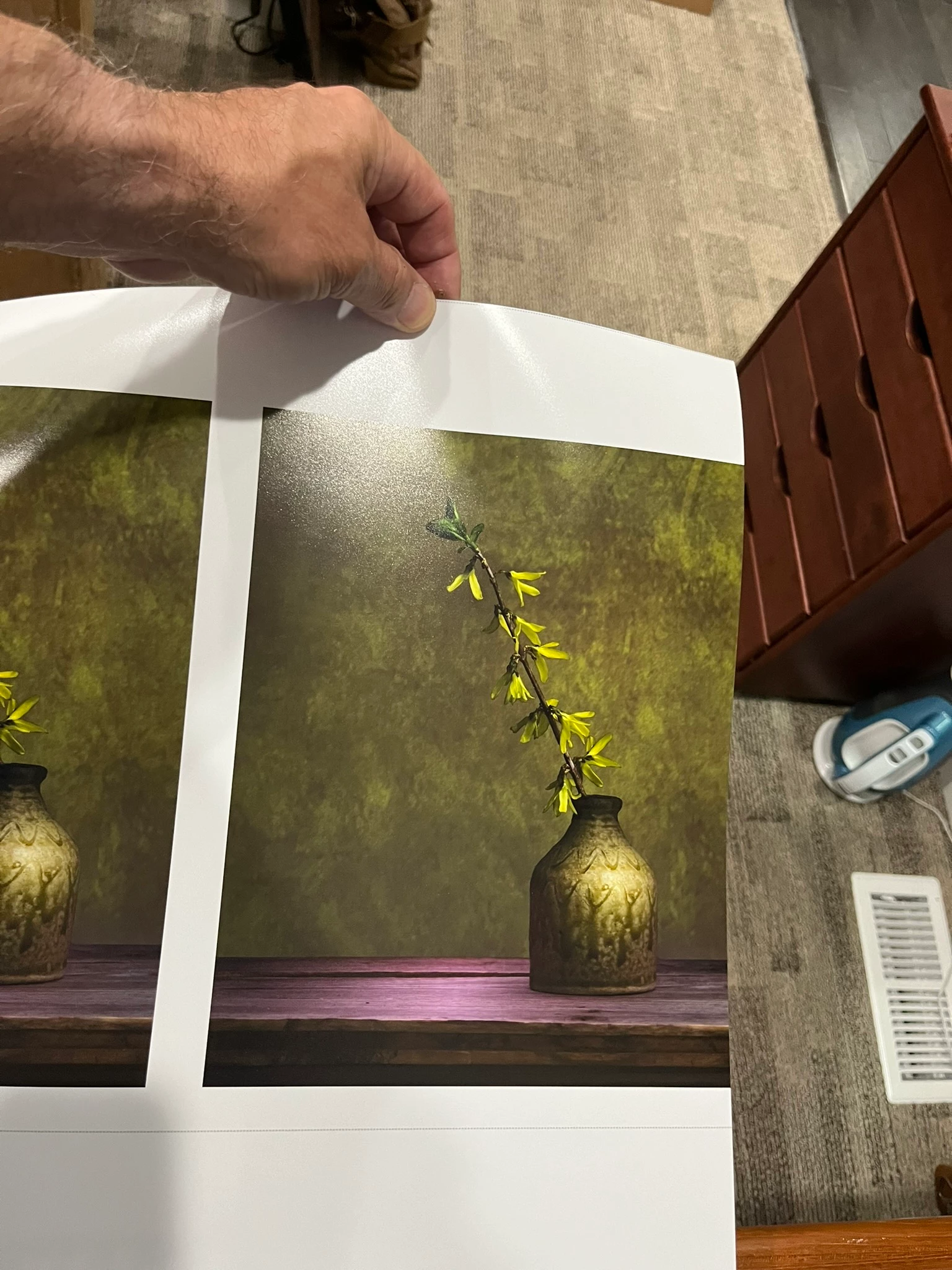
The problem is that the right side border had no border where I was expecting, as shown by the Lr Print Module and the Print Preview, a 1/8 inch border. Now, the 8x10 print on the right side is wasted. I checked the paper roll, and the paper is flush with the side of the paper feed, so this is not a paper alignment issue.
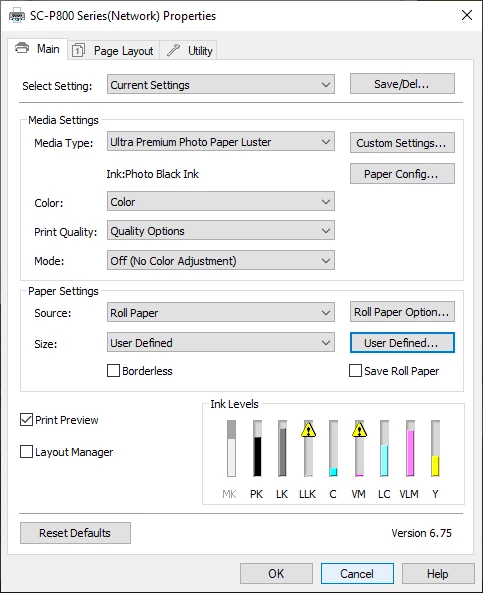
Why did this happen? Below are my printer properties settings and screenshots of the Lr Print Module screen, Print Preview, and the resulting print.


 AdChoices