Inspiring
March 5, 2023
Question

Epson P800: 2 problems printing with LR Classic

  • March 5, 2023
  • 2 replies
  • 663 views

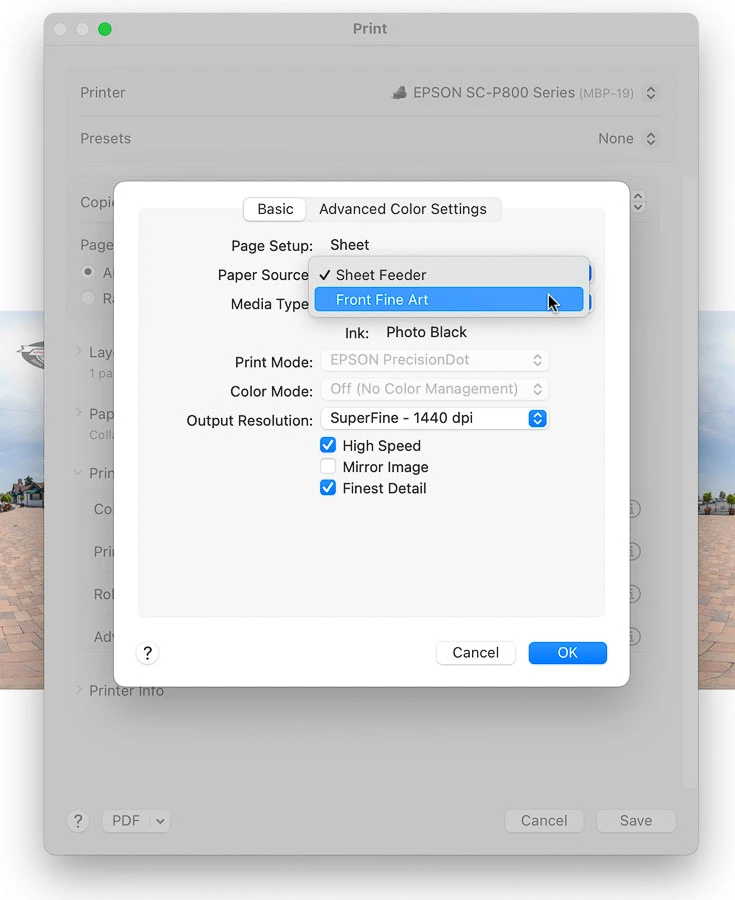
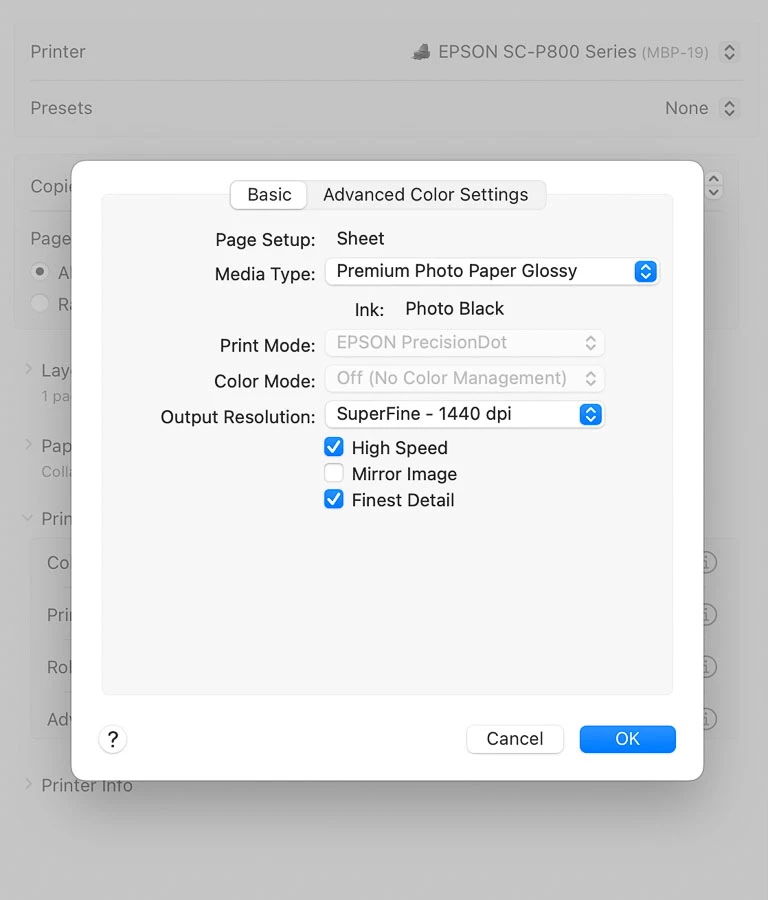
Issue 1: paper source popup vanishes. LR Classic, I click print settings, dialog box opens. Click on printer options, then printer settings. The paper source popup, which allows choosing front fine art feeder from P800, has vanished. See screenshots: one shows paper source popup, the other shows it's missing. (This issue ocurred while troubleshooting issue 2; I created a new Mac user, and noticed paper source was missing, so I went back to original Mac user account to take screenshot of dialog box showing paper source, but minutes later paper source popup disappeared.)


Issue 2: My presets don't stick, once I close the print dialog box in LR, and then open it again, it always reverts to premium glossy paper, with high speed and finest detail checked. I've tried creating new presets with different settings, but it always goes back to this. I've tried deleting all presets, and setting preset popup to "default" but the same thing happens. I can select fine art paper, change settings, but once I close dialog box, and right away or later open it again, it's back on prem gloss, with high speed and finest detail checked. I think it reverts immediately: I recently made a matte print that was blotchy, I think it was getting the glossy media settings. And I've been making Epson matte prints with this printer for years, I'm experienced with color management, profile/media settings, etc. 


LR Classic 12.1 MacOS 13.2.1 

Using Epson SC-P800 Series driver, v 12.6.2


I've tried deleting all Epson printers, reinstalling using latest Epson driver. Also, I trashed as many Epson prefs files I could find in Library and user/Library. Restarted printer, restarted Mac. Created new Mac user. Turned wifi off in Epson P800, and made sure I'm not using Airprint in MacOS. 


2 replies

jamafi
Participating Frequently
July 25, 2025

@nikunj.m did someone solve this problem please? I am experiencing exactly the same issue as described by @jimtron I followed some advice in a different forum and created a new print settings preset in Microsoft Word which saved successfully. I can call this up in Lightroom but even so - it goes back to the glossy settings if I check the options. Thanks!


nikunj.m
Legend
July 25, 2025

Hi @jamafi, thanks for reaching out!

Have you tried resetting the preferences as suggested earlier and reinstalling the printer drivers?

If yes, please go to the Help menu in Lightroom Classic, then System Info, and copy the text. You can share the info with us by either pasting it as a reply here or in a text file and sharing the file with us. 


Thanks,
Nikunj

jamafi
Participating Frequently
July 26, 2025

Hello @nikunj.m

Yes, I did the reset as described. I've also made sure I have the latest printer drivers and icc profiles etc. Below is the info from Lightroom system info.  To be honest I am also having similar problems in Photoshop. I cannot create (save securely) new printer setting presets and in particular cannot change the color management settings. The relevant boxes are premanently greyed out.  See also attached.  

Participant
November 14, 2024

I am having similar problem.  Deleted Printer, reinstalled Epson Driver, recreated printer, but the epson options have stopped appearing in Photoshop. 

nikunj.m
Legend
November 19, 2024

Hi, thanks for reaching out to the Adobe Community! 

Please go to the Help menu in the application, then System info, and copy the text and paste it as a reply here. You can also paste the text into a file and share the file with us. 

To start, you can try to reset the preferences of Photoshop manually using the steps mentioned here: https://adobe.ly/4fAi4LB

Please backup your settings prior to resetting the preferences. You can check: https://adobe.ly/3CATCLI


Thanks,
Nikunj