


May 28, 2025
Answered

ERRO TÉCNICO CAMERA RAW
  • May 28, 2025
  • 2 replies
  • 139 views


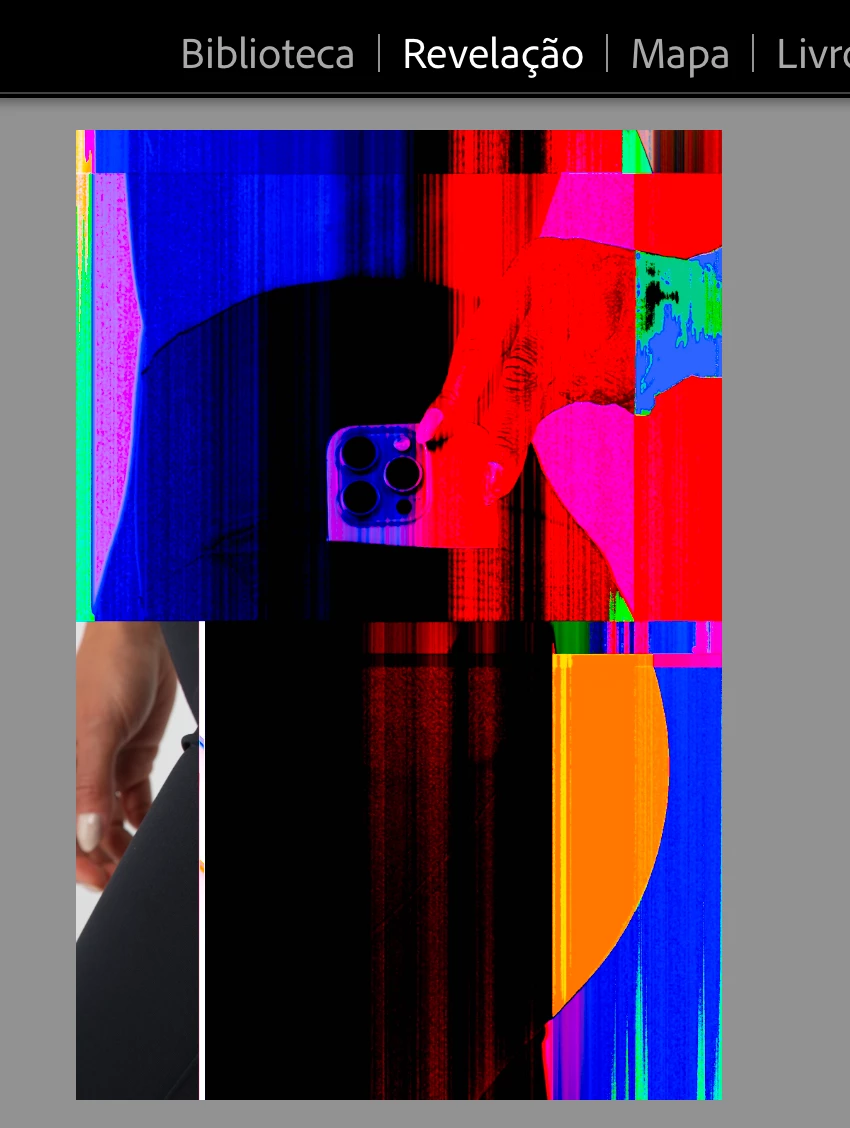
Alguém já passou por esse problema sabe resolver? Meu lightroom ta assim, todas as fotos sincronizadas ficam desse jeito, preciso ediatar uma por uma e ainda queimar desse jeito! Já limpei cache, já limpei a biblioteca. São fotos em CRM e quando eu vou editar acontece isso, eu to surtando. Alguém pode me ajudar a resolver?

Correct answer johnrellis

I agree with Bill, it looks like it could be the graphics driver. You're on Mac, so the only way to update the graphics driver is by updating Mac OS. 


As a next step, please do the LR menu command Help > System Info and copy/paste the entire contents here so we can see exactly which versions of hardware and software LR thinks you're running and important LR options that are set.


If it's not the graphics driver, it could be failing hardware, e.g. disk or memory.

2 replies

johnrellis
johnrellisCorrect answer
Legend
May 28, 2025

I agree with Bill, it looks like it could be the graphics driver. You're on Mac, so the only way to update the graphics driver is by updating Mac OS. 


As a next step, please do the LR menu command Help > System Info and copy/paste the entire contents here so we can see exactly which versions of hardware and software LR thinks you're running and important LR options that are set.


If it's not the graphics driver, it could be failing hardware, e.g. disk or memory.

Community Expert
May 28, 2025

Without know more, my first guess is that you need to update your graphics card driver.