


Participating Frequently
March 7, 2026
Question

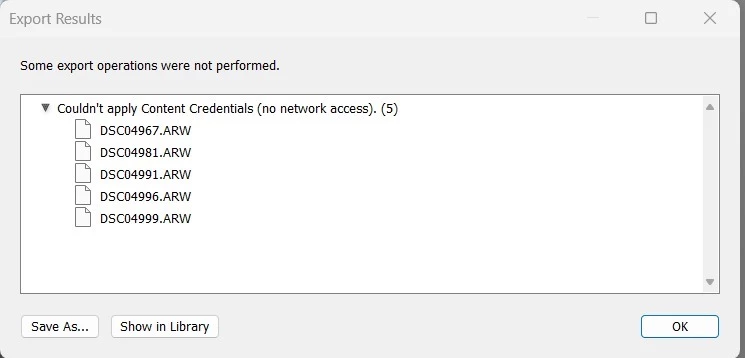
Error: Couldn't Apply Content Credentials (No Network Access) When Exporting in Lightroom Classic

  • March 7, 2026
  • 2 replies
  • 34 views

I encountered an error while exporting images in Lightroom Classic. The export results show the following message: "Couldn't apply Content Credentials (no network access)." This issue appears for several files, i have attached the screenshot.

Has anyone faced a similar issue? What could be causing this, and how can I resolve it? I've checked my network connection, and everything seems fine. Any help or suggestions would be greatly appreciated!
 

    2 replies

    Claire H.
    Community Manager
    Community Manager
    March 13, 2026

    Hi ​@DiskominfoKra, thanks for reaching out! Let’s first have you try to Reset Lightroom Classic Preferences. Please refer to this Helpx article for steps.  https://adobe.ly/3HsQXpA It is recommended to back up your catalog before resetting preferences. You may refer to this article for more information:  https://adobe.ly/4dW8vqF. If that doesn’t work, we will continue troubleshooting the issue. I hope this helps! ^CH

    Participating Frequently
    March 13, 2026

    And today happend again. And no body know why.