
Inspiring
January 10, 2025
Answered

Error in object mask LRCC 14.1.1

  • January 10, 2025
  • 1 reply
  • 333 views

When using the object masking tool LR has suddenly begun making a result like the one in this screenshot

.
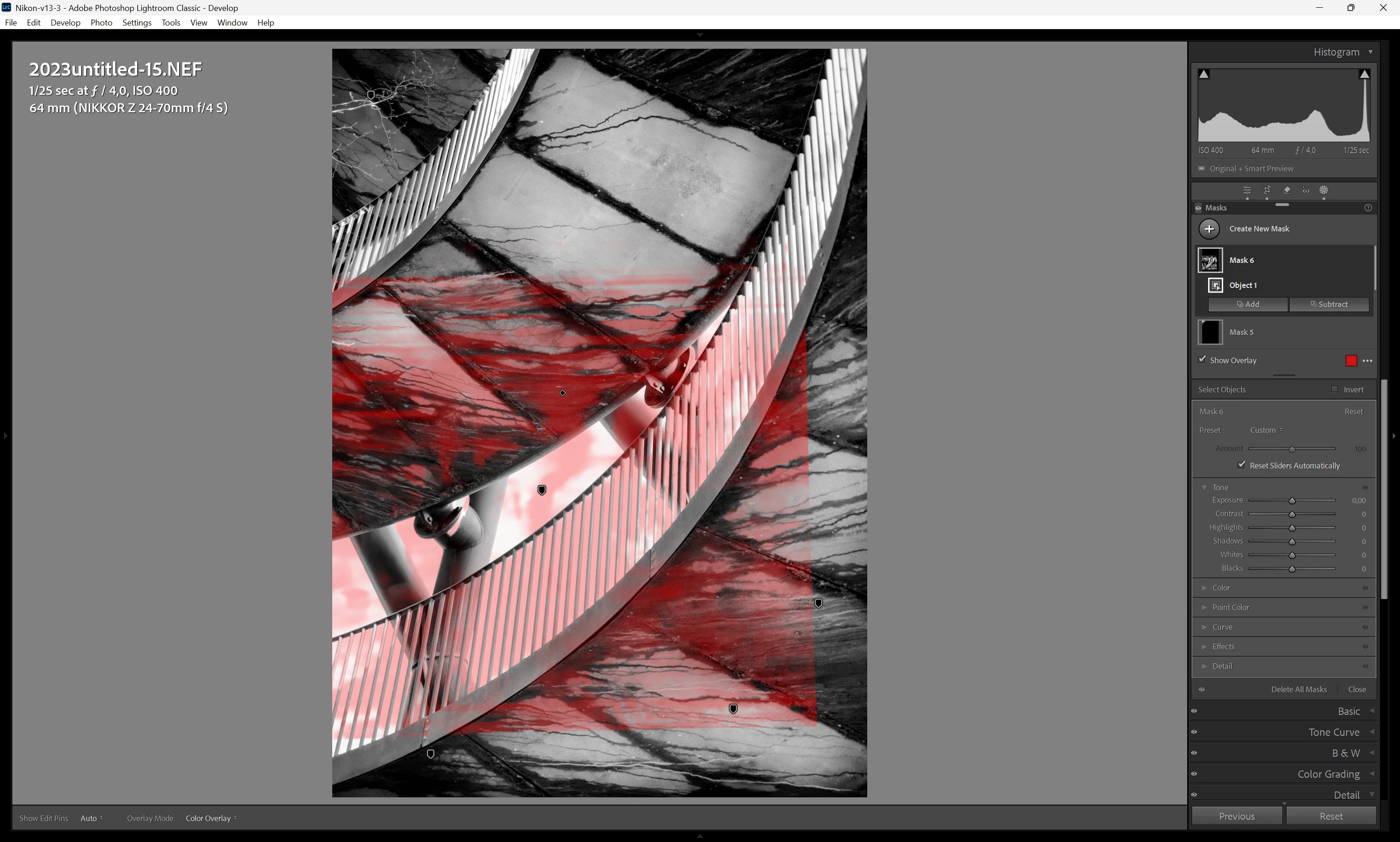
It will make the square/rectangle, partterned, selection around the selection i have made.


In this example i selected the the opening in the middle, above the handrail, with the 2 beams and the blownout sky.


Does/has this happened to anyone else? if so, how did you fix it?

Correct answer johnrellis

Most problems with LR's AI commands are caused by older, buggy graphics drivers. Try updating your graphics driver by going directly to the manufacturer's web site:
https://helpx.adobe.com/lightroom-classic/kb/troubleshoot-gpu.html#solution-4


If that doesn't help, please copy/paste here the entire contents of the LR menu command Help > System Info -- that will let us see exactly which versions of hardware and software LR thinks you're running.

1 reply

johnrellis
johnrellisCorrect answer
Legend
January 10, 2025

Most problems with LR's AI commands are caused by older, buggy graphics drivers. Try updating your graphics driver by going directly to the manufacturer's web site:
https://helpx.adobe.com/lightroom-classic/kb/troubleshoot-gpu.html#solution-4


If that doesn't help, please copy/paste here the entire contents of the LR menu command Help > System Info -- that will let us see exactly which versions of hardware and software LR thinks you're running.

Inspiring
January 10, 2025

Thank you.


Found the newest driver and could see i didn't have it installed. I installed it, and it seems to have done the trick.
I foolishly trusted my laptops system/driver update software. Obviously won't be trusting that going forward.

johnrellis
Legend
January 10, 2025

"I foolishly trusted my laptops system/driver update software."


Yeah, Windows Update, the computer manufacturer's update, and sometimes even the graphics-processor manufacturer's update sometimes fail to notify you of the latest drivers. That's why we ask to see Help > System Info because so many people are wrongly convinced they have "the latest".