
Participant
February 21, 2023
Question

Error in print module using non-attached printer

  • February 21, 2023
  • 3 replies
  • 575 views

using Mac 13.2.1 and Lightrom Classic 12.2 on a Macbook Pro with M1 chip


I have a couple of printers installed with a mnaul fake IP address. I wanted to check on some Lightroom options for a class I am teaching. . When I select those faked IP addressed printer Epson 5000 or Canon pro1000 it causes hundreds of pops up to appear when selecting that printer. the pop ups do not appear if I select any printer acttually installed or on the network at home.
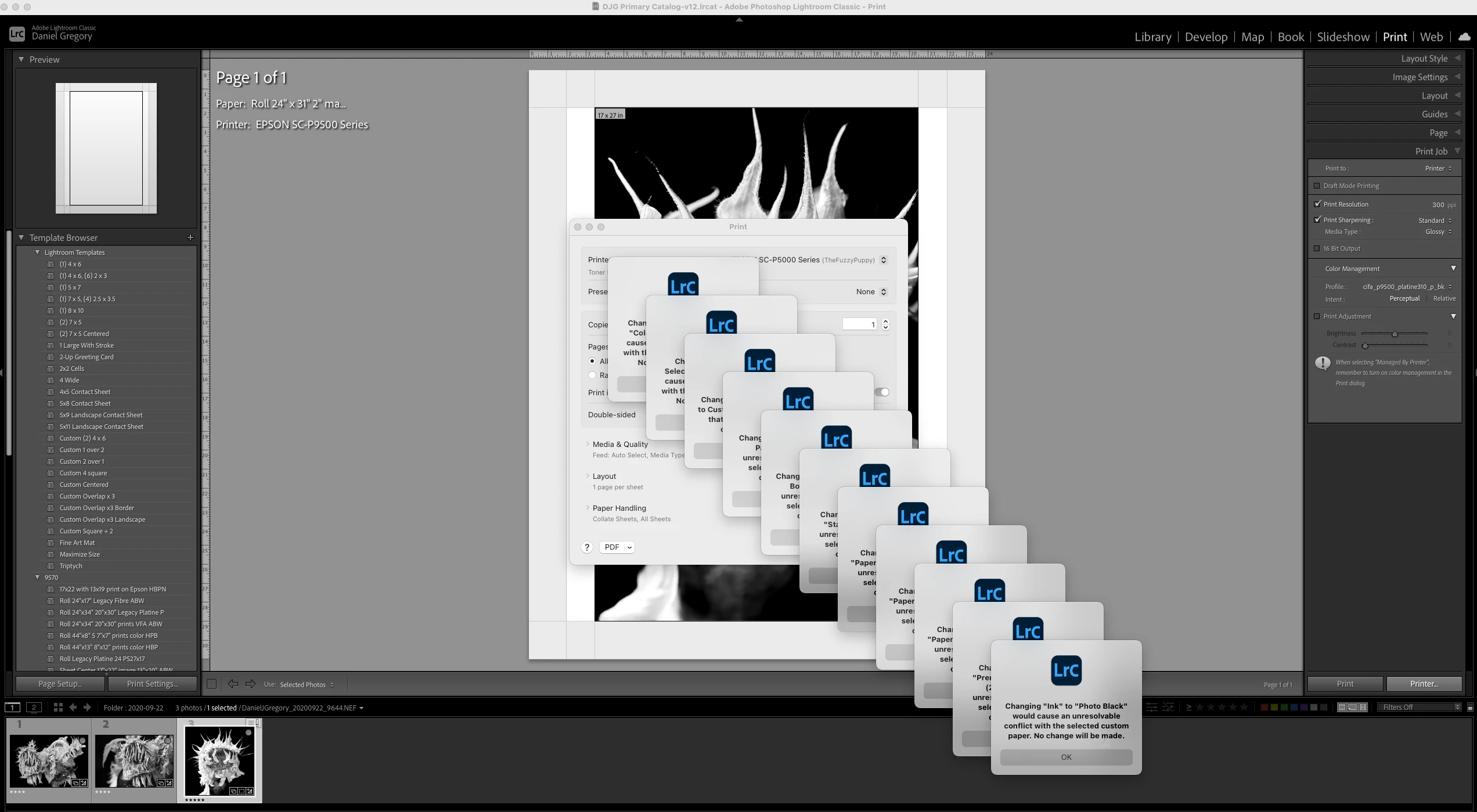


Expected behavior would be to either say printer not online or avaialable or invoke the printer dialog box and allow for selection of features and settings.


This has worked in the past and I have done this numerous times in teh past teaching specfic printers to classes. 

This topic has been closed for replies.

3 replies

Bob Somrak
Legend
February 22, 2023

BTW, beings it worked before, the issue may be Ventura.  Even REAL printer are having issues in Ventura.  One issue is LrC crashing when selecting Print Settings that only happen to some.  The other issue with Ventura is Colorsync auto selection when "manage by application" is selected.  These do not happen with Monterey.

M4 Pro Mac Mini. 48GB
Bob Somrak
Legend
February 22, 2023

I guess I wouldn't call this a "bug" then.  A fake printer isn't exactly an expected use of the software.

M4 Pro Mac Mini. 48GB
Participant
February 22, 2023

I wouldn't have normally submitted it as a bug given the outlying conditions to create but it requires you to force quit Lightrom. If iot is a race condition that might show up under other circumstances then it should be error trapped and not cause 100s of dialog boxes to appaer. I have had some students run into the colorsync issue but is hasn't shown up on my machine. 

Bob Somrak
Legend
February 22, 2023

Do your REAL printers that are turned off do the same thing?

M4 Pro Mac Mini. 48GB
Participant
February 22, 2023

Nope they seem to work fine. It just seems to be the printers whre you install and use a fake IP address.