bartonlew
Legend
March 16, 2019
Answered

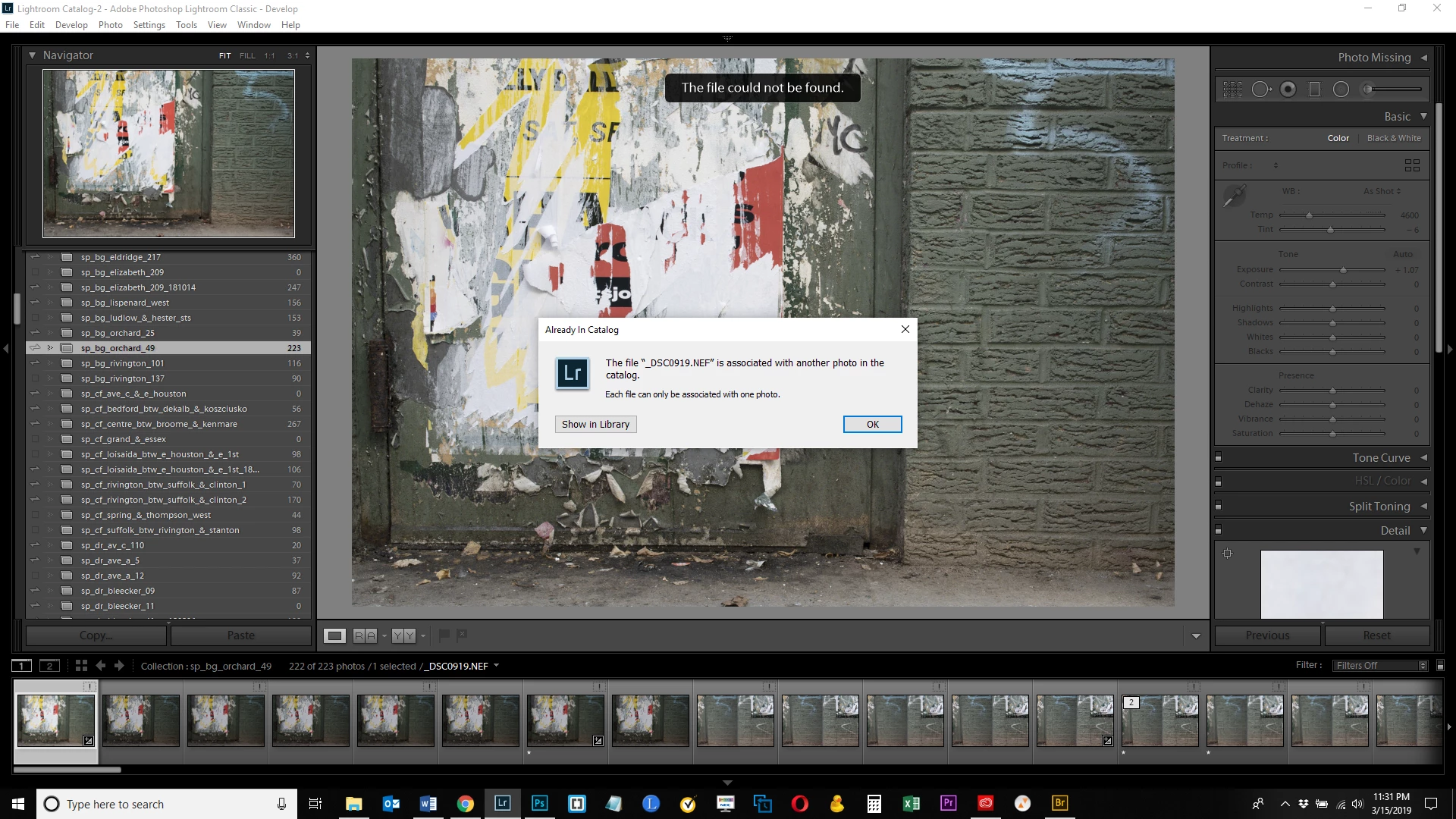
error message "the file [x] is associated with another photo in the catalog"

  • March 16, 2019
  • 3 replies
  • 8095 views

I moved some photos around and want to relink them to a collection.  (I store my images on an external hard drive, and as needs have changed, have had to upgrade to larger hard drives and moved my images there.)  Typically I never have a problem relinking an image.  But I am getting the error message that is the subject line of this posting.  What is this due to and how can it be corrected?  Thanks.

This topic has been closed for replies.
Correct answer JohanElzenga

This error occurs when you try to relink a file, but you choose the wrong one in the relink dialog. So for example file “A” is shown as missing. You click the exclamation point to relink it, but instead of choosing “A” at its current location, you select “B” by mistake. Because “B” is already in the catalog, you will get this error.

Another possibility is that you reimported the file before you tried to relink it. Because you reimported it, Lightroom now has two catalog entries. The original entry that you try to relink, and the new entry. Because thay new entry exists, you get the error when to try to relink the original entry. The only way to solve this is by removing the newly imported image from the catalog again before you try to relink the original entry.

You say you moved files around. If you moved a folder of files, rather than individual files, then it’s much better to relink the entire folder, instead of the individual files. It should show as ‘missing’ (name in italics and a question mark). Right-click on it and choose ‘Find Missing Folder’. In the dialog that follows, navigate to the current location of that folder on the hard drive and select it. Done.


3 replies

JohanElzenga
Community Expert
Community Expert
March 11, 2021

Clicking 'Show in Library' will only show this one file, so that does not mean anything. What happens if you select 'All Photographs' and search for the file in there?


-- Johan W. Elzenga
Known Participant
March 11, 2021

tried that too. it only shows one file "A"

JohanElzenga
Community Expert
Community Expert
March 11, 2021

This sounds like catalog corruption. Do you have a catalog backup from before this happened?


-- Johan W. Elzenga
Known Participant
March 10, 2021

Hi. I am encountering the same issue, with the only difference that there are no "duplicated files". 


For example, I imported file "A", which automatically is shown as missing (out of an import of 25 files, 21 are shown missing, and I can't find out why). So I click on the exclamation point to relink it, and choose the right file, file "A". But, even though I chose the right file, Lr pops up the error. When I click on "Show in Library" there is only one file "A" in the entire catalog. There are no duplicates of file "A".


How can I solve this?

JohanElzenga
Community Expert
Community Expert
March 11, 2021

Please do not attach images, but embed them, so other people do not have to download them to see them. Use this button:


-- Johan W. Elzenga
Known Participant
March 11, 2021

Sure!


bartonlew
bartonlewAuthor
Legend
March 16, 2019

It appears after looking at the images in the collection that I have already re-linked them.  However, somehow, the same files are duplicated in the collection and are not linked.  How would this happen?  If you re-link a file, doesn't it override the file that whose link was lost?  How do I mass delete these "unlinked" files?

JohanElzenga
Community Expert
JohanElzengaCommunity ExpertCorrect answer
Community Expert
March 16, 2019

This error occurs when you try to relink a file, but you choose the wrong one in the relink dialog. So for example file “A” is shown as missing. You click the exclamation point to relink it, but instead of choosing “A” at its current location, you select “B” by mistake. Because “B” is already in the catalog, you will get this error.

Another possibility is that you reimported the file before you tried to relink it. Because you reimported it, Lightroom now has two catalog entries. The original entry that you try to relink, and the new entry. Because thay new entry exists, you get the error when to try to relink the original entry. The only way to solve this is by removing the newly imported image from the catalog again before you try to relink the original entry.

You say you moved files around. If you moved a folder of files, rather than individual files, then it’s much better to relink the entire folder, instead of the individual files. It should show as ‘missing’ (name in italics and a question mark). Right-click on it and choose ‘Find Missing Folder’. In the dialog that follows, navigate to the current location of that folder on the hard drive and select it. Done.
-- Johan W. Elzenga
bartonlew
bartonlewAuthor
Legend
March 16, 2019

I think it's the 2nd scenario.  Thanks for the information.