
Participant
April 15, 2024
Question

Esportazione file da Lightroom Classic

  • April 15, 2024
  • 3 replies
  • 176 views

Buonasera a tutti.


Ho un problema con Lightroom Classic (versione 13.2, il computer è un Macbook Pro con Chip Apple M3 Pro).

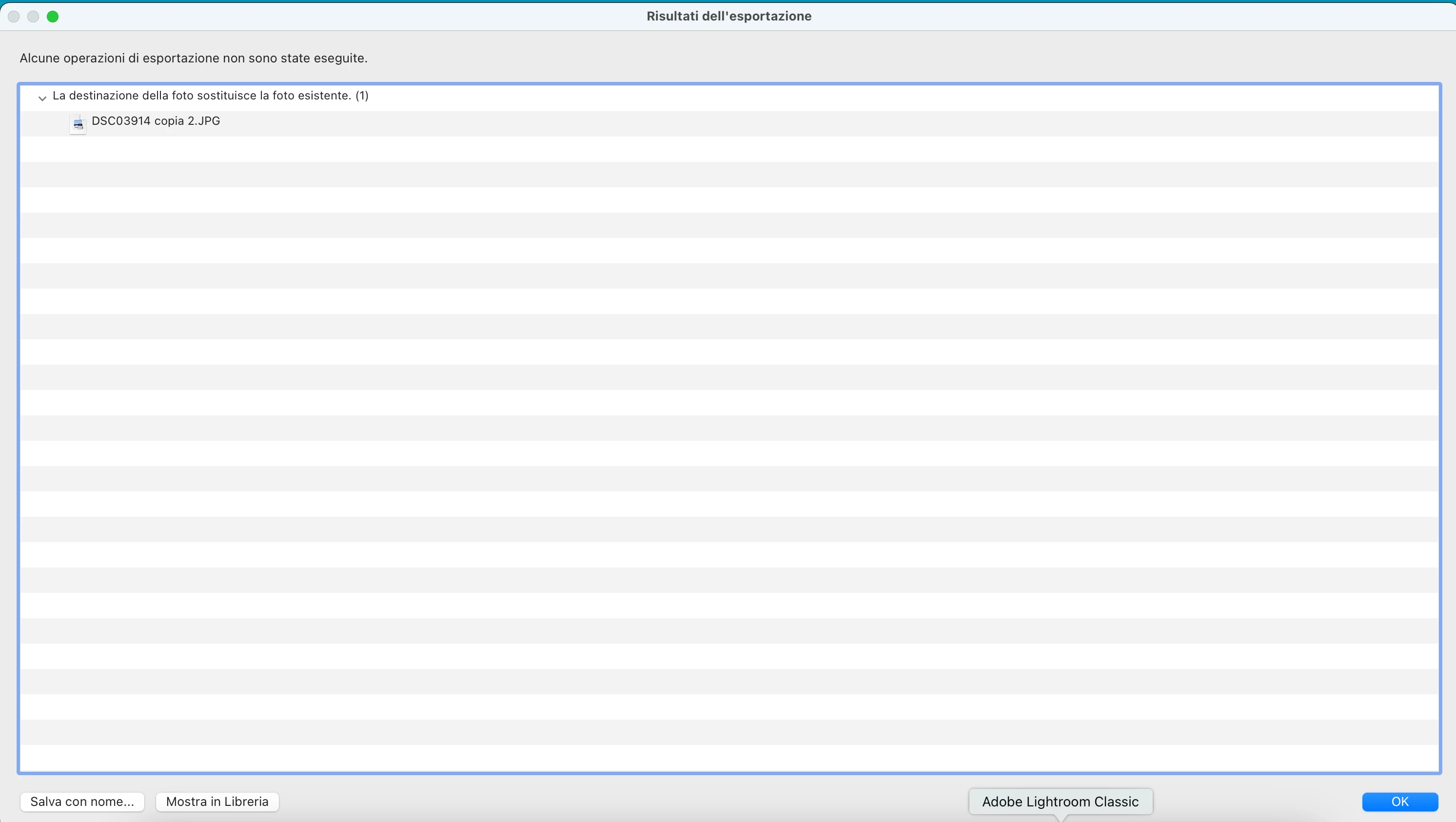
Devo esportare una foto da Lightroom ma quando cerco di esportarla compare la scritta "La destinazione della foto sostituisce la foto esistente", a quel punto ho l'opzione "Salva con nome" e così facendo esporto/salvo (al posto della foto) un file .txt con la scritta "La destinazione della foto sostituisce la foto esistente".

A qualcuno è già capitato ?


Grazie


Francosalva videata con macbook
This topic has been closed for replies.

3 replies

Rob_Cullen
Community Expert
Community Expert
April 16, 2024

The Export dialog will always warn you if it suspects you are about to over-write (and lose) your original image file.

So exporting to the same folder as the original (with the same file-type and name) will give you this error message "Photo destination replaces existing photo".

You should select another folder destination in the Export dialog (even check the 'sub-folder' option is easy.) or check the 'Rename' option for a new name for the exported file.

The [Save] button is not a [Save As] in the way you might understand. It is asking you to 'save' a list of all the files you see in the error message. ie. a text list of the files you could be over-writing.


I get a different screen to you which gives me options to [Skip] or [Use a unique name].  Use a test image and try clicking on the [OK] to test if it gives you options to [Skip] , [Use unique name] or [Cancel]-


Regards. My System: Windows-11, Lightroom-Classic 15.4.1, Photoshop 27.8, ACR 18.4, Lightroom 9.4, Lr-iOS 10.4.0, Bridge 16.0.3 .
kglad
Community Expert
Community Expert
April 15, 2024

in the future, to find the best place to post your message, use the list here, https://community.adobe.com/

p.s. i don't think the adobe website, and forums in particular, are easy to navigate, so don't spend a lot of time searching that forum list. do your best and we'll move the post (like this one has already been moved) if it helps you get responses.


<"moved from using the community">
Per Berntsen
Community Expert
Community Expert
April 15, 2024
quote

I have a problem with Lightroom Classic (version 13.2, the computer is a Macbook Pro with Apple M3 Pro chip).

I need to export a photo from Lightroom but when I try to export it it says "Photo destination replaces existing photo", at which point I have the option "Save As" and doing so I export/save (instead of the photo) a .txt file with the words "Photo destination replaces existing photo".

Has this happened to anyone before?


By @Franco3636675948t6


You have posted in Using the community which is for questions about the forums.

A moderator will move your post to the Lightroom Classic forum.