ncfrak
Participant
February 26, 2017
Answered

Export aspect ratio changed

  • February 26, 2017
  • 2 replies
  • 595 views

Hello all,

I am really confused by something that I got no problem doing in the past and rather simple : exporting photos.

So I have RAF photos (fuji raw files) and I want to export them as JPEGs.

These photos come from a Fuji X100T.

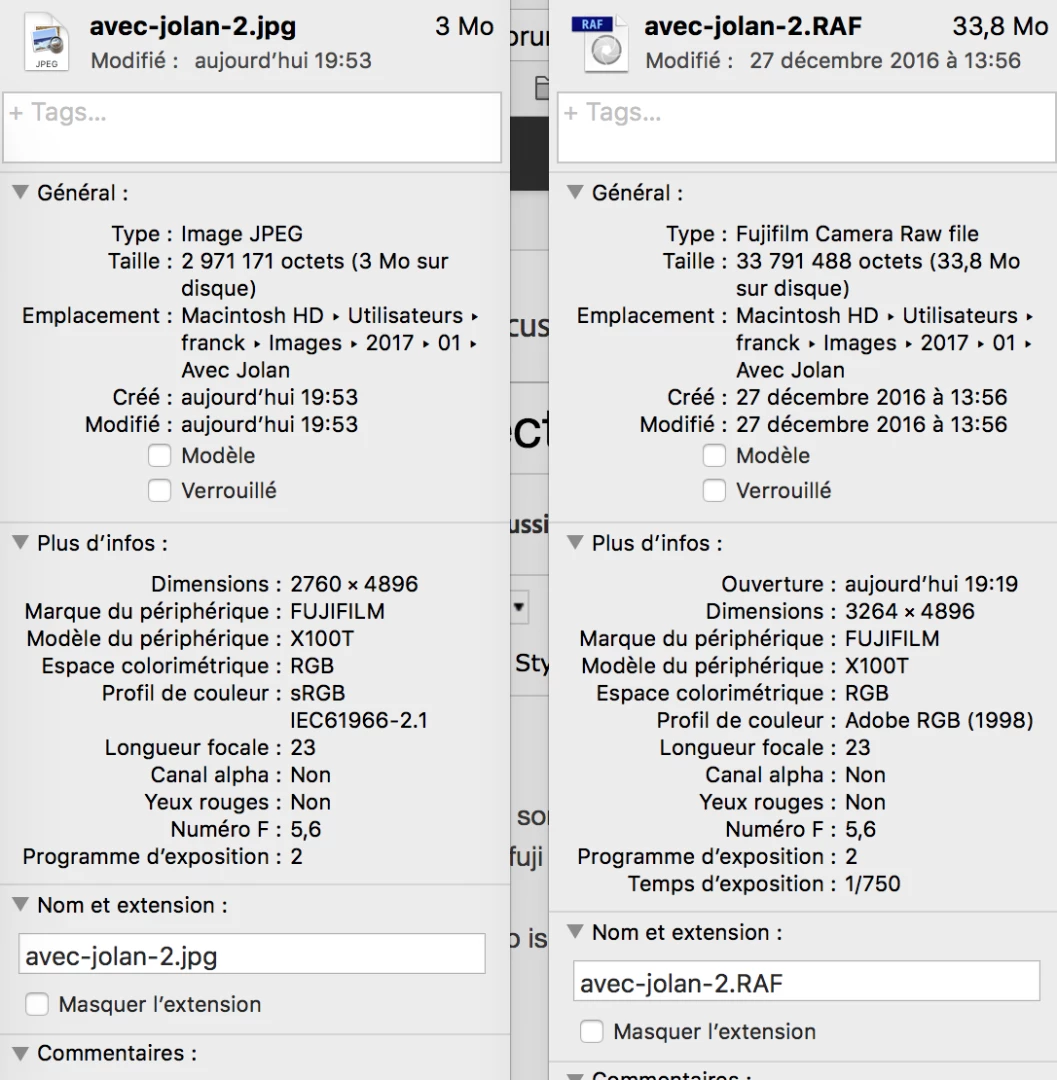
The original aspect ratio is 3264 x 4896 which is long for 2/3

The exported aspect ratio is 2760 x 4896 which is long for 9/16

Here are the export settings :

Percentage 100%.

I want to resize the images to 1200 but for simplicity sake in this discussion I resize to 100%.

I have tried to resize with long edge set to 1200 and still the same issue about the aspect ratio being changed to 16/9.

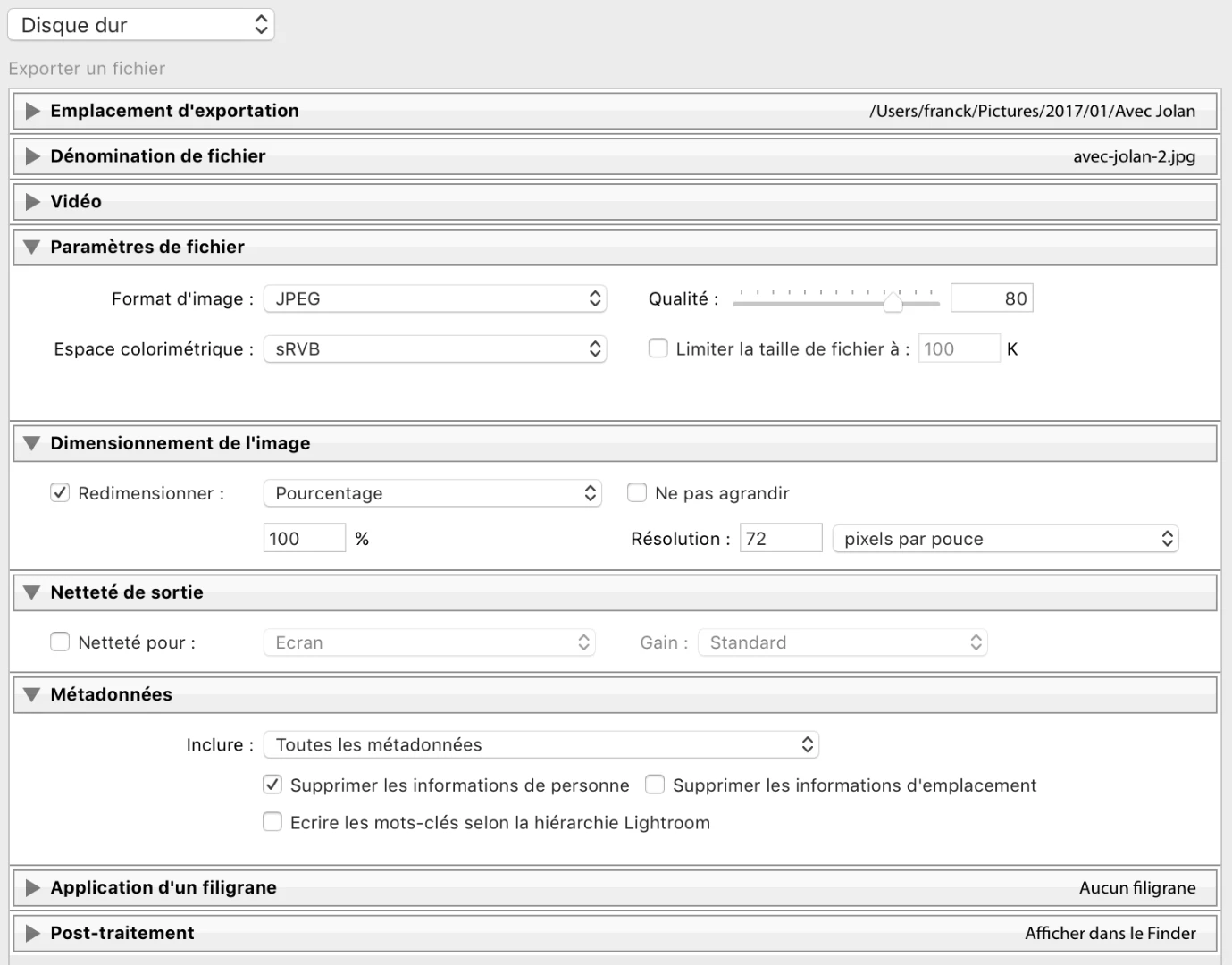
I would appreciate if someone could shed light on this, there must be something wrong somewhere that I missed.

Thanks

    This topic has been closed for replies.
    Correct answer ManiacJoe

    Check your edit history in the Develop module.

    The aspect ratio is set by using the cropping tool. Export settings do not change this.

    2 replies

    ManiacJoe
    ManiacJoeCorrect answer
    Inspiring
    February 26, 2017

    Check your edit history in the Develop module.

    The aspect ratio is set by using the cropping tool. Export settings do not change this.

    ncfrak
    ncfrakAuthor
    Participant
    February 26, 2017

    YES ! That was it. Thank you very much, I could have search a long time;

    I don't know how I set it in the first place on ALL my photos... Anyways, all is good now, I reset the thing

    Todd Shaner
    Legend
    February 26, 2017

    Check to see if you have the in-camera crop setting at 16:9. The other possibility is that you took this still frame while shooting 16:9 video.