sourabhverma
Known Participant
June 7, 2019
Answered

Export from Lightroom with a transparent PNG

  • June 7, 2019
  • 3 replies
  • 14869 views

Hi Everyone,

Is there any plugin for Lightroom for saving the PNG with transparent background. I have tried "Magic Export" plugin. When I export the PNG, it adds the -1 at the end of the file name. Which I don't want.

Please let me know if there is any other plugin.

Thanks!

This topic has been closed for replies.
Correct answer Akash Sharma

Hi All,

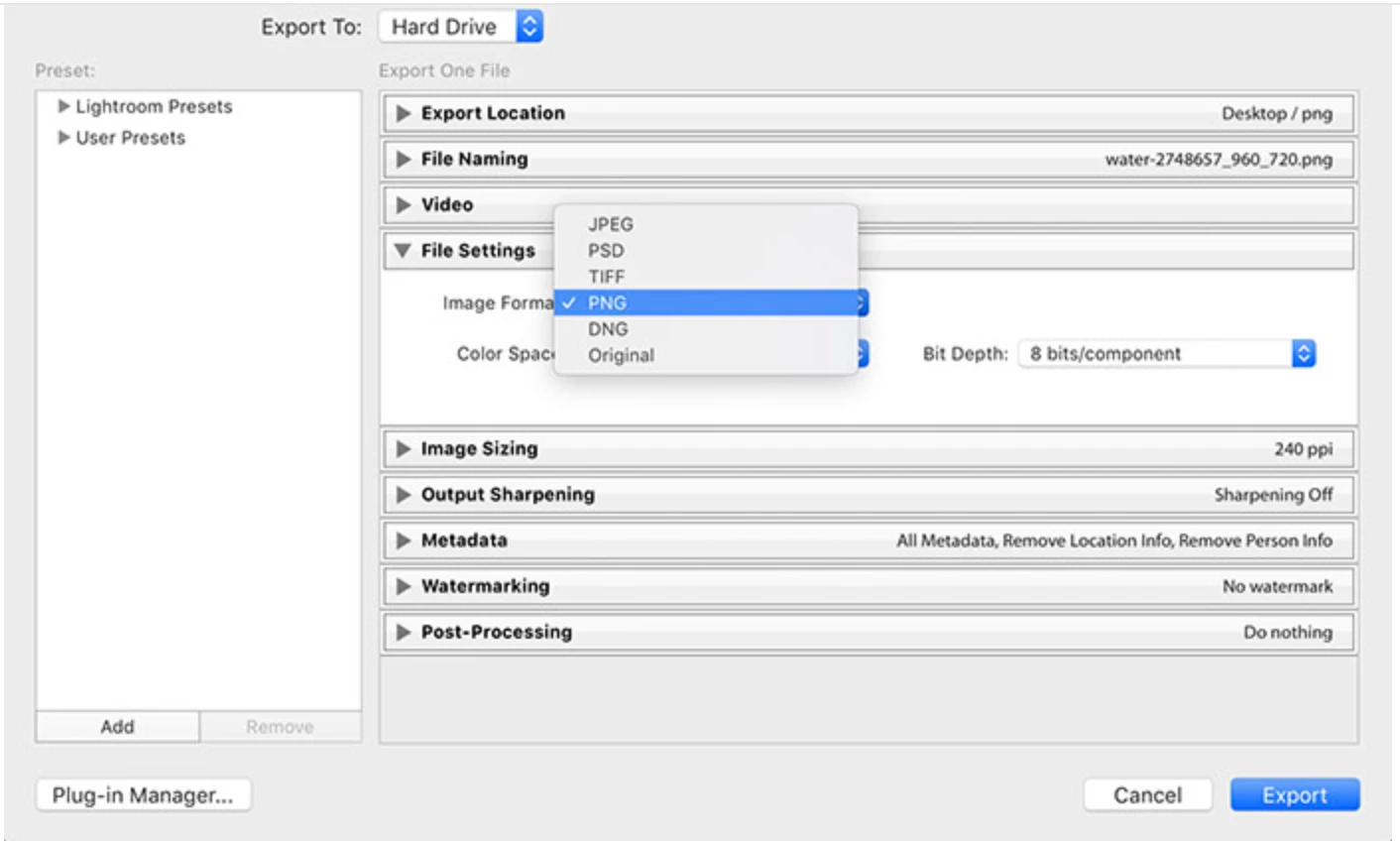
We are happy to announce the release of Lightroom Classic 8.4 and we now support exporting as PNG.

To update Lightroom Classic to 8.4, click "Update" in the Creative Cloud desktop app next to Lightroom Classic.

More detailed instructions for updating

This update includes new features and bug fixes to some of the top customer reported issues.

What’s new and fixed

Read more about the Lightroom Ecosystem August release on the Adobe Blog: https://theblog.adobe.com/august-photography-releases/

Please update to latest version of Lightroom Classic and  share your feedback with us.

Thanks,

Akash Sharma

3 replies

Rob_Cullen
Community Expert
Community Expert
June 7, 2019

Consider also-

You can only 'Export' a PNG file from Lr "as Original"

Develop editing of a PNG in Lightroom is not possible if you want to retain the transparency.

Regards. My System: Windows-11, Lightroom-Classic 15.1.1, Photoshop 27.3.1, ACR 18.1.1, Lightroom 9.0, Lr-iOS 10.4.0, Bridge 16.0.2 .
remixing
Participating Frequently
March 5, 2021

Thanks this is most helpful. I was trying to change the dimensions of pngs... and was confused that this wasn't an option. 

Rob_Cullen
Community Expert
Community Expert
March 5, 2021

To change dimensions of PNG- Photoshop (a pixel editor) is the 'goto' for this.


Regards. My System: Windows-11, Lightroom-Classic 15.1.1, Photoshop 27.3.1, ACR 18.1.1, Lightroom 9.0, Lr-iOS 10.4.0, Bridge 16.0.2 .
Just Shoot Me
Legend
June 7, 2019

The reason the Underscore one ( _1 ) is being added is because there is already a file with the same name in the folder the export is going to.

You can't have 2 files in the same folder with the same name.

This has nothing to do with the title of your post. It is an OS thing.

Akash Sharma
Legend
June 7, 2019

Hi sourabhverma,

I tried to find one plugin that'll suit your need but couldn't find that can export PNG with the transparent background from Lightroom.

Our community experts may have some suggestions to offer.

Thanks,

Akash

Akash Sharma
Akash SharmaCorrect answer
Legend
August 13, 2019

Hi All,

We are happy to announce the release of Lightroom Classic 8.4 and we now support exporting as PNG.

To update Lightroom Classic to 8.4, click "Update" in the Creative Cloud desktop app next to Lightroom Classic.

More detailed instructions for updating

This update includes new features and bug fixes to some of the top customer reported issues.

What’s new and fixed

Read more about the Lightroom Ecosystem August release on the Adobe Blog: https://theblog.adobe.com/august-photography-releases/

Please update to latest version of Lightroom Classic and  share your feedback with us.

Thanks,

Akash Sharma

juanl98975369
Participant
October 24, 2019

What about hidding a background of a tiff image using a mask, then import it to Lightroom, then exporting as PNG in order to keep the transparency background? I tried it and didn't work, all exported images were flattened with a white background instyead of a transparent one.