
Participant
July 23, 2024
Answered

EXPORT IMPOSSIBLE NEF EN JPG

  • July 23, 2024
  • 3 replies
  • 257 views

Bonjour

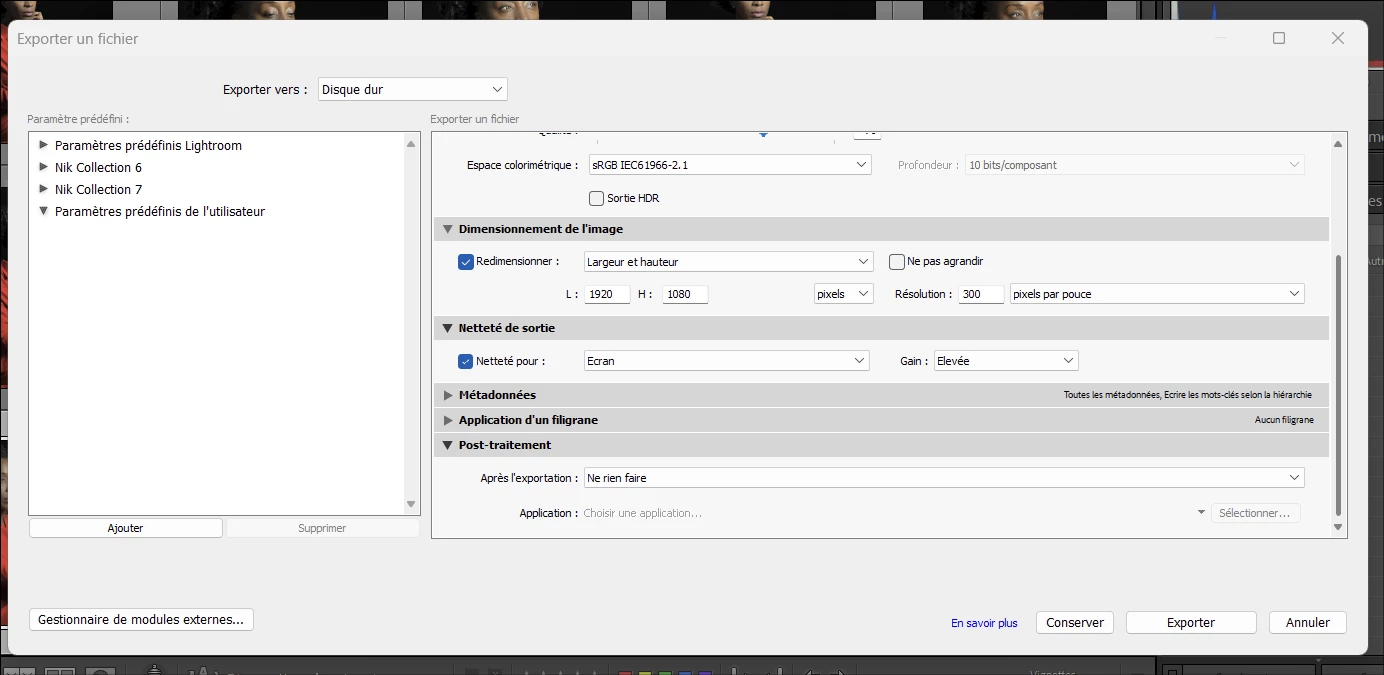
Depuis quelques jour l export en JPG présente des échecs de plus en plus nombreux: 4 échecs sur un lot de 10 par exemple. Aujourd 'hui même 1 seule photo exportée d'un  NEF en JPG 1920X1080 est en échec.

Je fais mes exports comme je les ai toujours faits et réussis.

Maintenant il devient urgent de trouver une solution: quelqu un peut il me sortir de ce mauvais pas OU EST CE UN BUG?

Merci
This topic has been closed for replies.
Correct answer marcd77357493


3 replies

marcd77357493AuthorCorrect answer
Participant
July 23, 2024


dj_paige
Legend
July 23, 2024

What is the exact error message, word-for-word, even if it is not in English?


Please state your software name, version NUMBER and your operating system name and version NUMBER. We need the version NUMBER and not words like "latest" or "up-to-date".


Sameer K
Community Manager
Community Manager
July 23, 2024

Hey, @marcd77357493. Welcome to the Lightroom Community. I'll need more info to help you figure this out.

Are you using presets for export? Share a screenshot of your export settings.


Where do you keep your Lightroom Catalog & the images? On the internal or external drive? What is your target location for export?

Please add a screenshot of the error screen for failed exports.


As a primary step, try this:

  • Go to Lightroom > Preferences > Performance > Use Graphics Processor > Set it off if it is on Custom or Auto. If this shows you any differences, please check this article to troubleshoot further: https://adobe.ly/43rvyUL

Let me know how it goes. Thanks!

Sameer K

(Use '@mention' to tag me when you reply)

Participant
July 23, 2024
Sameer

i did what u advises me and now it works

thank you

Marc