anka1976
Participating Frequently
January 12, 2017
Answered

Export Lightroom Color Labels to JPEG metadata

  • January 12, 2017
  • 2 replies
  • 4189 views

Hello,

I am using Lightroom 5 and I usually export all my RAW images to JPEG after finishing development.

All metadata which I added to the picture (e. g. rating, keywords) are exported, but the color label "red", "green",... etc. are missing in the resulting JPEG metadata.

In the export configuration of LR, it is conigured to export all metadata.

Does somebody know why the color labels are not exported to jpeg metada?

Thanks in advance.

All the best,

Andy

This topic has been closed for replies.
Correct answer Todd Shaner

Hi trshaner,

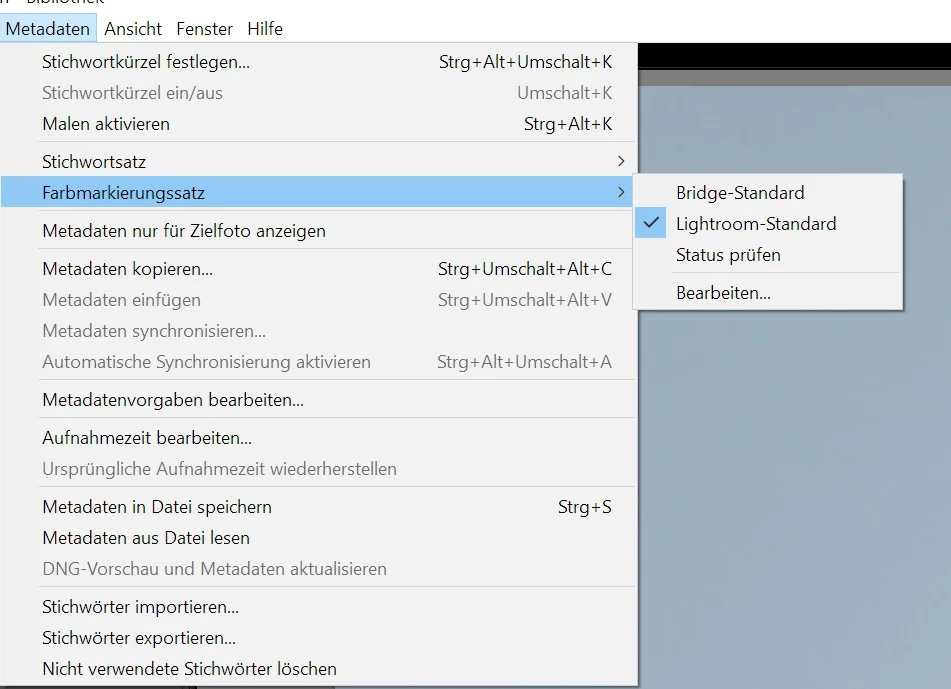
for me the German "Lightroom Default" which is "Lightroom-Standard" is already set.

Inside there the color names are also German "Rot" for "Red" etc.


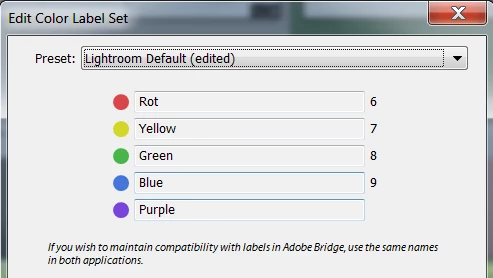
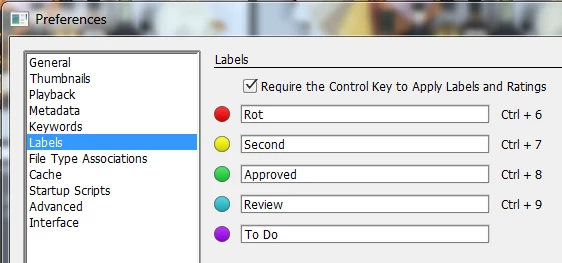
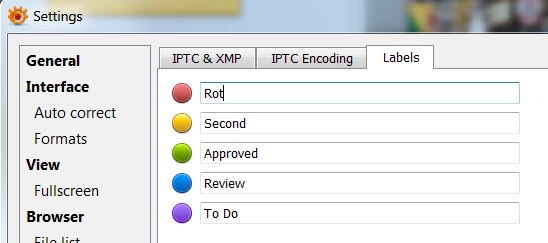
It appears each application used to view the XMP Labels has to be assigned the same names: Consolidating XMP Color Labels - photools.com

Below shows Red changed to Rot. You'll need to change the names for all of the label colors so they are the same in each application you use.

Lightroom

Adobe Bridge

XnViewMP

2 replies

johnrellis
Legend
January 12, 2017

All metadata which I added to the picture (e. g. rating, keywords) are exported, but the color label "red", "green",... etc. are missing in the resulting JPEG metadata.

Which tool are you using to test whether the label is included in the metadata?

anka1976
anka1976Author
Participating Frequently
January 13, 2017

Hi John,

I checked the metadata in Windows 10 Explorer, IrfanView and Exif Viewer. At least they show other EXIF and IPTC metadata in JPEG.

Which tool do you use to view the metadata? In which metadata category the color labels are visible in your environment?

Todd Shaner
Legend
January 13, 2017

Do you see the Ratings and Color Labels inside LR as below?

Here's what I see in Windows 7 Explorer:

In Adobe Bridge:

In XnViewMP:

Todd Shaner
Legend
January 12, 2017

anka1976 wrote:

In the export configuration of LR, it is conigured to export all metadata.

Does somebody know why the color labels are not exported to jpeg metada?

This can be caused by a corrupted LR Preferences file. Try resetting the Preferences file:https://www.lightroomqueen.com/articles-page/how-do-i-reset-lightrooms-preferences/

You can also simply rename the current file Lightroom  Preferences.agprefs.OLD, which allows restoring it if the problem persists. Make sure LR is closed before renaming.

anka1976
anka1976Author
Participating Frequently
January 13, 2017

Hi trshaner,

thanks for the hint. But unfortunately the behavior is still the same and the color label is not exported.

Do you have any other ideas?