
Participating Frequently
January 5, 2025
Question

Export-Preset adds its name to the exported filename in case file already exists -> why?

  • January 5, 2025
  • 2 replies
  • 1205 views

Export-Preset adds its name to the exported filename - why?


I have the following export settings: 
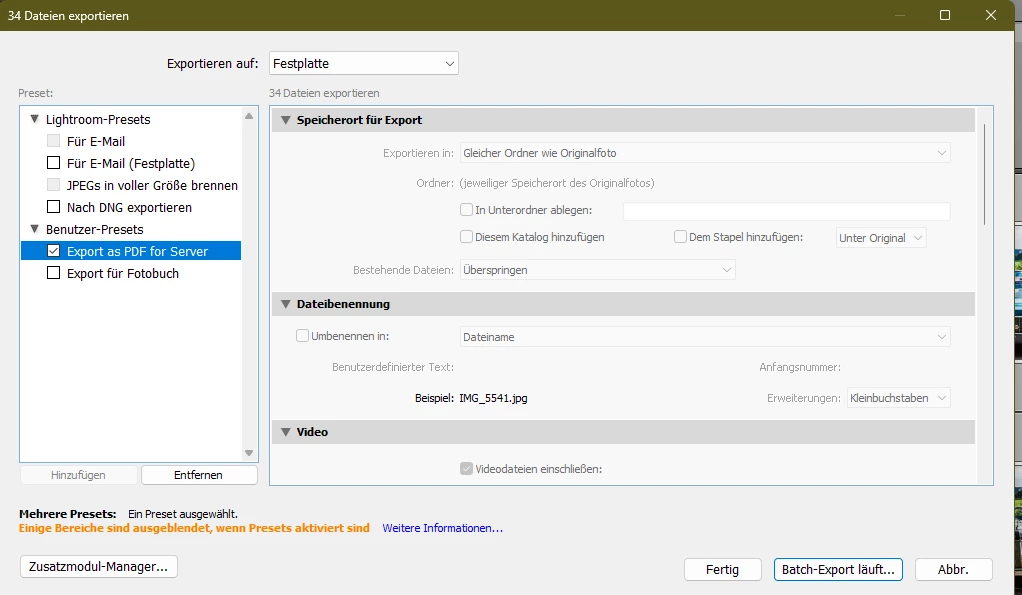
-> skip existing file 

and

--> do not rename, hence use the original filename but add jpg


This user export preset is called "Export as PDF for Server"  


When I use this preset (the first or multiple times) when there are no files with identical names, the export works as intended. 


--> However, when I use this export a second time or when there are already files with identical filename, then the exsting files are not skipped but new files are exported with the name of the export preset attached to the filename. 
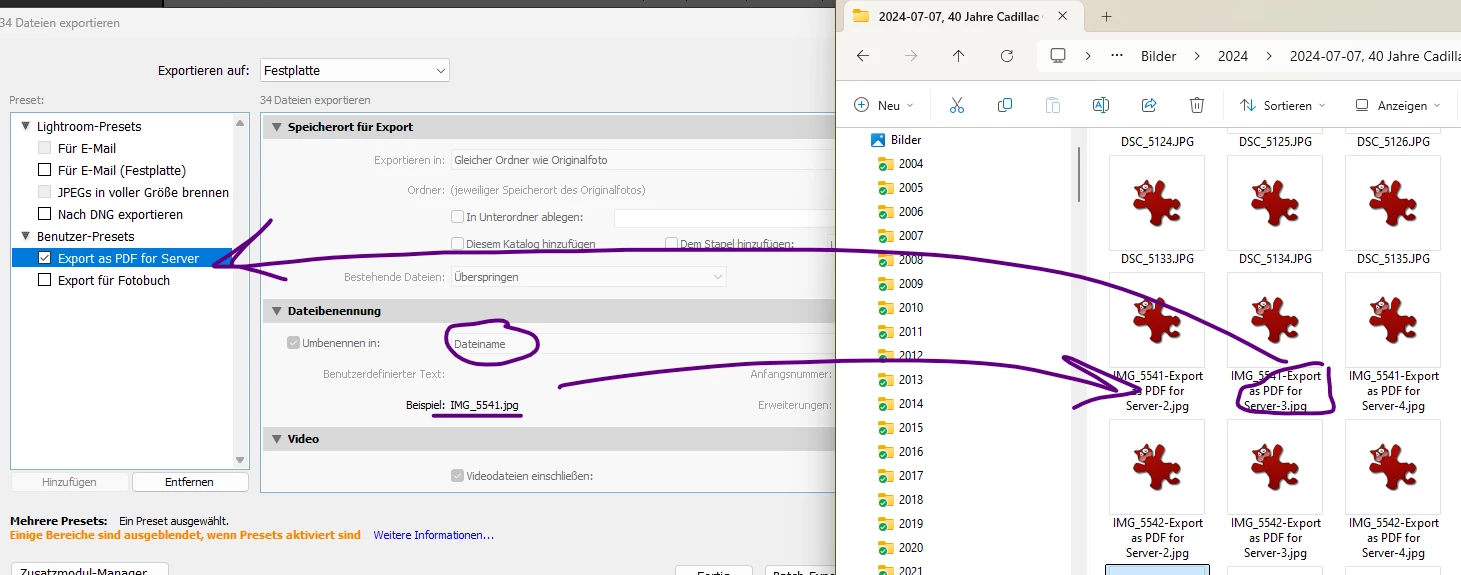
 

Why does this export preset not follow the instructions? (to not rename and to skip existing files?)


Thanks


2 replies

Community Manager
January 14, 2025

Hey @Sven347837590nk9!

Thanks for bringing this up. I've been trying to reproduce the issue but haven't had any luck so far. Could you let me know which version of Lightroom Classic and Operating System you're using?

Appreciate it!
Alek

*(If you mention me with an @, like @Aleke, I’ll get a notification and can respond faster.)*
Participating Frequently
January 16, 2025

Hello Alek


Thanks for trying. I just did an example myself. Created a new catalog, added 9 dng pictures. 

Copied the above export to the user preset and exported a first time - result all good. 

Then a second time and the douplicated are created although the preset clearly states to skip existing pictures. 

Please consider screenshots attached. 


Thanks 


Participating Frequently
January 16, 2025

oh, i forgot to send the version infos: 

Betriebsystemname Microsoft Windows 11 Pro

Version 10.0.22631 Build 22631


Lightroom Classic 14.1.1

Camera Raw 17.1

GoldingD
Legend
January 5, 2025

That User Preset "Export as PDF for Server" where does it come from? Or is it one you created?


Participating Frequently
January 5, 2025

yes, I created this by clicking the button "hinzufügen". 


I want to add, that the export works perfectly normal if I don't use the preset but just use the settings as mentioned above. As soon as I use the preset, this adds the preset name to the filename, although its defined not to alter the filename. 


I guess you can easily recreate this szenario at your side

GoldingD
Legend
January 5, 2025

Then file rename may be a line in the preset, that is not showing up in the export dialog when you select it. It may override whatever is in the export dialog.


You can right click on that preset and select show in explorer, and then you can look at it in notepad (it is apparently a text file), their might be a line like:


tokens = "{{image_name}}_something or the other (I just made that up)


Also, you could select the file rename you want (with that preset not selected) Select but not check it, or just hover over it, right click on it and select update with current settings.