
croucrou.com
Participating Frequently
October 8, 2019
Question

Export to blurb don't start

  • October 8, 2019
  • 2 replies
  • 1070 views

Hi,

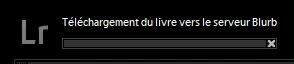
When i try to export a book to blurb,it start but it dont progress.


    This topic has been closed for replies.

    2 replies

    Rob_Cullen
    Community Expert
    Community Expert
    October 11, 2019

    If the PDF exports OK then I suspect it is the upload to Blurb, and this happened to me last December. I remember having to wait a few days and try again before it would upload.

    Check out the Blurb help article-

    https://support.blurb.com/hc/en-us/articles/207792266-Lightroom-upload-problems

    Sorry I cannot be of much more help.

    In the forums I have read of several problems with books- often caused by text fonts. Extracts from my notes-

    error occurs if I have anywhere in the book a text field with "Times New Roman" font. After changing the font to some other font (or removed all empty photo/page texts) I was able to export to Blurb and export to PDF.


    If on any page you increase the padding so that the main photo is shrunk to nothing to show just the faded background, you will have the error while saving it to pdf or uploading a book to Blurb. 


    I checked all fields in my book. What appeared to me is that for some reason all text fields did not contain font type data (the font type and subtype were empty in the "Type" tab, left in the book module).

    Regards. My System: Windows-11, Lightroom-Classic 15.3, Photoshop 27.5, ACR 18.3, Lightroom 9.3, Lr-iOS 10.4.0, Bridge 16.0.3 .
    croucrou.com
    Participating Frequently
    October 12, 2019
    Thanks for your second answer, this is not a font type problème i try to upload book without text
    Rob_Cullen
    Community Expert
    Community Expert
    October 9, 2019

    What Version Number of Lightroom do you have?

    v8.0 had many problems with the Book Module!

    Is your book very large? It may take many hours to upload if upload speed is slow.

    Have you tested the book my exporting to a PDF? This cam sometimes test for incompatible fonts, missing photos, empty photo cells, etc.


    If you problem is on-going then Blurb has a PDF upload facility you may be able to access-

    http://www.blurb.com/pdf_uploader_frontend/index.html#/chooseFiles


    Regards. My System: Windows-11, Lightroom-Classic 15.3, Photoshop 27.5, ACR 18.3, Lightroom 9.3, Lr-iOS 10.4.0, Bridge 16.0.3 .
    croucrou.com
    Participating Frequently
    October 11, 2019
    thanks WoberC four your answer, i Use Lightroom Classic 8.4.1
    croucrou.com
    Participating Frequently
    October 11, 2019
    I try export to pdf, it take time but it work fine. in the past I have already sent books to blurb. but in this case the send does not seem to have started