
Inspiring
November 13, 2025
Question

export to particular size

  • November 13, 2025
  • 1 reply
  • 60 views

A newbie question: I'm creating a calendar that has a template of 11x17. I don't want my 4x3 images to be cropped to fit. Tech support said export at a smaller size.

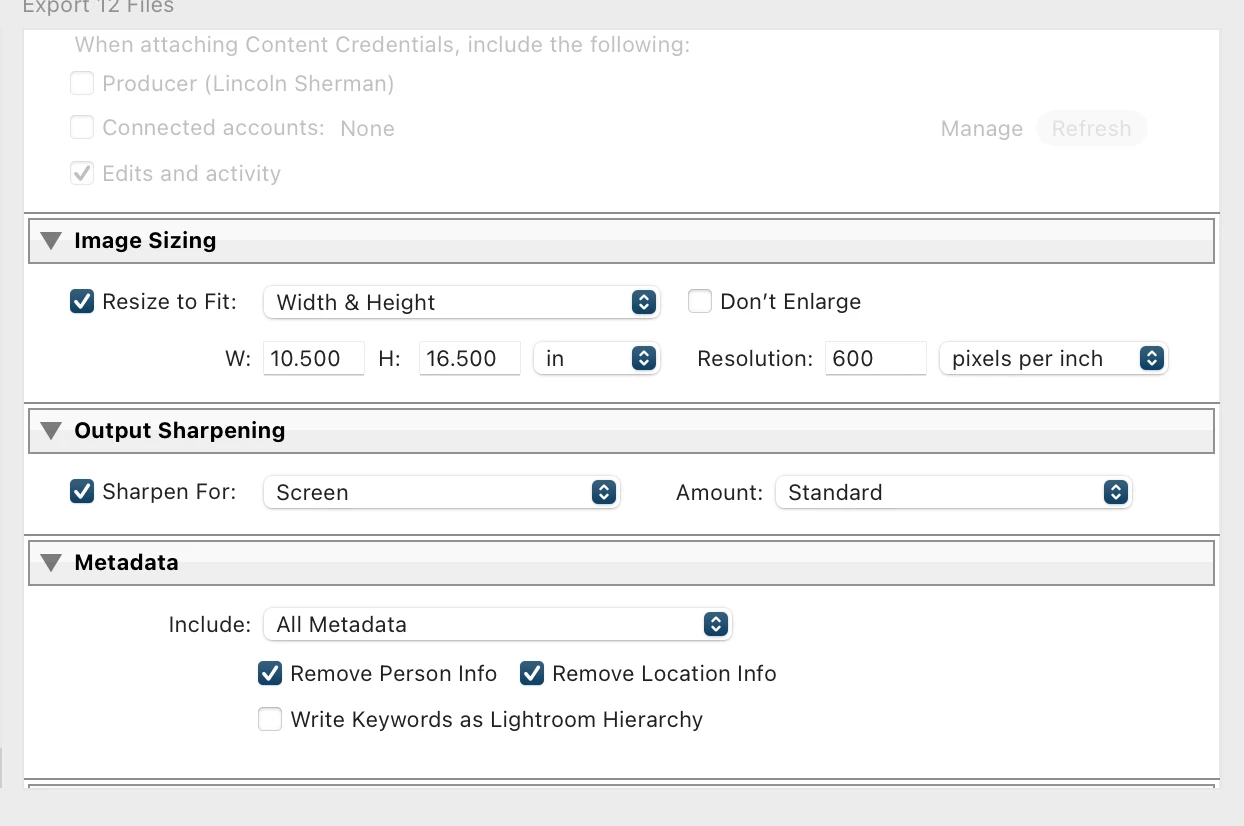
When I exported,  I set 10.5x16.5 as a test (see photo). I uploaded into the program and it didn't work. The photos were all cropped.

What am I doing wrong?

Thanks
LRC 14.5.1

Sequoia 15.7.1

1 reply

JohanElzenga
Community Expert
Community Expert
November 13, 2025

I already answered this in the Lightroomqueen forums, but I'll answer it here (a bit differently) too for other people who might read this and have the same question. You cannot change the aspect ratio of an image without either cropping it or adding white pixels to two sides. Lightroom does not crop on export, it can only resize on export. So no matter what you fill in as width and height in the export dialog, that won't change the aspect ratio of the exported image to 11x7 (or 16.5x10.5). The exported image will still be 4x3. 

-- Johan W. Elzenga