
Known Participant
March 13, 2025
Question

Export Video in Lightroom - does not end and no progress

  • March 13, 2025
  • 2 replies
  • 1056 views

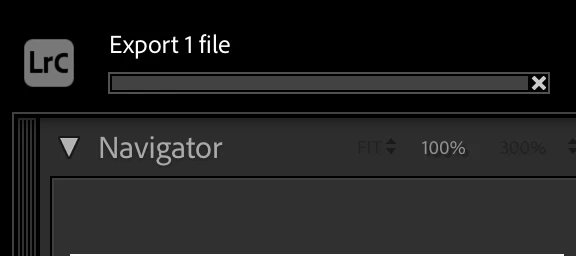
Trying to export a Video (MP4), status shows no progress at all for a long time.

I have tried a 1 seconds video, its the same.

I can still work on other files in the library.

I have also export an image file to the same folder, while the video files is still in export process, the image files successfully exported.  


Below is System info 

Lightroom Classic version: 14.2 [ 202502071718-3869eef7 ]
License: Creative Cloud
Language setting: en-TH
Operating system: Mac OS 15
Version: 15.3.2 [24D81]
Application architecture: arm64
Logical processor count: 8
Processor speed: NA
SqLite Version: 3.36.0
Built-in memory: 16,384.0 MB
Dedicated GPU memory used by Lightroom: 273.9MB / 10,922.6MB (2%)
Real memory available to Lightroom: 16,384.0 MB
Real memory used by Lightroom: 1,487.5 MB (9.0%)
Virtual memory used by Lightroom: 410,782.8 MB
Memory cache size: 240.3MB
Internal Camera Raw version: 17.2 [ 2155 ]
Maximum thread count used by Camera Raw: 5
Camera Raw SIMD optimization: SSE2
Camera Raw virtual memory: 10MB / 8191MB (0%)
Camera Raw real memory: 12MB / 16384MB (0%)


[Moved from ‘Bugs’ to ‘Discussions’ by moderator, according to forum rules.]

2 replies

johnrellis
Legend
March 14, 2025

Please do the LR menu command Help > System Info and copy/paste the entire contents here so we can see exactly which versions of hardware and software LR thinks you're running and important LR options that are set. (You posted only the first lines above.)

SooHKAuthor
Known Participant
March 14, 2025

Lightroom Classic version: 14.2 [ 202502071718-3869eef7 ]
License: Creative Cloud
Language setting: en-TH
Operating system: Mac OS 15
Version: 15.3.2 [24D81]
Application architecture: arm64
Logical processor count: 8
Processor speed: NA
SqLite Version: 3.36.0
Built-in memory: 16,384.0 MB
Dedicated GPU memory used by Lightroom: 213.7MB / 10,922.6MB (1%)
Real memory available to Lightroom: 16,384.0 MB
Real memory used by Lightroom: 956.1 MB (5.8%)
Virtual memory used by Lightroom: 405,374.8 MB
Memory cache size: 450.4MB
Internal Camera Raw version: 17.2 [ 2155 ]
Maximum thread count used by Camera Raw: 5
Camera Raw SIMD optimization: SSE2
Camera Raw virtual memory: 0MB / 8191MB (0%)
Camera Raw real memory: 2MB / 16384MB (0%)

Cache1:
NT- RAM:0.0MB, VRAM:0.0MB, Combined:0.0MB

Cache2:
m:450.4MB, n:0.0MB

U-main: 83.0MB

Standard Preview Size: 3840 pixels
Displays: 1) 3840x2160, 2) 1920x1080

Graphics Processor Info:
Metal: Apple M2
Init State: GPU for Export supported by default
User Preference: Auto
Enable HDR in Library: OFF

Application folder: /Applications/Adobe Lightroom Classic
Library Path: /Volumes/My SSD 500GB/Lightroom/LRCAT2024/LRCAT2024-v13-3.lrcat
Settings Folder: /Users/soohonkeong/Library/Application Support/Adobe/Lightroom

Installed Plugins:
1) AdobeStock
2) Aperture/iPhoto Importer Plug-in
3) Flickr

Config.lua flags:


johnrellis
Legend
March 14, 2025

My LR 14.2 / Mac OS 15.3.2 / Macbook Pro M2 Max is able to export that video quickly with Video Format: H.264 and Quality: Max. This indicates the issue is very likely specific to your installation. Some diagnostic steps to narrow down the issue:


1. If you haven't already, restart your computer. 


2. Try exporting the video your Desktop rather than /Volumes/My Book Duo. 


3. Try setting Preferences > Performance > Use Graphics Processor to Off.  


4. Try resetting LR's preferences:
https://www.lightroomqueen.com/articles-page/how-do-i-reset-lightrooms-preferences/


LR sometimes soils its preferences file, and resetting it can fix all sorts of wonky behavior. That article explains how to restore the old preferences if resetting doesn't help.

5. Try rolling back to LR 14.1.1.


6. Do a clean uninstall and reinstall of all Creative Cloud apps installed on your computer (there are components shared among them):

https://helpx.adobe.com/creative-cloud/kb/cc-cleaner-tool-installation-problems.html

Sameer K
Community Manager
Community Manager
March 13, 2025

Hey, @SooHK. Welcome to the Lightroom Community. I'll need more info to help you figure this out. 


Where are the videos stored, and what device were they shot on? Did you import these videos to Lightroom Classic by syncing them from Lightroom Cloud? 


Share more details about the source & bit-depth of the original video. There are known limitations with 10-bit videos, as discussed here: https://adobe.ly/4k19uIy


Let me know how it goes. Thanks!
Sameer K

(Type '@' and type my name to mention me when you reply)

SooHKAuthor
Known Participant
March 14, 2025

I have been exporting my video file from Lightroom since lightroom supports it. And my last video export was 2 weeks ago.  The only differrence from that day is I did a MacOS updates in the morning and the issue crops up in the afternoon. You can refer to my original post on the OS version which was just released by Apple on 11th March 2025.  


(*)Where are the videos stored, and what device were they shot on? 

In an external drive, it is shot on my phone a samsung S22 ultra. I have been exporting videos captures by S22 ultra since end of 2022. I even try on the old video which was once successfully exported, the same issue persist. 


(*) Did you import these videos to Lightroom Classic by syncing them from Lightroom Cloud? 

No, its a direct import from phone. 


(*) Share more details about the source & bit-depth of the original video. 


Thanks.

johnrellis
Legend
March 14, 2025

"I have tried a 1 seconds video, its the same."


Attach that sample video to your reply here (via the web browser, not in an email reply), and we can see if the issue occurs on other LR installations or is specific to yours.