
Answered
Export with preset - I want to get a HDR program to launch through LR.
Export with preset - I want to get a HDR program to launch through LR. How do I do it? Thanks
Export with preset - I want to get a HDR program to launch through LR. How do I do it? Thanks
I've changed the order of the steps. Hopefully, this helps
1. Open Lr preferences from Lightroom menu (Mac) or Edit menu (Windows)
2. Switch to External Editing tab
3. In section named Additional External Editor click on Choose button
4. Navigate to your HDR application and select then click Choose. You will be returned to Lr preferences
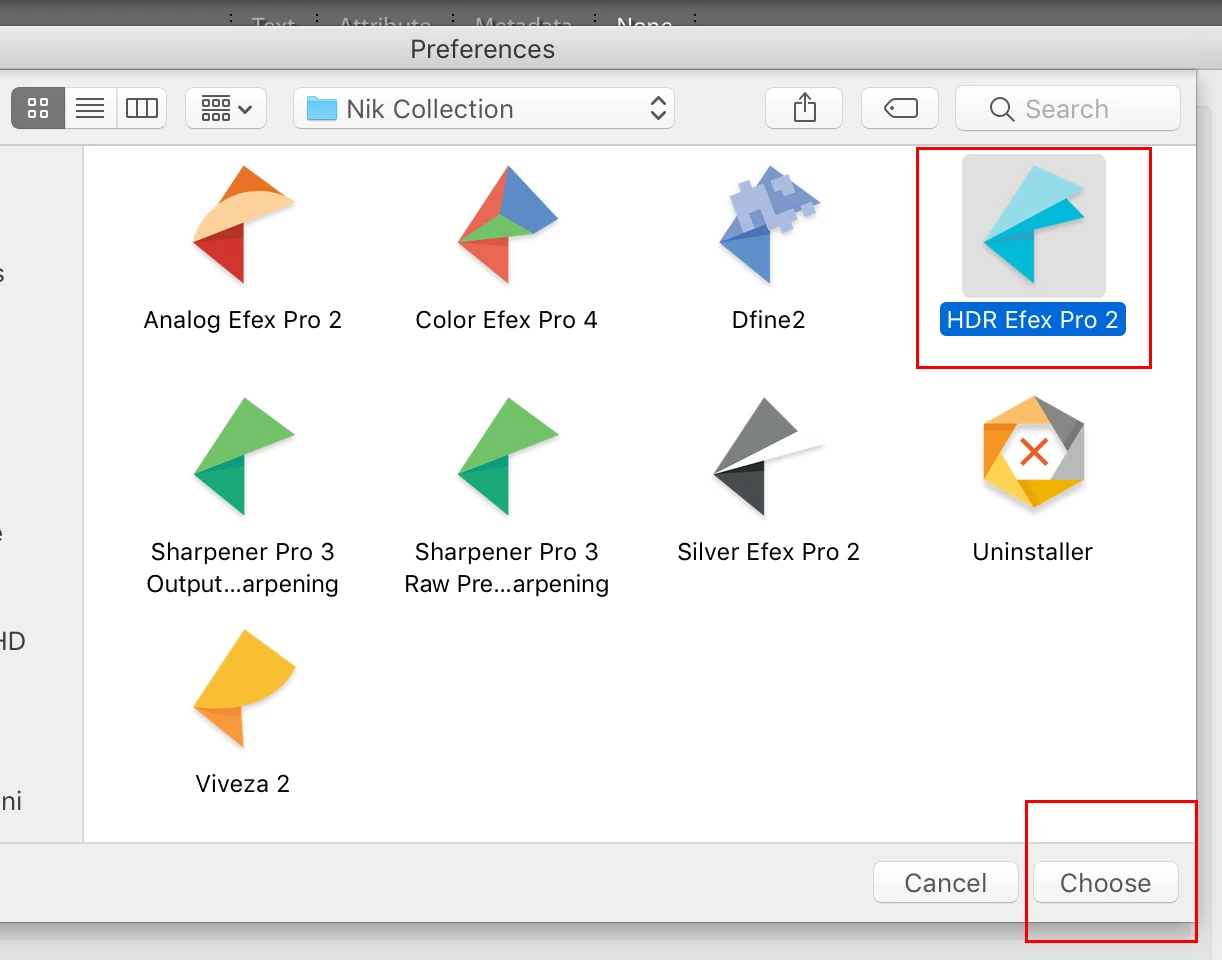
5. Your Preference panel should look similar to below
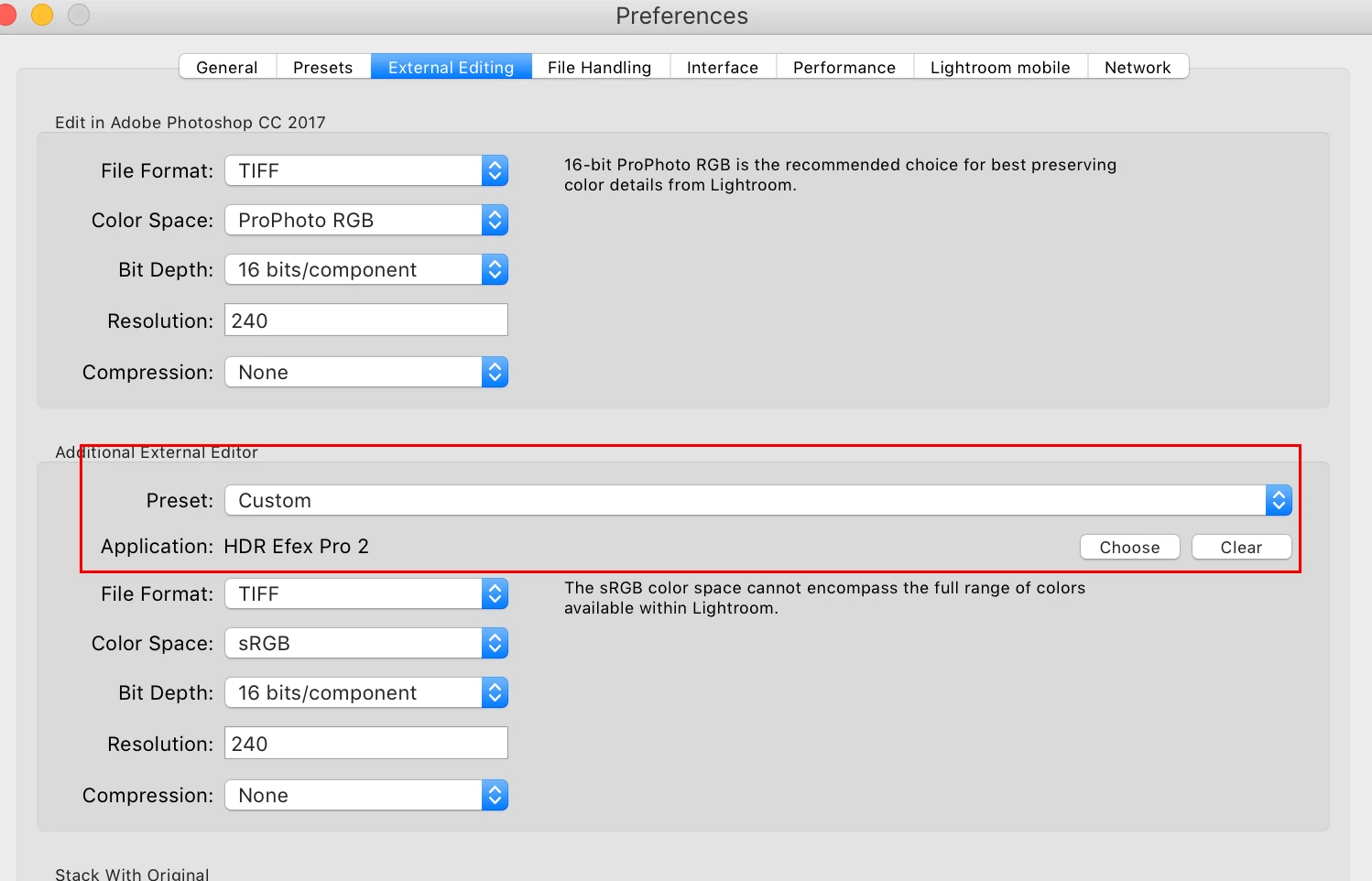
6. Click on the Preset drop down menu to open
7. Choose Save Current Settings as New Preset giving it a meaningful name (e.g HDR Preset)
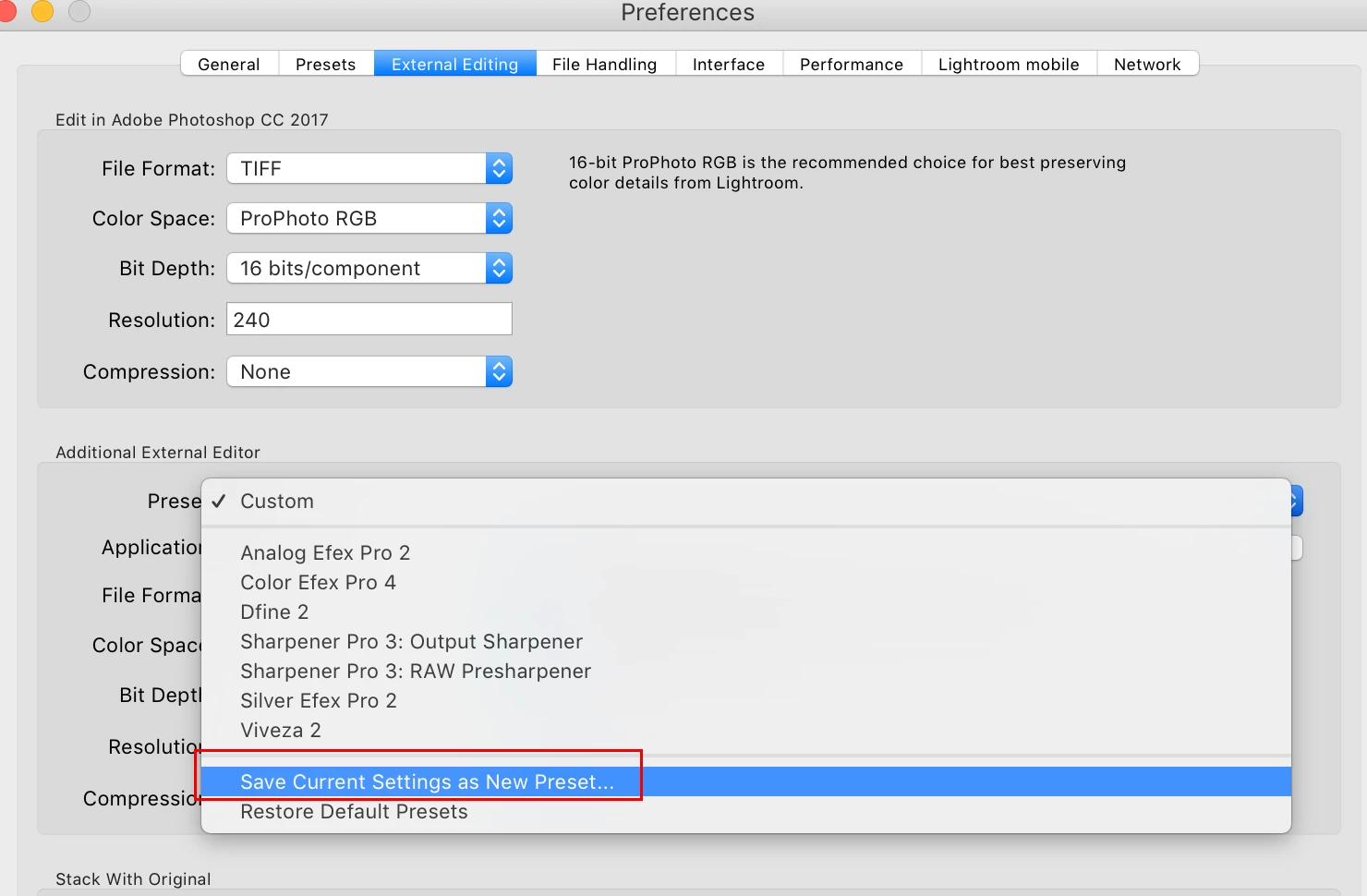
8. You should now find the new preset listed in Edit in... menu. If not try restarting Lr
Already have an account? Login
Enter your E-mail address. We'll send you an e-mail with instructions to reset your password.
 AdChoices