
Question
Exported images drastically different to develop module
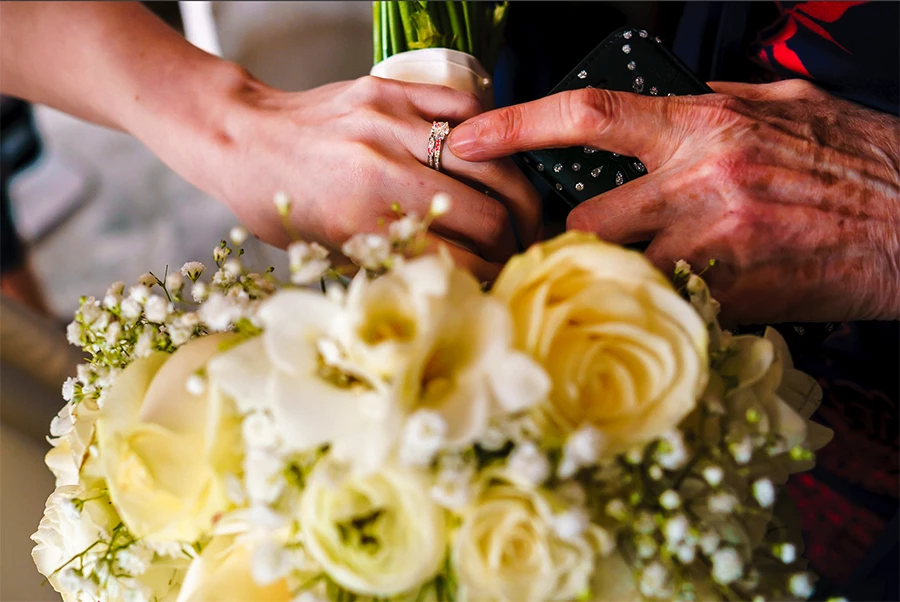
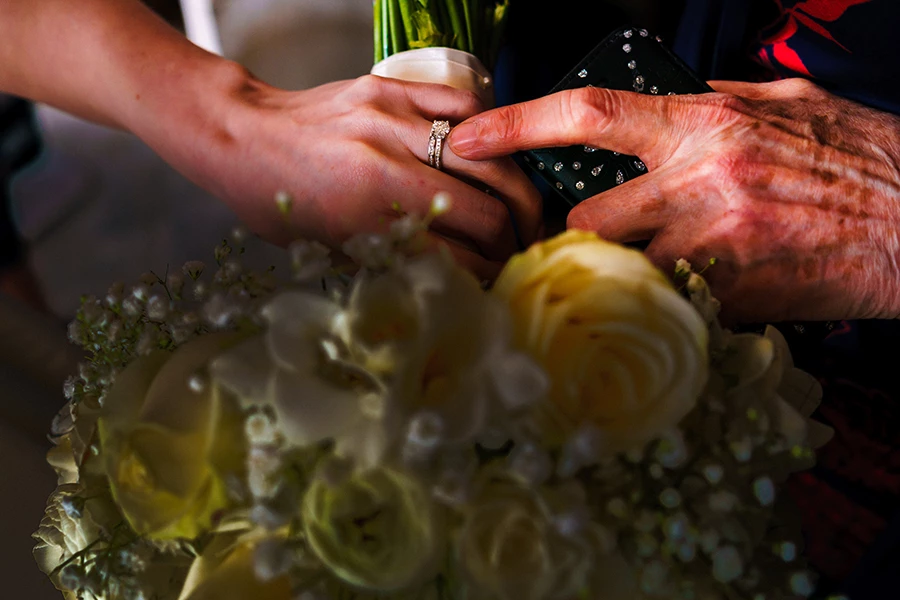
If anyone could please help with this issue I would be very grateful! When I export an image from Lightroom CC and open it in Photoshop (or even if I just look at it in the Library module) it looks drastically different in the areas where I have used either a brush or a gradient filter.
Please note this doesn't happen on all images, just the odd one, which makes it more strange to me.
I have updated Lightroom to 8.3.1 but that hasn't solved it.
This is how the image looks in Lightroom in the develop module:
And this is how it looks when I open the exported image in Photoshop - the underexposed areas are where I have used a brush in Lightroom:
Thank you in advance
 AdChoices