Participant
August 10, 2022
Question

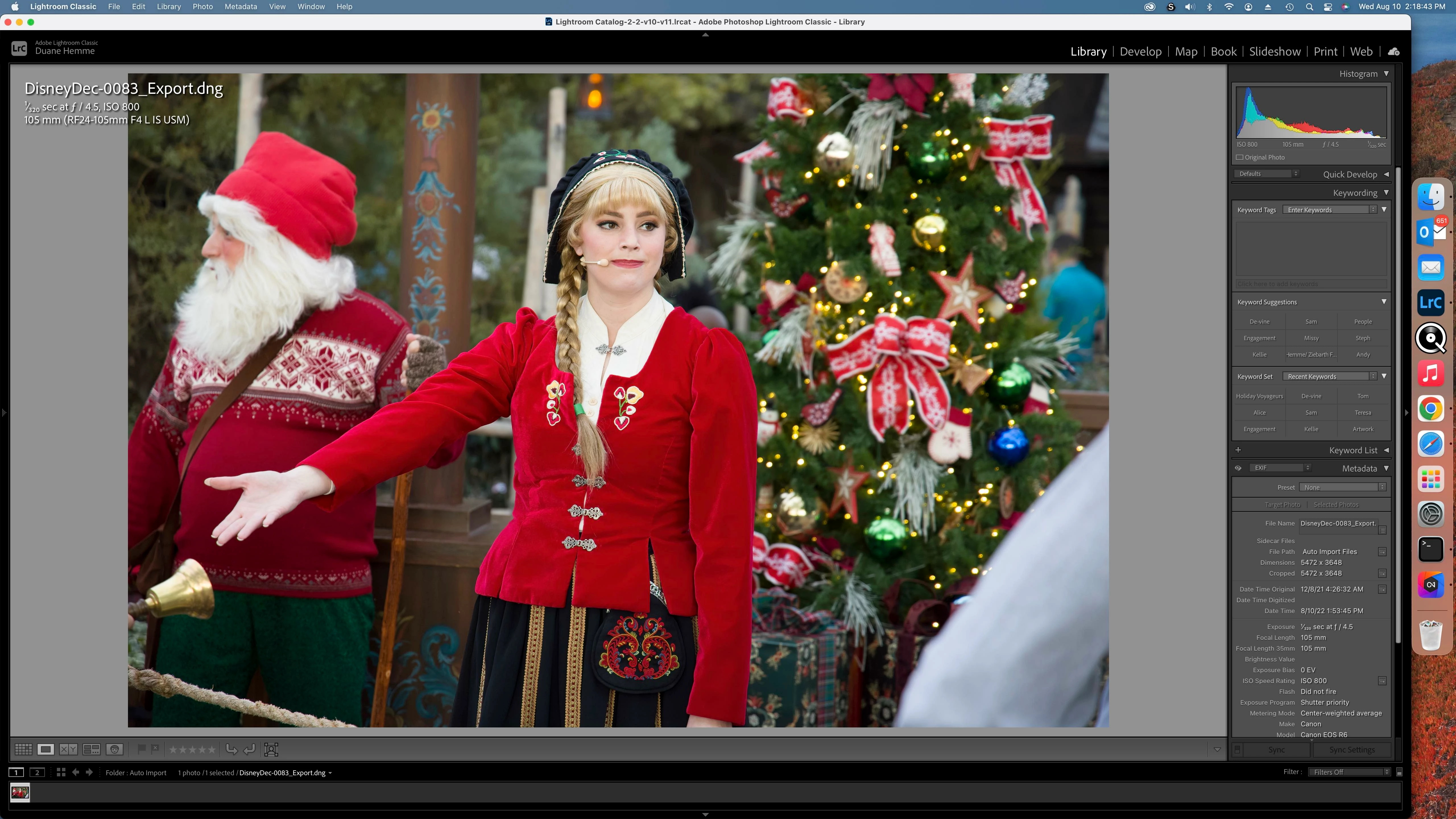
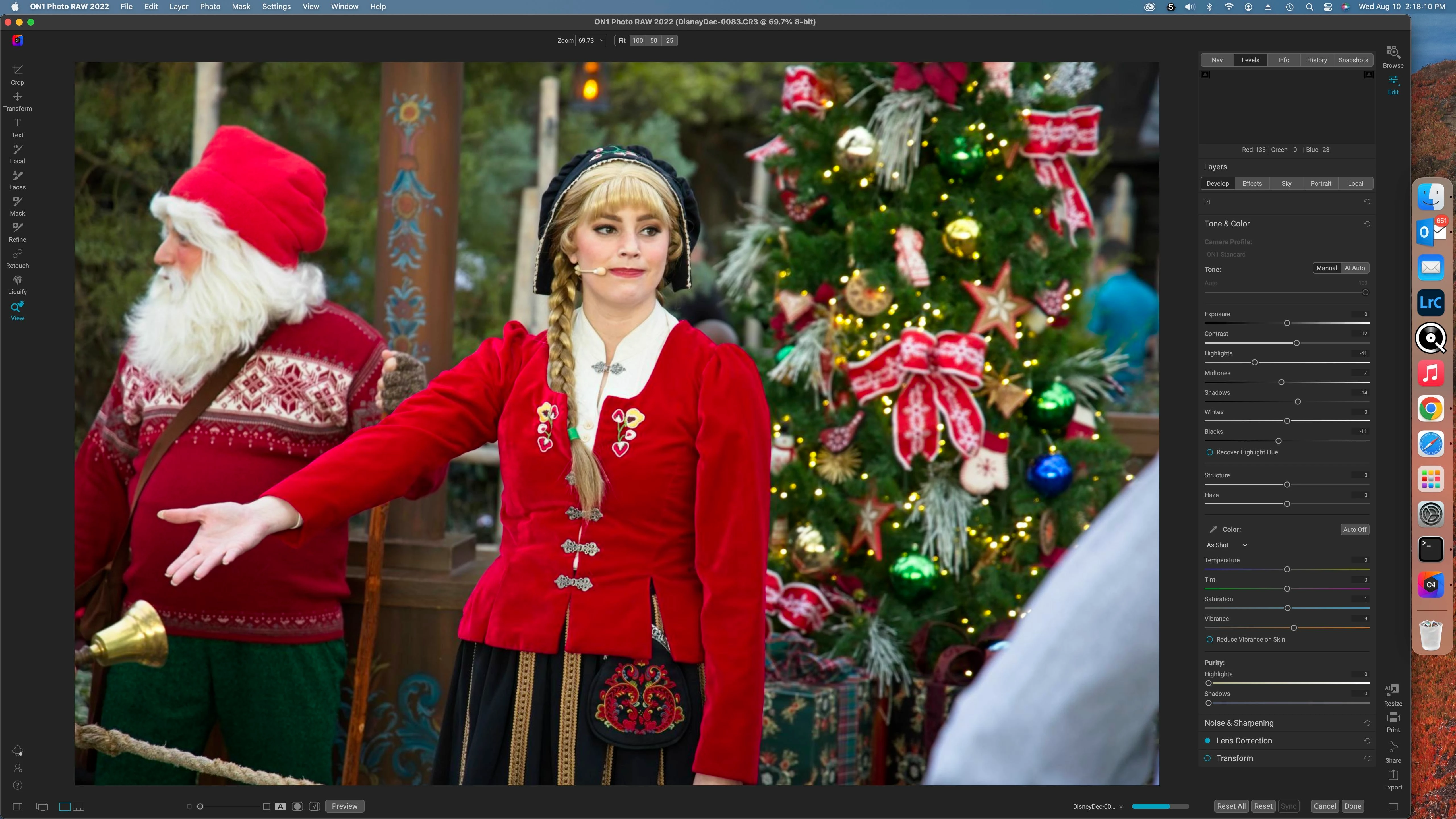
Exported images from ON1 missing contrast and color

  • August 10, 2022
  • 1 reply
  • 129 views

Not sure what advice I can get but I've just started to use ON1 2022.5 and like the noise reduction it provides, I then export a DNG file to Lightroom classic.  When I open the file it looks flat and and the color has changed.  I like to use the new masking tools in Lightroom to finish the photos.
This topic has been closed for replies.

1 reply

Rob_Cullen
Community Expert
Community Expert
August 10, 2022

TBMK- The DNG file that returns from ON1 is not a 'raw' file. It is a TIF file in the DNG file 'wrapper.

I would not expect it to look identical to the original raw (if it was a raw you started with)

While "masking" the 'DNG' in LrC make some basic Develop changes for color, etc, to match the view in ON1.


Regards. My System: Windows-11, Lightroom-Classic 15.1.1, Photoshop 27.3.1, ACR 18.1.1, Lightroom 9.0, Lr-iOS 10.4.0, Bridge 16.0.2 .
Participant
August 11, 2022

I switched to exporting a TIFF file, the photo now looks the same as it did in On1, but a very large file.

DdeGannes
Community Expert
Community Expert
August 11, 2022

I believe that you may get some helpful  information at the link below.

https://on1help.zendesk.com/hc/en-us/community/topics


Regards, Denis: iMac 27” mid-2015, macOS 11.7.10 Big Sur; 2TB SSD, 24 GB Ram, GPU 2 GB; LrC 12.5,; Lr 6.5, PS 24.7,; ACR 15.5,; (also Laptop Win 11, ver 24H2, LrC 15.0.1, PS 27.0; ) Camera Oly OM-D E-M1.