
Question
Exports corrupted files - Lightroom Classic
Lightroom 8.3 release (updated on 22.05.2019)
Steps taken:
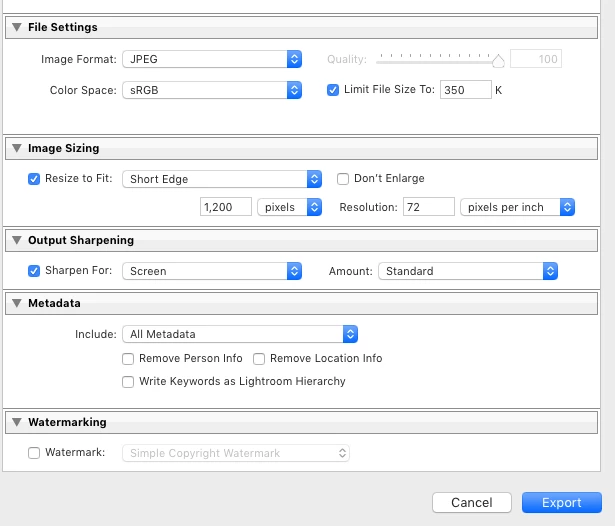
Press the Export' button on Lightroom' and export web resolution images > Upload to Adobe My Portfolio > Image uploads, but then goes missing after about a minute, leaving a blank space. See attached screenshots.
Reported the issue to Adobe My Portfolio & below is the reply I've received. Isn't this a major issue that should be fixed urgently???
"Thanks for getting in touch and reporting this issue!
It looks like your images may be broken. Can you please try uploading your images to Photoshop > click 'File' at the top > Export > Save for Web. Please remember to save at is a jpeg and then upload it to Portfolio again. "
 AdChoices