
Exports from LR/PS too Dark
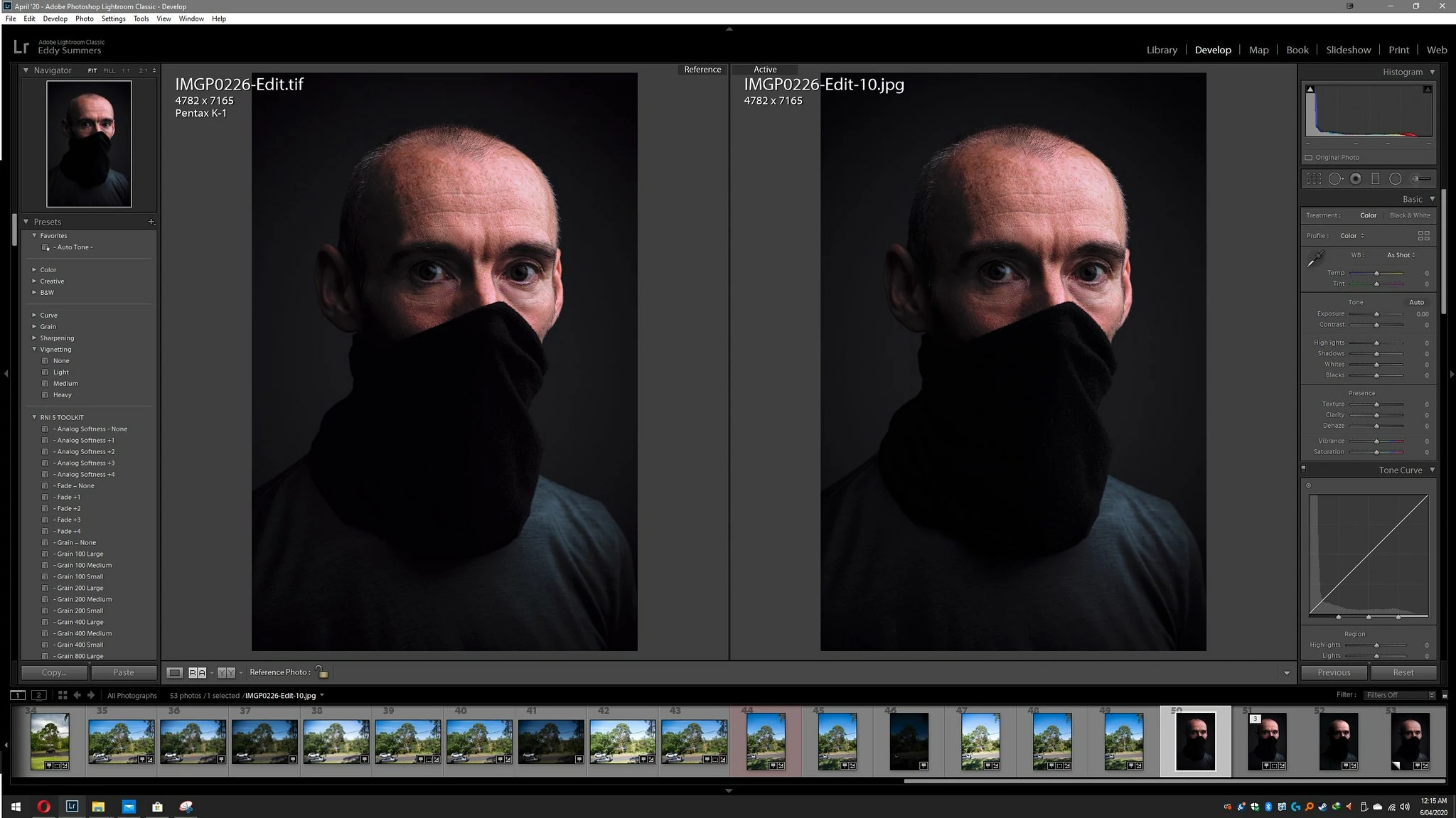
This second screenshot shows the Exported sRGB Jpg on the right overlaying the Tiff in LR, and as you an see its quite a bit darker.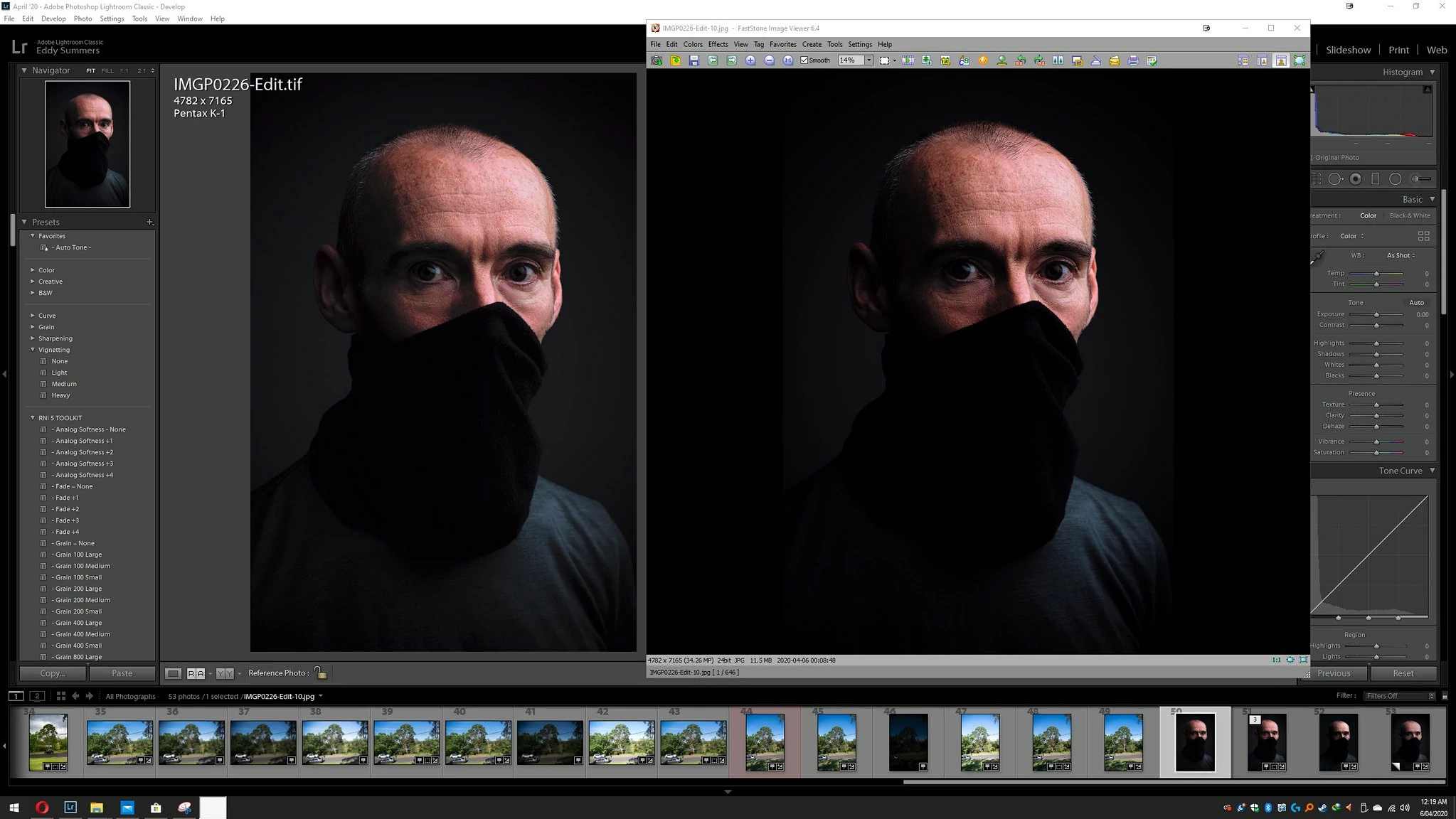
The exported Jpg is being shown in FastStone Image Viewer which supports CMS (Colour Management System) and has it enabled. The same result shows when the Jpg is viewed in Ifranview (once again when you enable the CMS), or if I upload the image to flickr or view in Opera (a CMS capable browser), again the image is darker than what appears in LR or PS environments. Essentially the exported image views consistently dark on all browsers and viewers, monitors and platforms, it is even more darker on phone screens (due to phones not having CMS I presume).
My Samsung A20 phone screen settings;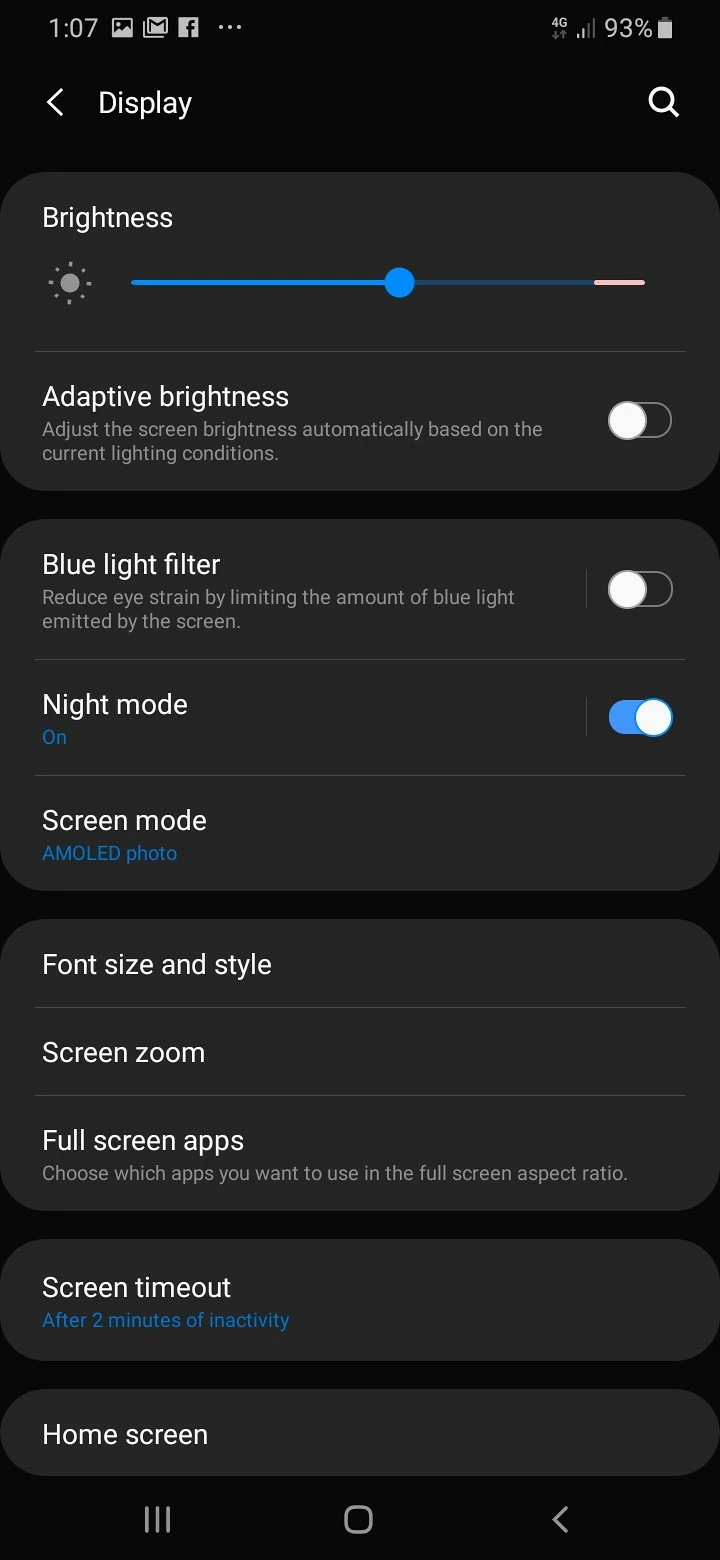
At these settings when looking at the image on flickr app it appears even darker, deeper blacks and seeing where the scarf and shirt meet is very difficult to see, unlike the LR/PS versions.
The issue as I see it is LR and PS are actually showing things incorrectly, too bright and thus making edits difficult to do. There's nothing wrong with the exports, the fact that an export reimported back into LR and is displaying similarly as the original proves the exporting process is not an issue.Nor is this a ProPhoto>sRGB issue (I think I can detect a slight variance in colour from the reimported sRGB Jpg, proving the subtle differences between ProPhoto and sRGB spectrum, but that doesn't explain the shift in exposures).
What's going on?
I have never installed drivers for this new photographic monitor) monitor (less than 2 months old), just plug and play.
I have yet to calibrate my monitor, but before you all go off the deep end screaming at me, hear me out. First up this is my monitor I am using;
BenQ PD3200U OSD Setup & Calibration
I quote;
"The RGB sliders work well but we could not improve on the PD3200U’s amazing out-of-box accuracy with an instrumented calibration."
and
"Picture Advanced offers eight image presets of which Standard is the default and best mode. sRGB and Rec.709 are also highly accurate."
and
"We measured all the picture modes and found Standard, the default, to be the most accurate for grayscale, gamma, and color gamut. sRGB and Rec.709 are essentially perfect as well."
and
"Despite our best efforts, we could not improve on the out-of-box numbers which are pretty much flawless. We recommend sticking with Standard mode and simply setting brightness to taste. Even a LUT calibration is unlikely to yield any gains"
It was my intention to get around to getting a calibrator, I just haven't bought one yet (I wanted to see how it was out of the box).
Now... if I change modes of my monitor, between say Standard and sRGB, or play with brightness levels, the differences between how the files appear in LR and how they appear as Exports in all capable viewers still shows that shift. I just can't understand how greater colour accuracy or more appropriate brightness levels for my current working environment would somehow make LR and PS working environment somehow get dimmer or resemble more closely what the exports would be like once spat out.
Furthermore, when I started to try and troubleshoot this I came across other users reporting similar shifts in the exports (I just googled 'Lightroom exports are too dark' etc), and quite a few of those leads seemed to have people who had calibrated monitors still experiencing this problem. For some it was because their image viewer was not good enough to view the sRGB jpg very well, or show its colour management. I tried exporting the file from PS instead of LR and ensure the 'Embed Colour Profile' was correct, the file came out fine colour wise but again just too dim. Like I say, I feel the dim file is correct and it's LR/PS set up incorrect somehow and not matching realistically what would be the end file result... This surely can't just be a ProPhoto 16 bit > sRGB 8 bit Jpg issue... can it?
But by all means, if this is all down to monitor calibration then I guess I will have to front up the $200 and get one... as it's just a bit annoying to spend 20-30mins getting tones and shadows just right in LR/PS and then export (and expecting a loss of some range) but then to actually be met with quite a different darkened version altogether.
Cheers.


 AdChoices