StudioSixtySix
Participating Frequently
February 8, 2019
Answered

Extended frame canvas beyond "full frame" factory settings in LR

  • February 8, 2019
  • 4 replies
  • 809 views

I have a 2-part question with attached examples. I use Canon 5d M4 to shoot RAW and process with Lightroom CC Classic on an Apple iMac.

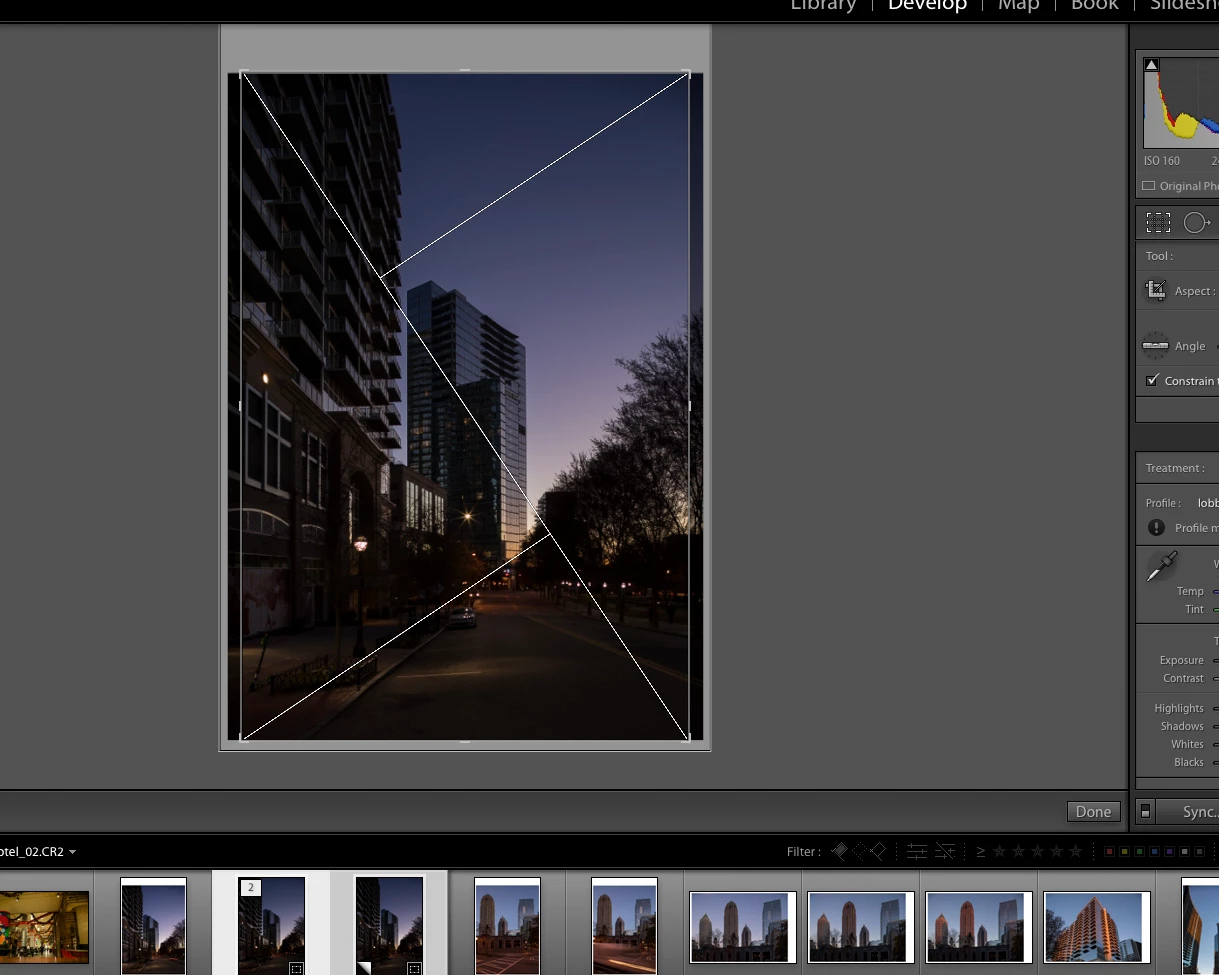
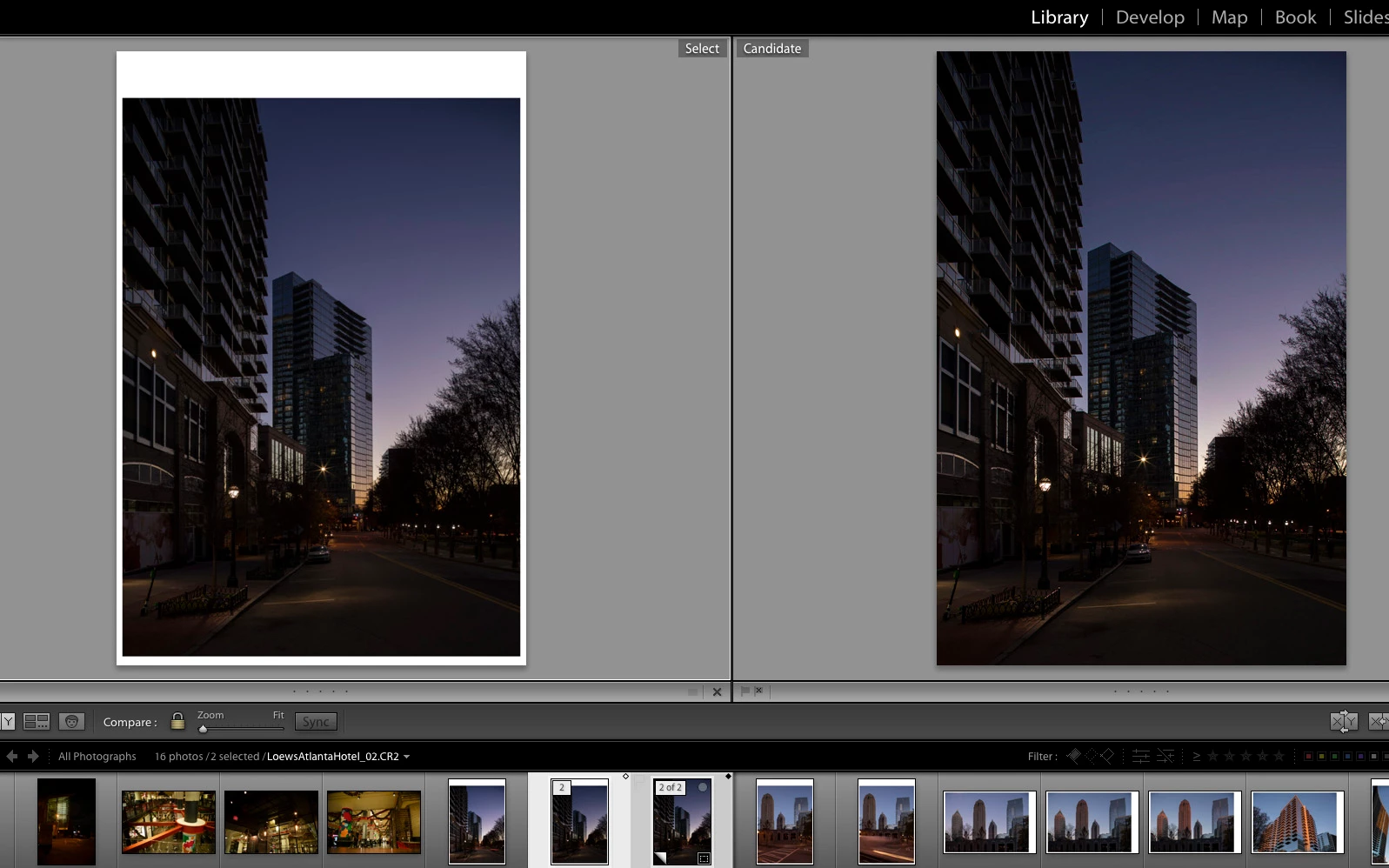
Picture samples attached: Screen shot 1 shows the constrained result along with the "full-frame image" wrapped in a white border. Picture 2 shows the 2x3/4x6 constraint from the Canon factory.

First question, I discovered a setting for LR online in some forum (that I failedto bookmark) to achieve the "Complete full frame" of the 5d M4 sensor. I need help from someone who knows what the setting is so I can set it back to the Factory setting. The setting allows me to go beyond the 2x3 / 4x6 setting for additional pixels for when I do my architecture. It also imports this way in Adobe Camera Raw/Photoshop. Now I'm about to start shooting weddings again and do not want to have to adjust the photos back to 2x3!

Second question related:

I made some test import settings for sharpening and basic stuff, while playing around with this, that I have since deleted. Now every time I import -even though I do not use an import setting- LR seems to be stuck at those settings I was testing.

Thanks for any help out there!

Mark
This topic has been closed for replies.
Correct answer Bob Somrak

Yeah, I've done all that. Problem is that is the way it was shot..with the full frame -beyond the 2x3 4x6 boundaries Canon places on it for processing.


Your post is very confusing but maybe you mean the “DNG RECOVER EDGES“ plugin

Plug-ins for Adobe Photoshop Lightroom | Adobe Labs

4 replies

GoldingD
Legend
February 8, 2019

Well silly me. Completly overlooked one item staring in my face. In your original compare screenshot, the second image is a virtual copy is it not, in the filmstrip, the corner pulled back a bit indicating as such.

So a virtual copy was created, a crop applied, you are comparing the original with no crop or perhaps a negative crop to a virtual copy with no crop or perhaps a bit of crop.

StudioSixtySix
Participating Frequently
February 8, 2019

Yes to the virtual copy and crop (I imagine this would be hard to see on a mobile device).

Also you can see the strip of thumbnails along the bottom with the other photos, where on import the full sensor (no factory crop) is revealed in LR. Will be interesting to see what the answer is!

GoldingD
Legend
February 8, 2019

On the filmstrip, for the virtual copy, right click and unstack. Then in develop module for that image, bring up the crop tool pay attention to its current setting, probably uncrop it.

Fir the original, pay attention to the navigator panel, what ratio is it at?

GoldingD
Legend
February 8, 2019

Actually when I look at your original comparisons one image looks like it is zoomed out past the actual frame boundaries, hence the white border (adjustable somewhere in LR defaults) the white is not part of the image. Ignoring the white, the boundaries look the same. Now why one image is zoomed out more than the other, does seem odd. But then, I am nit on a computer, so I can nit bring up LR with my 5D Mk iii images and go, Ah...

GoldingD
Legend
February 8, 2019

Part 1

Are you talking about the crop? Above basic panel, the dotted square icon. The crop and straighten tool. As well as some default ratios, it includes “original” and “as shot”

https://m.youtube.com/watch?v=FzgnUmS9J8U

StudioSixtySix
Participating Frequently
February 8, 2019

Hi David, thanks for your answers. I understand your answer about the crop tool, and I'm not a casual user.

I have a screenshot here that shows it is set on original! This is some advance setting that allows the entire sensor to become available, and now I can't find the setting to toggle on and off!

Best,

Mark

GoldingD
Legend
February 8, 2019

The full sensor should be available by default.

clearly I do not understand the issue.

How about a screen shot with your navigator panel visible

GoldingD
Legend
February 8, 2019

Part 2

you want to restore Adobe Default Settings

Adobe Lightroom - Customising Camera Defaults

perhaps another member has had a better link?