This is the screen that shows my 8 external drives as Volumes, not drives.. I'm still not sure if it even matters, but some of these drives are old, and I would like to move the contents to the 2BigDock drive.. sounds easy (it's 12TB) One of my 2TB drives (My Passport for Mac below) won't even get recognized by the laptop, even with disk utility.. so I assume it is bad(?) But in this screen capture, the Lacie2BigDock is greyed out (it's brand new) even though it is currently connected to the laptop. .thanks for your help :-)
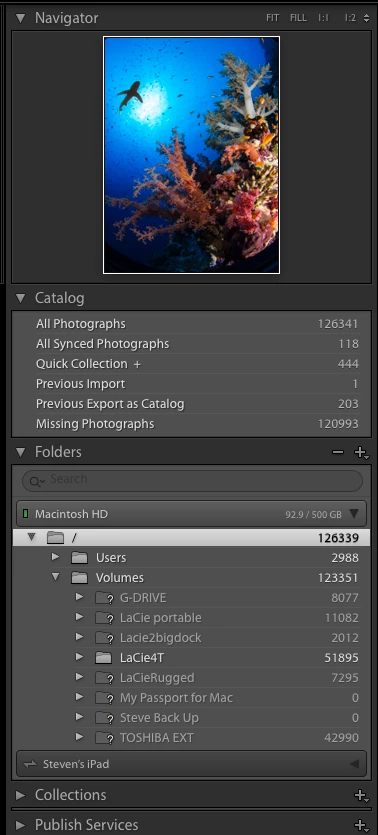
So on /, which is the top level folder, right click and "hide this parent". Then after that, you should be able to right click on Volumes and "hide this parent".

 AdChoices