
michaelzechfoto
Inspiring
July 11, 2020
Question

external edit creates a tiff in lightroom on start

  • July 11, 2020
  • 5 replies
  • 562 views

Hi,


if i right click on an image and choose "edit in aurora..." or other program, lightroom creates instantly a tiff. i dont now if it is because of a new lightroom version or something else but last time i use this workflow, lightroom creates a tiff only if i save the image in aurora or other prog


Also new is this window ... never got this before
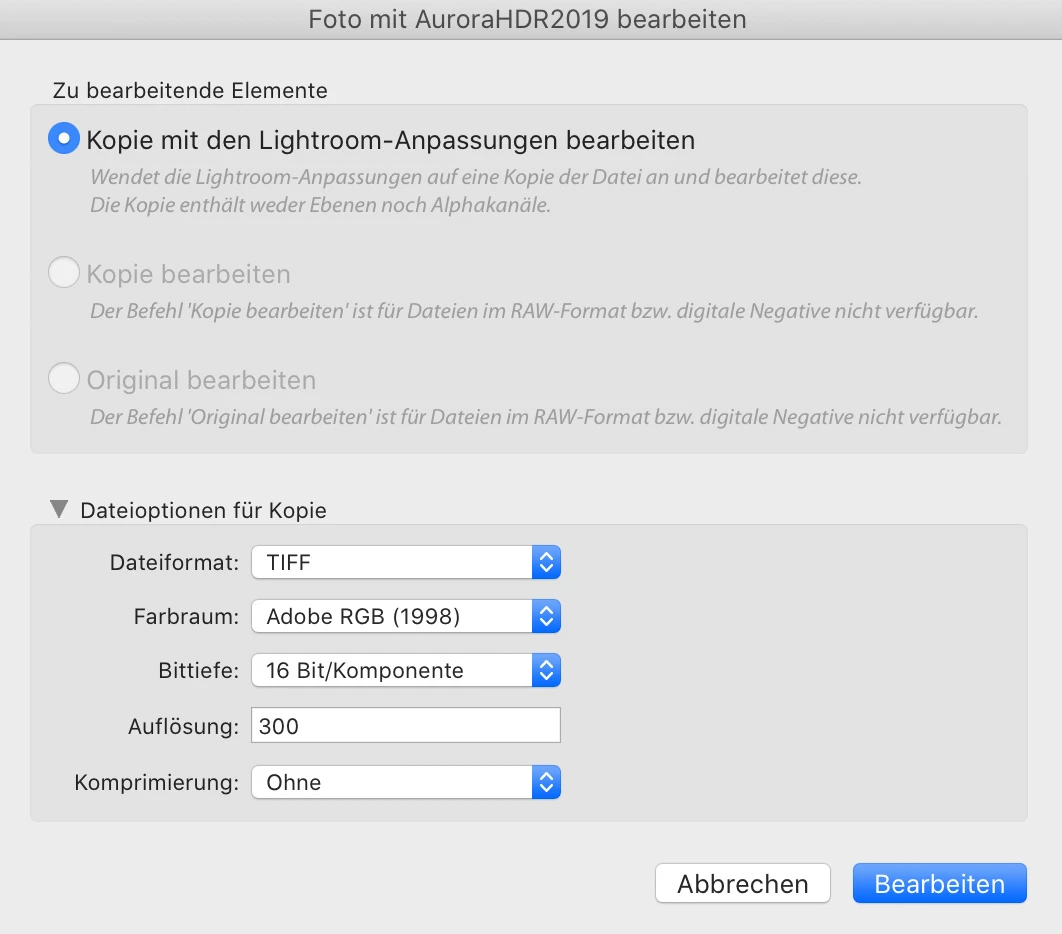
 

can i disable this feature?


thx


This topic has been closed for replies.

5 replies

DdeGannes
Community Expert
Community Expert
July 11, 2020

When you initially set up a new application to allow Lightroom Classic to send files via "edit in function" that has to be done in Lightroom > preferences > External editing. See the screen capture for the file type that can be selected. Tiff, PSD and Jpeg.

As far as I can recall this has always been this way.


Is it possible you are mixing it up with this function, which is accessible in the Library module? See the screen capture.


Regards, Denis: iMac 27” mid-2015, macOS 11.7.10 Big Sur; 2TB SSD, 24 GB Ram, GPU 2 GB; LrC 12.5,; Lr 6.5, PS 24.7,; ACR 15.5,; (also Laptop Win 11, ver 24H2, LrC 15.3; PS 27.0; ) Camera Oly OM-D E-M1.
DdeGannes
Community Expert
Community Expert
July 11, 2020

Other third-party applications are unable to apply edits applied to a raw file, so what you see is the only choice you have when using the "edit in feature" from Lightroom Classic.

Regards, Denis: iMac 27” mid-2015, macOS 11.7.10 Big Sur; 2TB SSD, 24 GB Ram, GPU 2 GB; LrC 12.5,; Lr 6.5, PS 24.7,; ACR 15.5,; (also Laptop Win 11, ver 24H2, LrC 15.3; PS 27.0; ) Camera Oly OM-D E-M1.
michaelzechfoto
Inspiring
July 11, 2020

Hello,
ok i understand, that other apps cannot edit raw files. It is ok for me but my problem is:

Before
image -> edit in aurora/luminar -> cancel :::: no tiff in lightroom / save :::: tiff in lightroom
Now
image -> edit in aurora/luminar -> cancel :::: always a tiff in lightroom and i dont want that


JP Hess
Inspiring
July 11, 2020

I'm sorry, I have to interject one more time. It seems to me that you have a choice. Either accept that this is the way Lightroom works with these external editors, or don't use them because that's the way it works.

JP Hess
Inspiring
July 11, 2020

Well, I could be wrong. So I will leave you to someone else to solve your issue. Sorry I couldn't help.

JP Hess
Inspiring
July 11, 2020

I don't think your question about Aurora has anything to do with the Nik Collection. I'm just telling you why  the TIF image has to be created first. Aurora isn't a raw processor, is it?

michaelzechfoto
Inspiring
July 11, 2020

thy jim but again - before i installed nik, there was no window and no tiff until i saved it in aurora. It is the same in luminar too btw

so i think nik was the problem 😞


i can use this way. no tiff will be created until i want it. but i lost all of my lightroom changes on the image so i don't wanne use this way.


can anyone help?

JP Hess
Inspiring
July 11, 2020

I'm not familiar with Aurora, but I do know that when using the Nik Collection of plug-ins on raw files it's necessary for Lightroom to create the TIF file first and then send that file to whatever plug-in I'm using. That's because none of the Nik plug-ins are raw converters, and therefore the image must first be converted before I can use the plug-in. I suspect this might be the case with Aurora.

michaelzechfoto
Inspiring
July 11, 2020

Hi Jim,

now as you said ... i have installed the nik collection but deinstalled them after trial. i never had this problem/window before so it comes with nik ....

question is now, how to remove this rest of nik collection part