Participant
December 6, 2023
Question

Fehler beim Export von bearbeiteten JPEG Dateien

  • December 6, 2023
  • 2 replies
  • 341 views

Hallo zusammen,


Ich habe folgendes Problem:
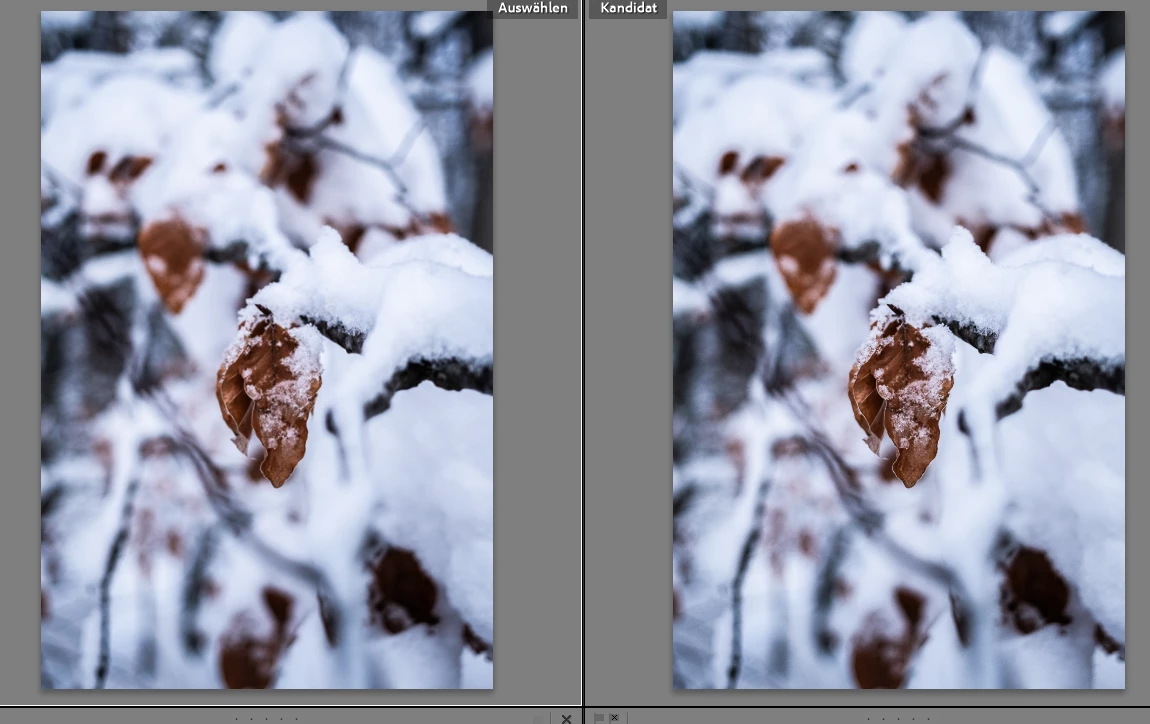
Wenn ich JPEGs in Lightroom Classics bearbeite, sehen diese im Export bedeutend anders aus als im Programm selbst. Siehe Bild 1.
Ich habe mich bereits im Internet schlau gemacht und es gibt viele Stimmen die sagen, dass das am Color Management liegt(meine Monitore sind alle auf sRGB kalibriert). Der Clou ander Sache ist allerdings der: Wenn ich RAW Bilder bearbeite, habe ich dieses Problem nicht(siehe Bild 2)
 
Außerdem habe ich ältere Bilder von mir verglichen, wo ebenfalls Bilder bearbeitet wurden und da tritt dieses Problem nicht auf. Es tritt ebenfalls nicht auf, wenn ich das ältere Bild neu exportiere.
 
Was ich bis jetzt probiert habe:
-Versionsdowngrade
-Bild in neuem Lr Katalog einladen
-Cache löschen
-Grafikkartenbeschleunigung ausschalten
-Neues Bild im alten Katalog einladen
-Anderes Farbprofil einladen
-Lightroom erneut installieren
 
Hat sich in einem der letzten Updates etwas gravierendes zum Handling von JPEGs geändert? Bin gerade echt mit meinem Latein am Ende und hoffe, ihr könnt mir helfen.
Kreative Grüße!


JPEG vs JPEG: 
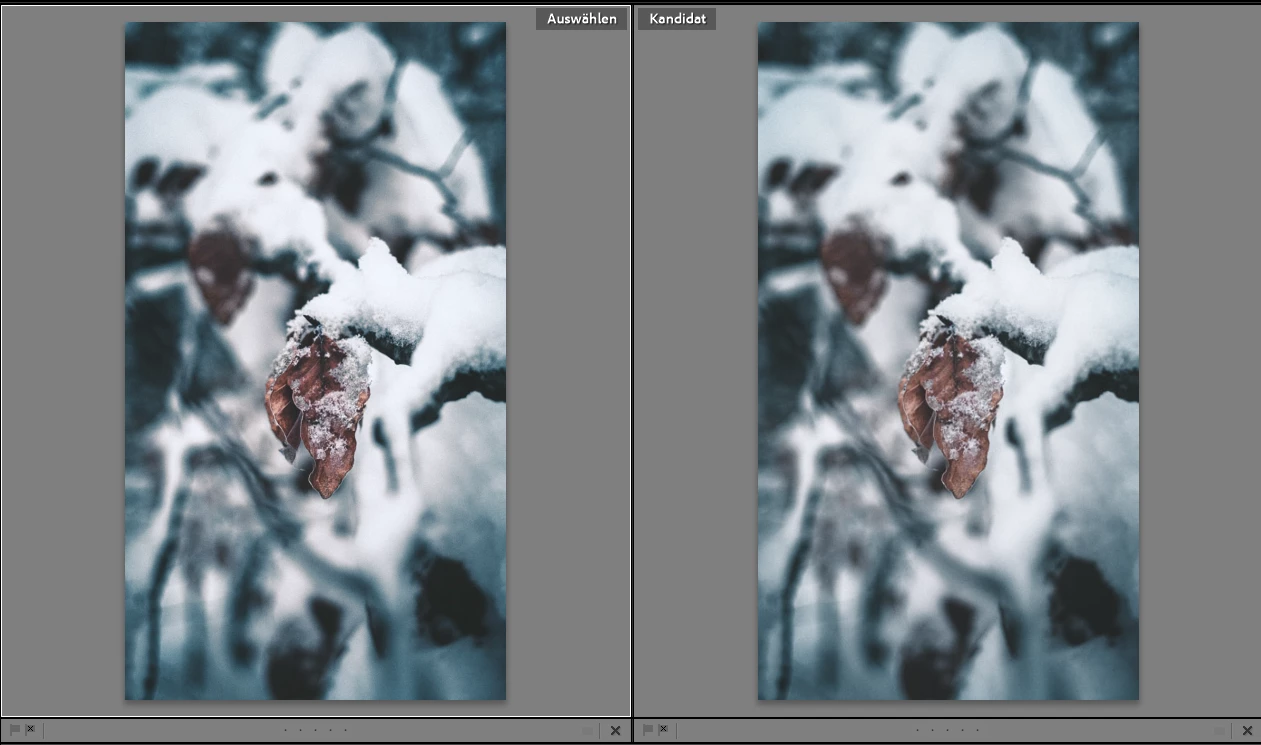


RAW vs JPEG


This topic has been closed for replies.

2 replies

JohanElzenga
Community Expert
Community Expert
December 6, 2023

Is the original JPEG tagged with a color profile? If not, then that is probably the explanation. If there is no color profile, then Lightroom will have to assume a color space, which may not be correct.


-- Johan W. Elzenga
Participant
December 7, 2023

It's tagged with sRGB from the camera, so Lightroom should be able to deal with it.

JohanElzenga
Community Expert
Community Expert
December 7, 2023

Cameras do not normally embed a color profile. Instead, there is the widely used system where starting the file name with an underscore means that the image is AdobeRGB and no underscore means sRGB. That means that as long as Lightroom recognizes the image as being an image from a camera, there should indeed be no problem. If an underscore image gets renamed before it is imported in Lightroom, then Lightroom will assume the wrong color space, however. Probably not what happened here, but still something that cannot be dismissed without checking.


-- Johan W. Elzenga
DdeGannes
Community Expert
Community Expert
December 6, 2023

I am seeing no difference in the image you shared.

See screen capture from my iPad.


Regards, Denis: iMac 27” mid-2015, macOS 11.7.10 Big Sur; 2TB SSD, 24 GB Ram, GPU 2 GB; LrC 12.5,; Lr 6.5, PS 24.7,; ACR 15.5,; (also Laptop Win 11, ver 24H2, LrC 15.0.1, PS 27.0; ) Camera Oly OM-D E-M1.
Participant
December 6, 2023

if you pay attention to the colours of the leaf, you'll see that the one on the left has more contrast to it. The whole picture on the right has some kind of gamma shift, if you want to call it that way. When I export the picture on the left and import it back into Lr, it actually looks different, so there has to be something going on.