Matthias Schinnerl
Participating Frequently
August 15, 2021
Question

Fehler beim Importieren - Einige Importvorgänge wurden nicht durchgeführt.

  • August 15, 2021
  • 2 replies
  • 1543 views

Hallo,

ich habe folgendes Problem seit heute, bisher hatte ich das Problem nicht.


Beim Import von Bildern erhalte ich folgende Fehlermeldung:

Einige Importvorgänge wurden nicht durchgeführt.

Fehler beim Versuch, einen Platz für die importierte Dateizu finden. (6)


Folgendes habe ich gemacht:

6 Dateien, alle im TIF Format (2021-08-008-8.tif, ...) habe ich auf meiner Festplatte abgespeichert.

Beim Import habe ich folgende Einstellungen:

- Hinzufügen (die Bilder sind bereits am richtigen Speicherort)

- Smart-Vorschauen erstellen

- Mögliche Duplikate nicht importieren

- Metadaten aus meinen Vorgaben hinzufügen



Dann klicke ich auf importieren.

Nach ca. 3 sek. erscheint der Fehler.

Einige Importvorgänge wurden nicht durchgeführt.

Fehler beim Versuch, einen Platz für die importierte Dateizu finden. (6)
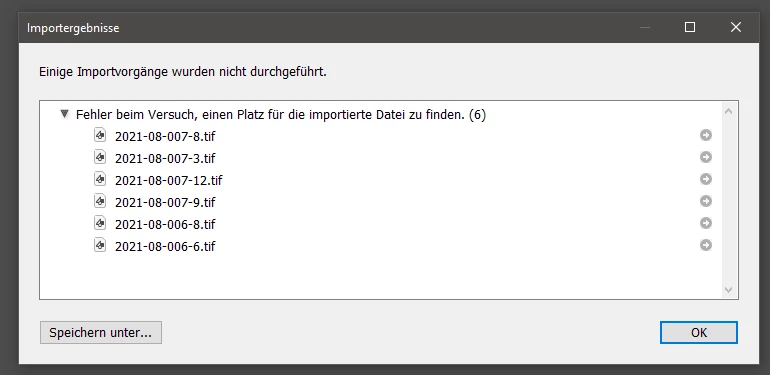
 

Hier noch ein paar Infos zu meinem System:

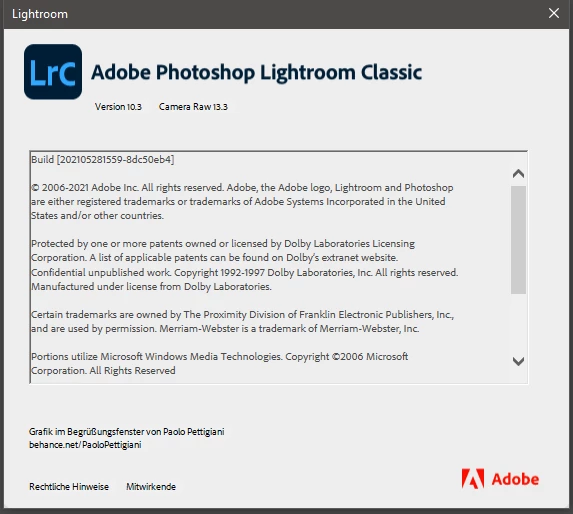
Ich verwende Adobe Photoshop Lightroom Classic - V10.3 - Camera Raw 13.3
 

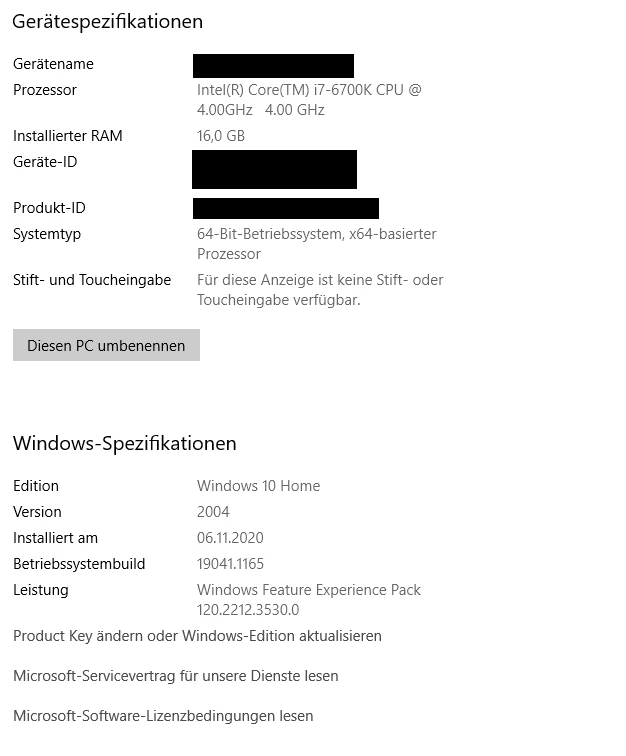
Mein Betriebssystem, Windows 10 Home - V 2004 - Betriebssystembuild 19041.1165
 

Danke für die Hilfe.

Grüße Matthias


This topic has been closed for replies.

2 replies

Matthias Schinnerl
Participating Frequently
August 15, 2021

Hello,
here is the translation.


I have the following problem since today, until now I did not have the problem.

When importing images I get the following error message:
Some import operations were not performed.
Error trying to find a place for the imported file. (6)


Original German error text:

Einige Importvorgänge wurden nicht durchgeführt.

Fehler beim Versuch, einen Platz für die importierte Dateizu finden. (6)


Here is what I did:
6 files, all in TIF format (2021-08-008-8.tif, ...) I saved on my hard disk.
When importing, I have the following settings:
- Add (the images are already in the right location).
- Create smart previews
- Do not import possible duplicates
- Add metadata from my presets
Then I click on import.


After about 3 sec the error appears.
Some import operations were not performed.
Error trying to find a place for the imported file. (6)


Here is some more info about my system:
I am using Adobe Photoshop Lightroom Classic - V10.3 - Camera Raw 13.3.
My operating system, Windows 10 Home - V 2004 - operating system build 19041.1165.

Thanks for the help.
Regards Matthias

Translated with www.DeepL.com/Translator (free version)

cmgap
Community Expert
Community Expert
August 15, 2021

1- do you have enough free space on your local drive for large photos? "trying to find a place for the imported file" indicates not enough available storage.

2 - do you use an external drive to store your photos? this is recommended as a best practice for precisely this reason. Photo files are quite large and they fill up your hard drive quickly taking up valuable space often times slowing down computer functions.

3 - also your Lightroom backups should be completed regularly and on a different drive in case of a hard drive failure resulting in a loss of data.

Matthias Schinnerl
Participating Frequently
August 15, 2021

to 1 - yes there should be enought space for the pictures. On the drive where the pictures are stored I have about 0.5 TB free. On the drive where the Lightroom catalog is stored I have about 0.27 TB free.


to 2 - the pictures are placed on a network drive (NAS system)


to 3- the catalog is located on the hard disk of my computer, I do regulary backup on another drive.

cmgap
Community Expert
Community Expert
August 15, 2021

Your post is too long to translate - can you repost just the text portion and then we can use your screen shots in your first post to see if we can help.