

Amy_Mason7137
Participant
June 12, 2026
Answered

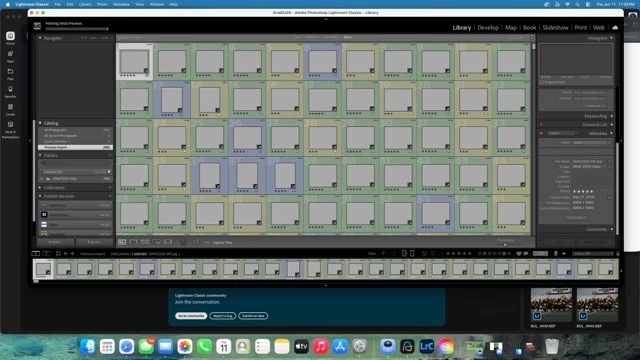
fetching initial previews is not working

  • June 12, 2026
  • 2 replies
  • 114 views

As soon as I import, “fetching previews” is stuck. No previews show.  I have tried updating, restarting the computer and the application, and going to the catalog settings- face detection was not checked/address lookup not checked / culling not checked.  
 

    Correct answer JohanElzenga

    Your previews cache may be corrupted. Open your catalog folder and remove ‘catalogname previews.lrdata’ from that folder. Then start Lightroom Classic again. Initially you won’t see any previews, but then Lightroom will start rebuilding them one by one. Now try if importing images creates previews as expected.

    2 replies

    Participant
    June 28, 2026

    This happens to me for every new catalog, so I doubt this is a matter of preview cache corruption.

    I have to restart LR for any images to load and I assume the previews are never built.

    Same issue has been reported multiple times on reddit.

    About time Adobe acknowledges it.

    JohanElzenga
    Community Expert
    JohanElzengaCommunity ExpertCorrect answer
    Community Expert
    June 12, 2026

    Your previews cache may be corrupted. Open your catalog folder and remove ‘catalogname previews.lrdata’ from that folder. Then start Lightroom Classic again. Initially you won’t see any previews, but then Lightroom will start rebuilding them one by one. Now try if importing images creates previews as expected.

    -- Johan W. Elzenga