

File names in catalog are wrong after running Convert photo to DNG
After successfully running "Convert photos to DNG" on a folder of tiff files, when I reimport the original tiff images they are shown not as .tif files but as .dng files. The following screenshots show first the actual DNG image and then the TIF file incorrectly named ".dng". The metadata panel on the right clearly shows that one image's file type is Digital Negative and the other is Tiff.
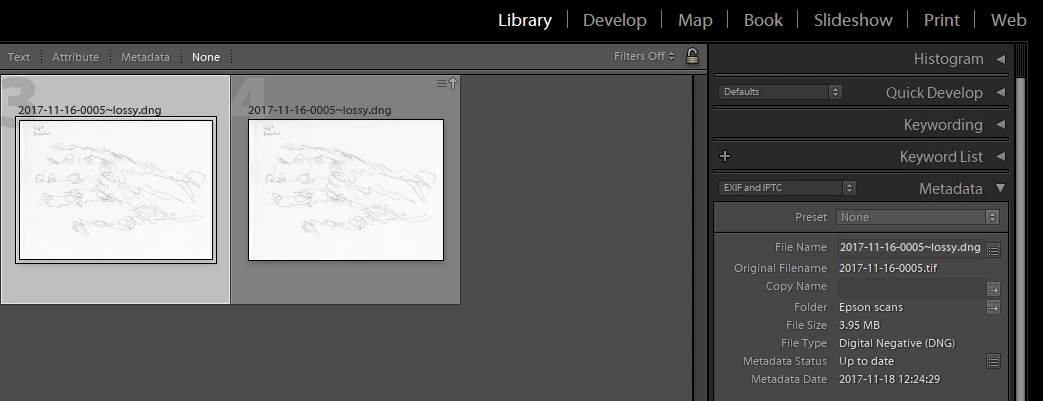
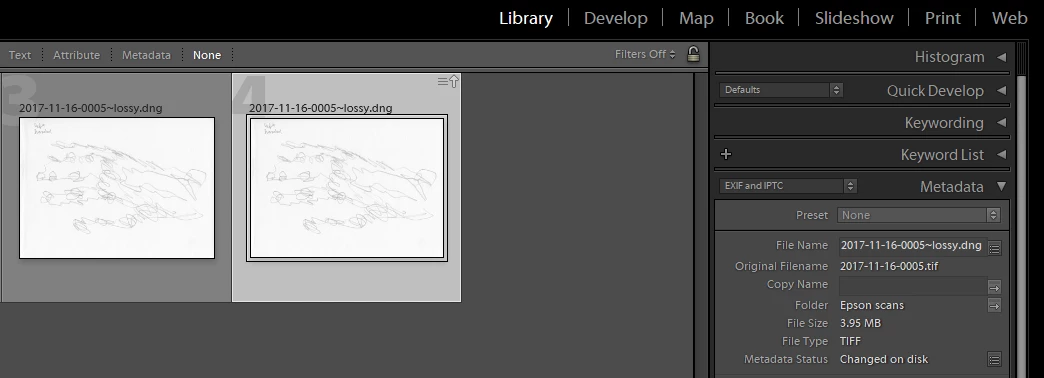
Lightroom also falsely reports that the metadata was changed externally when it wasn't; after Converting to DNG, I simply Synchronized the folder to re-import the original tiff files. If I view the folder in Bridge, it confirms that the original tiff files are still named ".tif" and that their creation and modified dates are unchanged.
Removing the tiff images from the catalog results in the DNG images being removed too; which proves that there is some kind of database corruption going on which results in both files being treated as one and the same. Fortunately, if you remove the entire folder, exit Lightroom, and then re-import the folder, the corruption seems to be repaired and Lightroom correctly identifies the DNG and tiff as separate and gives each the correct names, ".dng" and ".tif" respectively.
I have confirmed the same misnaming on re-import with jpeg files that have been converted to DNG. And even worse, I inadvertently discovered that if you make develop module or even metadata changes to the jpg files, it will corrupt the DNG files which the jpegs have been erroneously named as. This resulted in a whole folder of jpeg files converted to DNG files being rendered useless; I had to delete both the .dng and .jpg files and start over. Luckily I had a backup copy of the original jpeg files. But still, it took me several hours to figure out what had gone wrong and how to fix it. The symptoms of this DNG file corruption were that whenever you tried to save changes to the DNG file, either metadata or develop, it would say "Cannot write XMP data" and never save the changes to file.
I wonder how many other people have experienced this problem?
By the way, I'm using the latest version of Lightroom Classic CC, version 7.0.1, running on Windows 10, version 1709.
 AdChoices