
File transfers via NAS using LRC v13.0.1 (Win11) is 100x slower than previous releases!
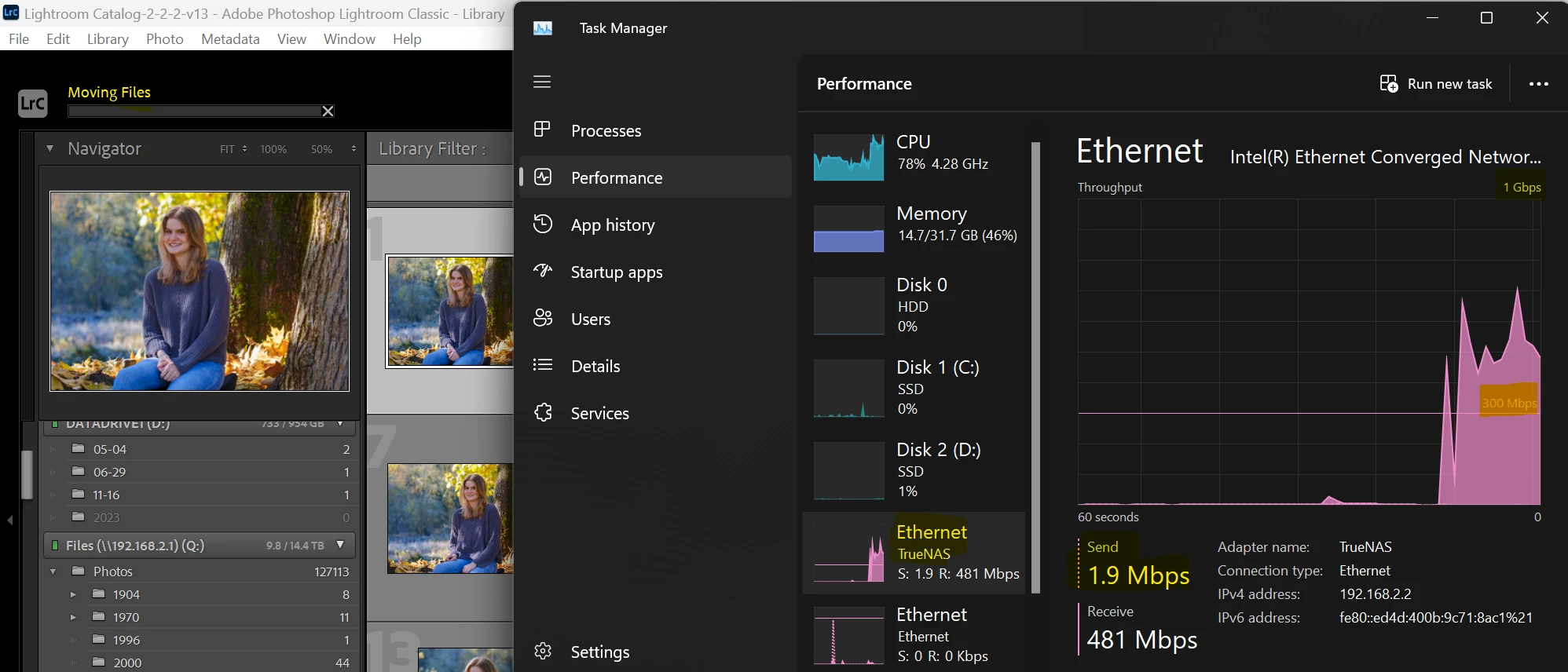
My Win11 machine is setup with Lr catalogs on local SSD, and photos on mapped SMB file share. It's connected via 10Gigabit ethernet and the SMB share is hosted on a dedicated NAS device with SSD drives. The NAS array easily sustains 2Gbps file writes, and reads faster than that (see scenario 1 below). This performance is usually great for me, but when I transfer files through Lightroom Classic 13.0.1, I'm seeing write speeds closer to 1990s dial-up modems 2Mbps! (see scenario 2 below) This wasn't a problem with older versions of Lightroom, and the performance bottleneck doesn't affect any other apps on my system. Any suggestions out there? FWIW, my antivirus is the built-in Windows Defender and has a process exclusion on Lightroom.exe, so I'm pretty confident that has nothing to do with the issue.
Scenario 1: file transfer from SSD>NAS via explorer (similar transfer rates with NAS>SSD)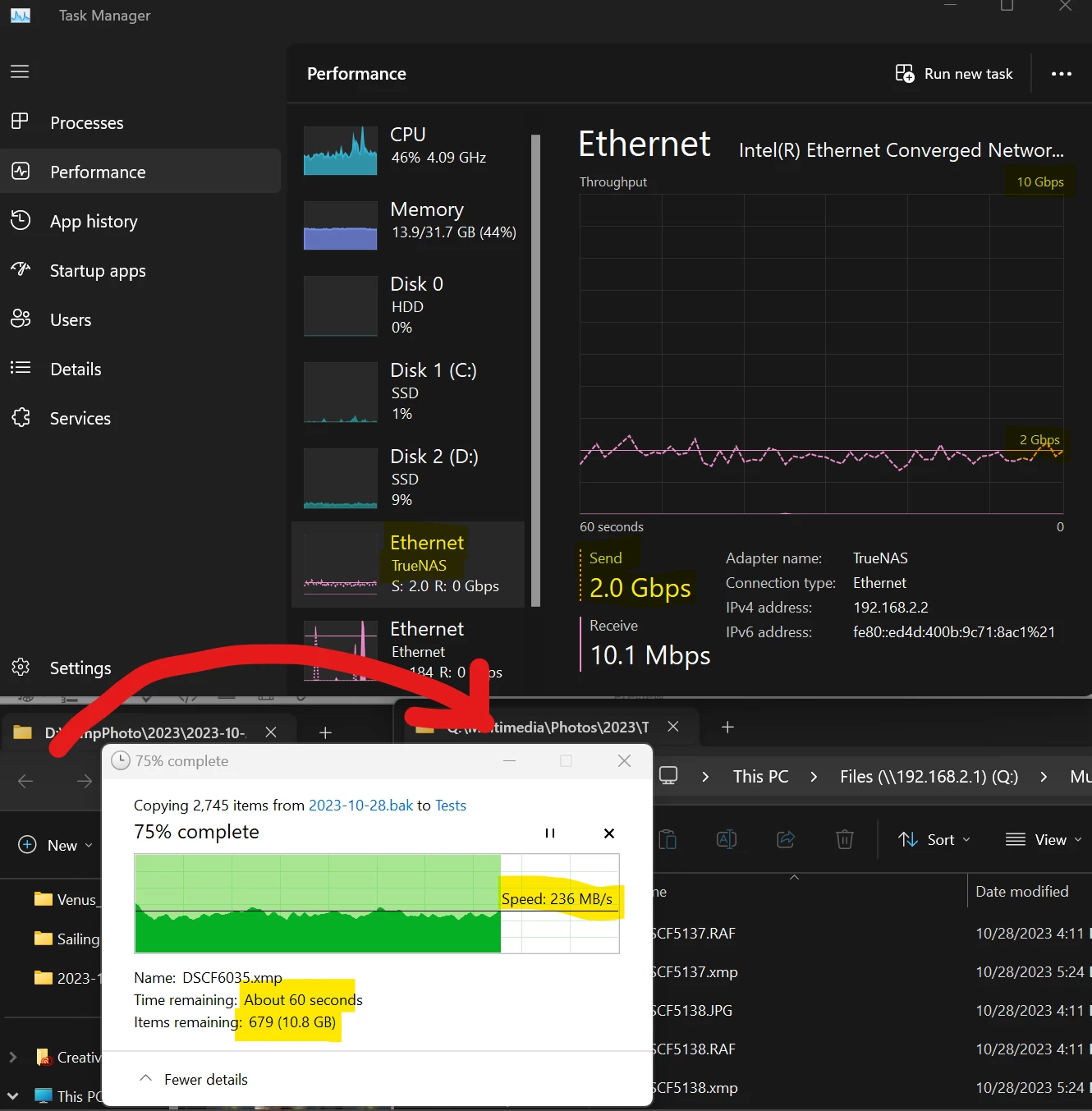
Scenario 2: file transfer from NAS>SSD via Lightroom Classic (similar transfer rates with SSD>NAS)


 AdChoices