charlesb31566997
Participant
March 29, 2017
Answered

files in the wrong place

  • March 29, 2017
  • 1 reply
  • 189 views

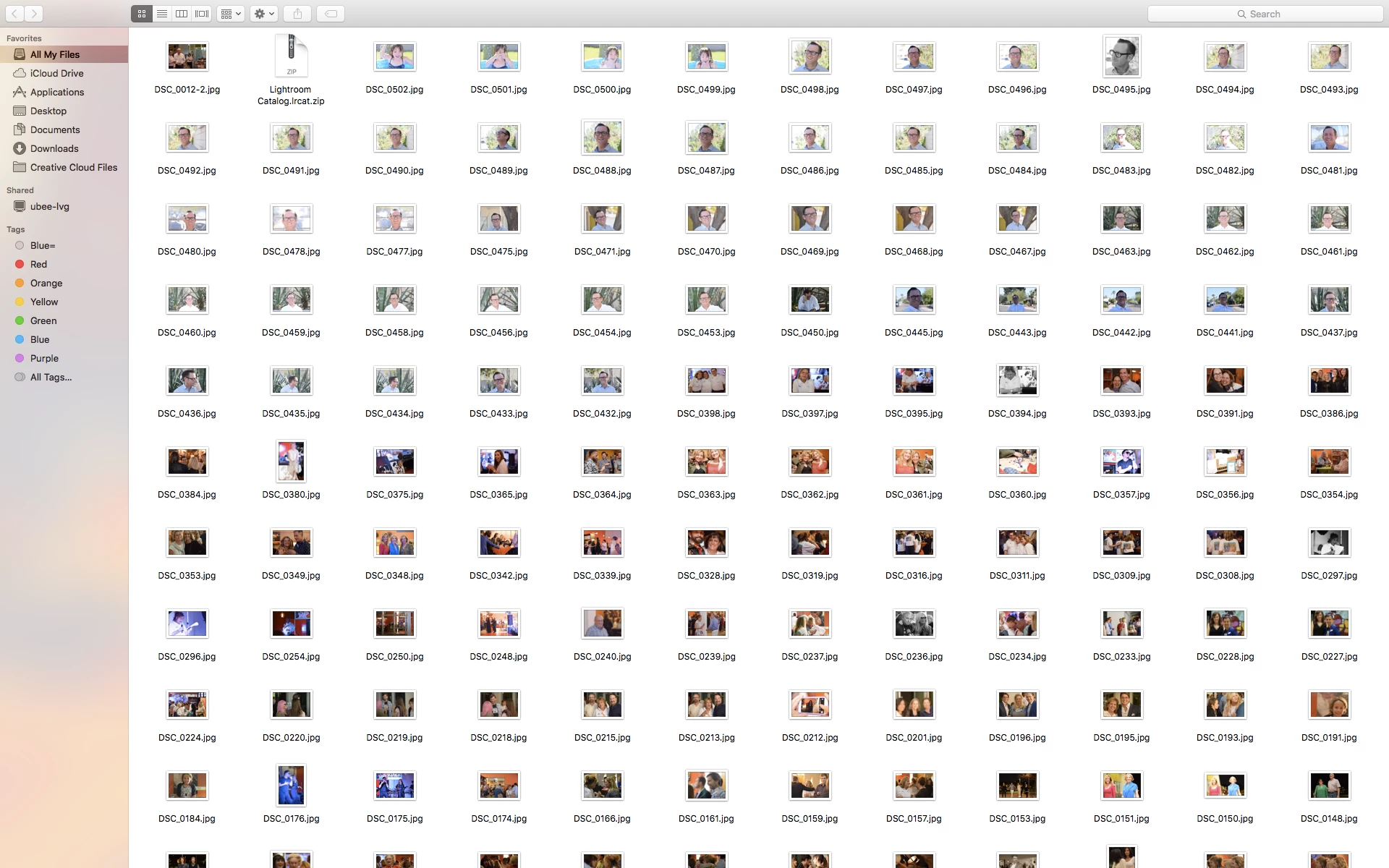
this is a screen shot of finder, I am now to lightroom and seem to be going backwards, i am tempted to delete everything and start over but the better teachable moment would be to figure out how to get all these pics back in a folder and where they belong  I am only dealing with 400 pics that I still have on camera chips.

One mistake I know I made was starting a second catalog and then trying to delete it  any way I am just a mess!!!!!!!!

This topic has been closed for replies.
Correct answer Just Shoot Me

No need to Delete anything. You can start a New Catalog and discard the original.

More than likely, if your images were originally on your hard drive already, you selected the Copy or Move option in the LR Import dialog window when you should of selected the Add option. Selecting either the Copy or Move options would do just that when you imported your images. It would of made Copies of them or moved them from the folder or folders they were originally in to a new location that was selected in the Destination area of the import dialog.

Please note that images are never REALLY IN LR. LR is a Database program that references your images into the LR catalog file, IE the Database file used by LR.

Since your are new to LR please review some of the Online Tutorials for how LR works and how to work with LR.

http://laurashoe.com/2016/10/27/new-to-lightroom-an-introduction-to-lightroom/?utm_source=MadMimi&utm_medium=email&utm_c…

Lightroom tutorials | Learn how to use Lightroom CC

1 reply

Just Shoot Me
Just Shoot MeCorrect answer
Legend
March 29, 2017

No need to Delete anything. You can start a New Catalog and discard the original.

More than likely, if your images were originally on your hard drive already, you selected the Copy or Move option in the LR Import dialog window when you should of selected the Add option. Selecting either the Copy or Move options would do just that when you imported your images. It would of made Copies of them or moved them from the folder or folders they were originally in to a new location that was selected in the Destination area of the import dialog.

Please note that images are never REALLY IN LR. LR is a Database program that references your images into the LR catalog file, IE the Database file used by LR.

Since your are new to LR please review some of the Online Tutorials for how LR works and how to work with LR.

http://laurashoe.com/2016/10/27/new-to-lightroom-an-introduction-to-lightroom/?utm_source=MadMimi&utm_medium=email&utm_c…

Lightroom tutorials | Learn how to use Lightroom CC