


Participant
May 9, 2025
Answered

Filmstrip got cutoff in the last couple versions

  • May 9, 2025
  • 2 replies
  • 330 views

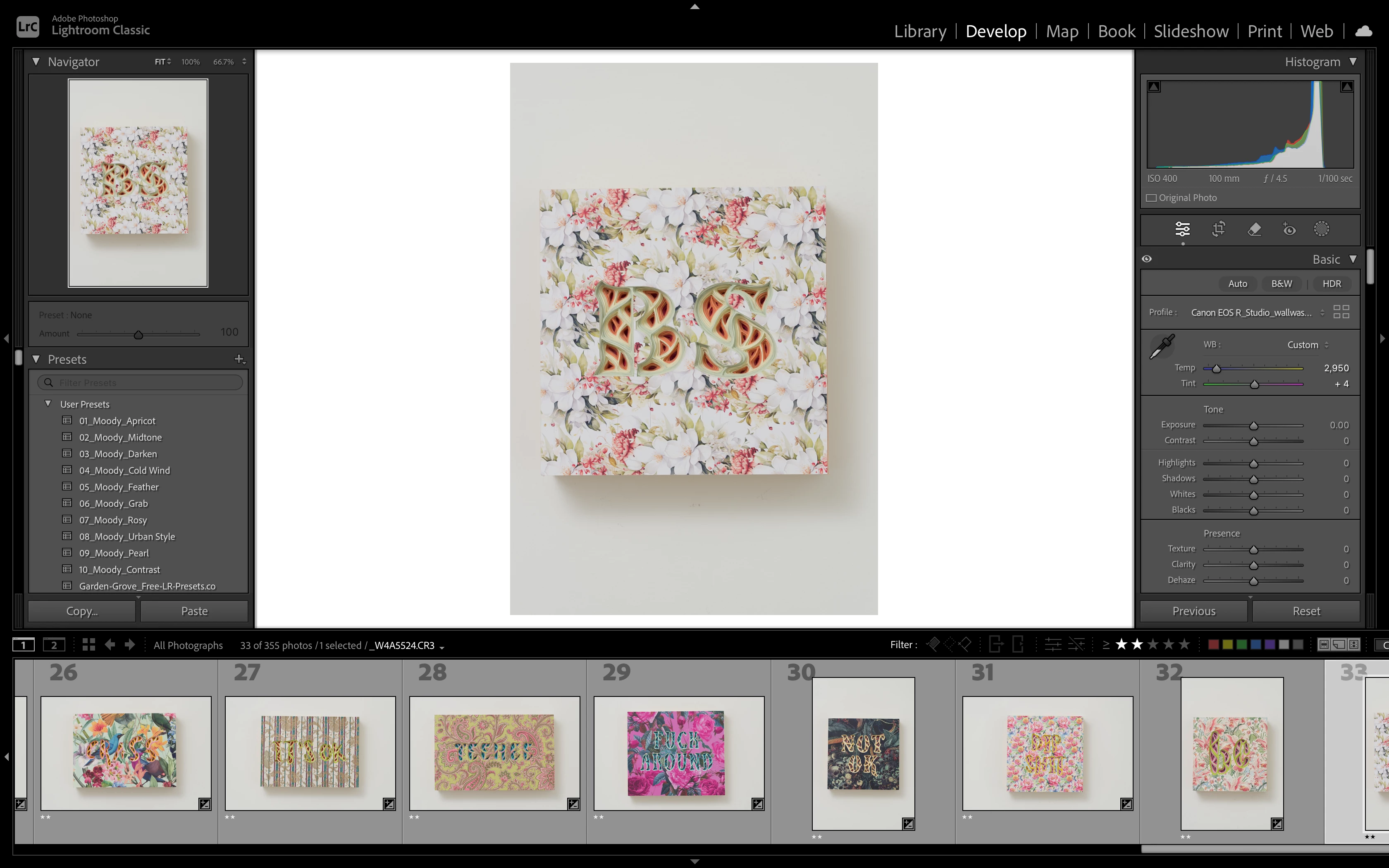
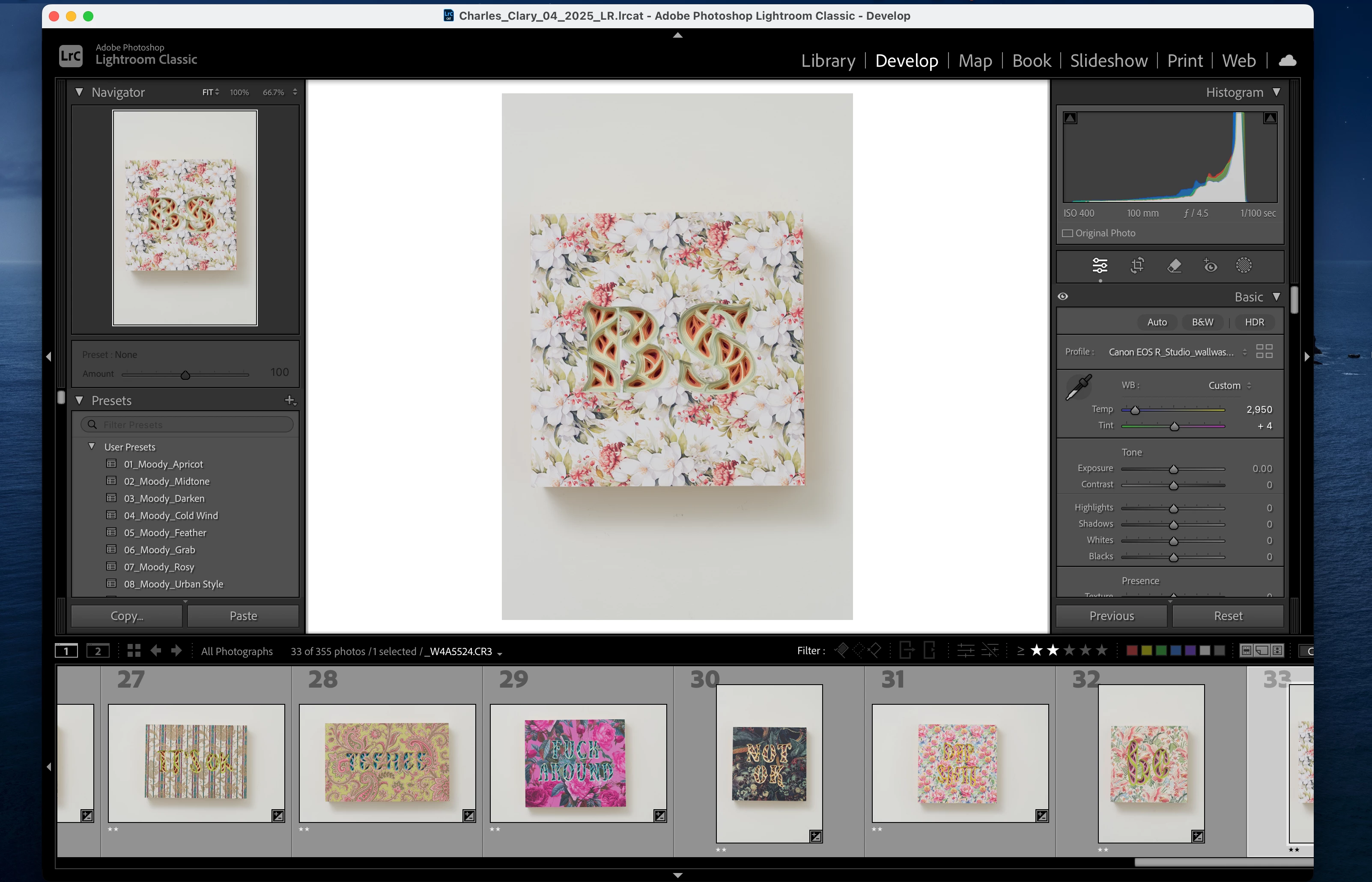
The filmstrip does not show all the images, even when in fullscreen mode, the last image either gets cut off or it's hidden. I had to use the arrow keys to get to the last image. I tried resizing the whole window, but nothing helped. Did I miss something?
 

Correct answer thatchinesekid

Thank you for the tips. I tried that before I made this post. It didn't work for me. 

However, I opened Lightroom Classic today, and the new update seems to have fixed the problem. 

2 replies

JohanElzenga
Community Expert
Community Expert
May 9, 2025

I can't reproduce this. The film strip shows the last photo in full, in full screen mode as well as in any other screen mode on my Mac. This is also regardless of how big I make the film strip. Your screenshots do not only show that the last photo is cut off, the entire strip is cut off on the right side, so you do not see the filter. Try resetting the preferences because this is not how it is supposed to be: https://www.lightroomqueen.com/how-do-i-reset-lightrooms-preferences/

-- Johan W. Elzenga
Participant
May 11, 2025

Thank you for your response. I didn't get to try to reset the preference. The new update seems to have fixed my problem. I will keep that in mind if it happens again next time. 

Community Manager
May 9, 2025

Hi @thatchinesekid! 👋 Welcome to the community!

You should be able to change the number of images you see in the filmstrip by moving your cursor to the top of the filmstrip until it changes to a double arrow. Then, drag it up and down to adjust the size of the photos and the number of images you see in the filmstrip.


Lightroom Filmstrip Tips | Laura Shoe's Lightroom Training Tutorials and  Tips

Hope this helps!
Alek

*(If you mention me with an @, like @Aleke, I’ll get a notification and can respond faster.)*
thatchinesekidAuthorCorrect answer
Participant
May 11, 2025

Thank you for the tips. I tried that before I made this post. It didn't work for me. 

However, I opened Lightroom Classic today, and the new update seems to have fixed the problem.