Participating Frequently
November 14, 2023
Answered

Filmstrip No Longer Showing Stack Counts

  • November 14, 2023
  • 4 replies
  • 1583 views

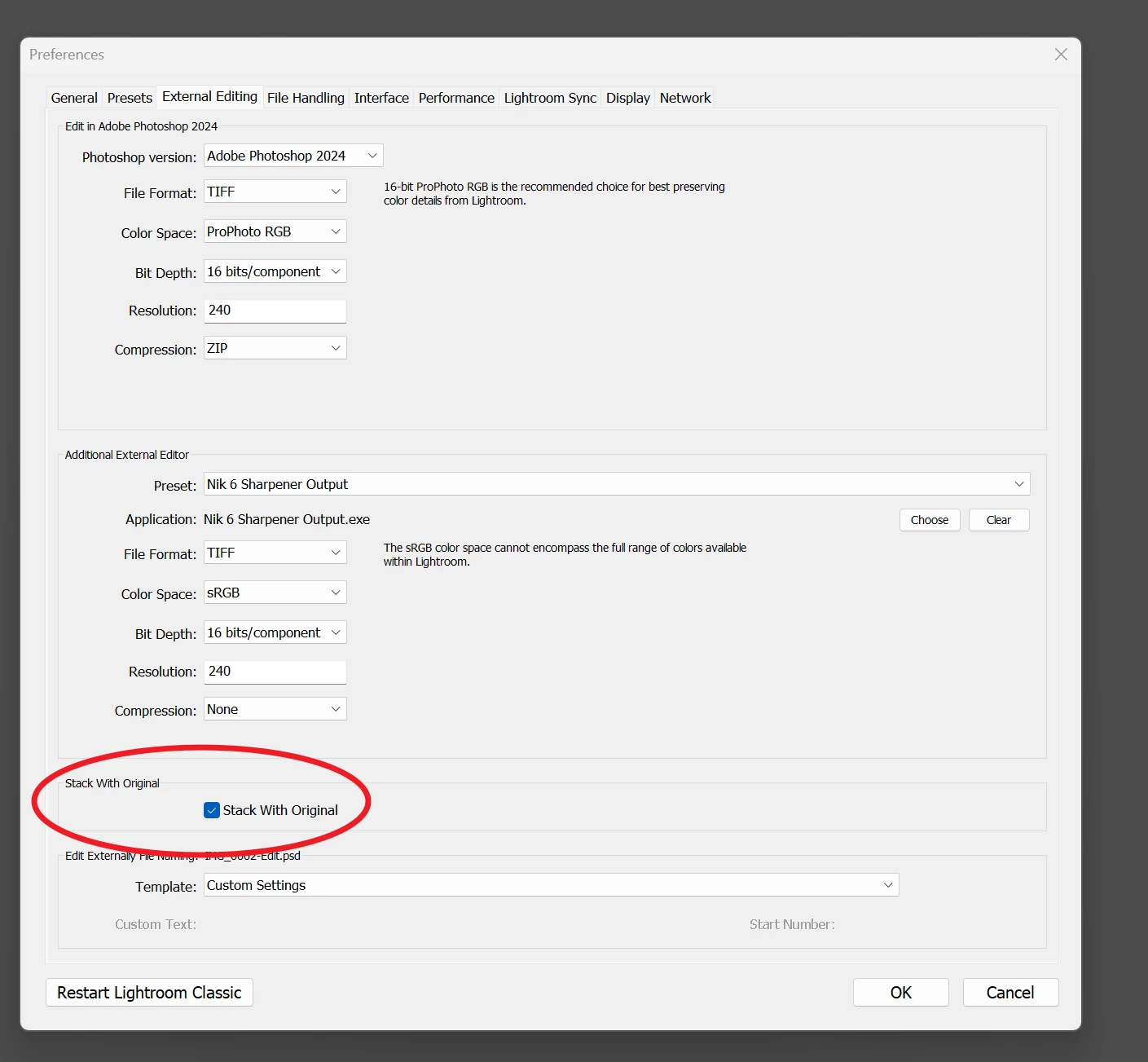
With the latest update, LrC stopped showing stack counts, though the box is checked in Preferences. Also, I sometimes cannot see the stacked photos until I restart Lightroom. I have not experienced these issues previously.
This topic has been closed for replies.
Correct answer GoldingD

" though the box is checked in Preferences. "

This box, correct?:


4 replies

GoldingD
Legend
November 17, 2023

By the way, too make viewing easier for the members, please use the community standard of using the Insert Photo button for images, not the attachment option, use the attachment option for large documents (like crash reports)


From the community recommendations:


 see:

Community How-To Guide - Tips & Best Practices


Participating Frequently
November 17, 2023

Will do going forward. Thank you for pointing that out. This was my rodeo in Adobe Community.

GoldingD
Legend
November 17, 2023

Glad your issue is resolved. And I think you will have a good experience in the community.


By the way, also from the How-To-Guide:


Marking answers as correct
If you received a solution to your question/issue that resolved your problem/doubts, please mark it as correct. This will highlight the answer within the post and in the community and will help fellow community members if they experience the same issue as you, or have the same question.
Know that multiple answers can be marked as correct, so feel free to do so if you found more than one answer to be helpful.


Community Expert
November 17, 2023

After typing a reply I've just noticed, you are viewing these photos in the "Previous Import" special built-in virtual collection. Stacking is not really meaningful anyway in this context IMO.


I suggest, try this viewing the images in their folder view. Or, if these images are added to a (standard) Collection, in that view. But the stacking seen amongst the images within a particular folder, and the stacking between the images in a particular collection, are not and cannot be the same thing. Smart collections are a different matter again.

Participating Frequently
November 17, 2023

I do not mess with Collections, I simply work on files imported into Lightroom.


Please look at the attached files. The first shows that Badges are selected for both the Filmstrip and the Library module thumbnails. I have not changed this. The second attachment is on a project that I worked on in August (notice the 2's, and these are not on virtual copies, which I use very rarely). The third attachment is what I am working on now. I am doing exactly the same process now that I did in August. Why the difference?


The first was worked on in August, the secon I am working on now.  

Community Expert
November 17, 2023

The two screenshots look to exhibit the same behaviour as each other, unless I am missing something. The August photos include several stacks, each one being of 2 photos. The October photos include one stack of 2 photos, currently shown expanded. Did you expect to see more stacks than this? 


Only when you hover the mouse pointer over these badges, does the top of stack image (assuming that stack is open) change to "1 of x" and the other image(s) show "2 of x" etc. At least, that is what I am seeing - I can't recall with complete confidence, but it may be that these "1 of x" etc indicators were previously displayed all the time. If so, then this would probably be a deliberate design change in software update - most likely IMO, with the goal of reducing visual clutter. But that's just my own blind guess.

JohanElzenga
Community Expert
Community Expert
November 14, 2023

The size of the filmstrip is probably too small. It the strip size is decreased below a certain minimum, batches will not be displayed.


-- Johan W. Elzenga
GoldingD
Legend
November 14, 2023

How about a screenshot, and could you annotate the screenshot to indicate the issue. Would be helpful as to make sure we are on the same page.


Participating Frequently
November 17, 2023

The filmstrip is at maximum.  I notice that virtual copies are showing numbers, but not TIF edited files.