[This post contains formatting and embedded images that don't appear in email. View the post in your Web browser.]
"I can filter based on the Orientation of the image but I couldn't found if the orientation of the image is edited after the photo was taken."
How LR handles rotation and flipping is weird -- they don't count as "edits", the catalog doesn't record their original setting, and thus you can't find photos that have been rotated or flipped after import. There's not even any visible setting that indicates a photo has been rotated or flipped!
The best that Any Filter can do is compare the in-catalog rotation with what's written to the photo's metadata on disk. To do that:
1. Do File > Plug-in Extras > Search.
2. Click New.
3. Set Name to be "Rotated in LR".
4. Select the criterion Library > Code.
5. In fields: enter "Orientation, EXIF:Orientation" (no quotes).
6. In code: copy/paste these lines:
(function ()
    local map = {
        ["Horizontal (normal)"] = "AB",
        ["Rotate 90 CW"] = "BC",
        ["Rotate 180"] = "CD",
        ["Rotate 270 CW"] = "DA"}
    local inEXIF = map [EXIFOrientation or "Horizontal (normal)"]
    local inCatalog = Orientation or "AB"
    return inEXIF ~= inCatalog
    end)()
It should look like:
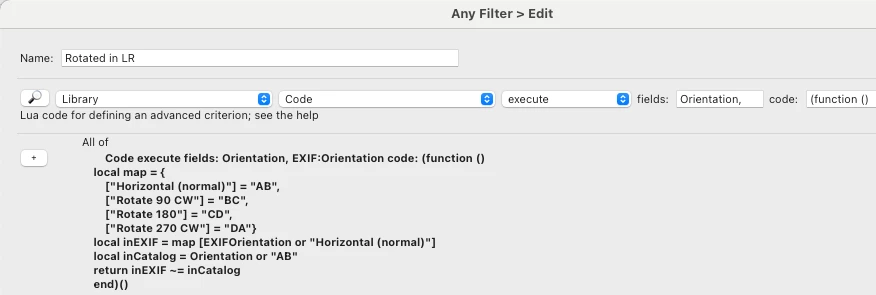
4. Click OK.
5. Click Apply.
This will search your photos fairly slowly, anywhere from 50 to 150 photos/sec depending on your computer and the photos.
Note that if you have set the option Catalog Settings > Metadata > Automatically Write Changes Into XMP, this won't work, since the rotation recorded in the catalog will always be the same as what's recorded in the photo's metadata on disk.

 AdChoices